


Capture every reaction from a LinkedIn post—author, content, engagement counts, date, and a structured list of reactors with profile links and reaction types—so B2B marketers, SDRs, and social media managers can analyze engagement, build high-intent outreach lists, and export to Sheets, Airtable, Notion, or a CRM. Maintained and kept current by Bardeen.
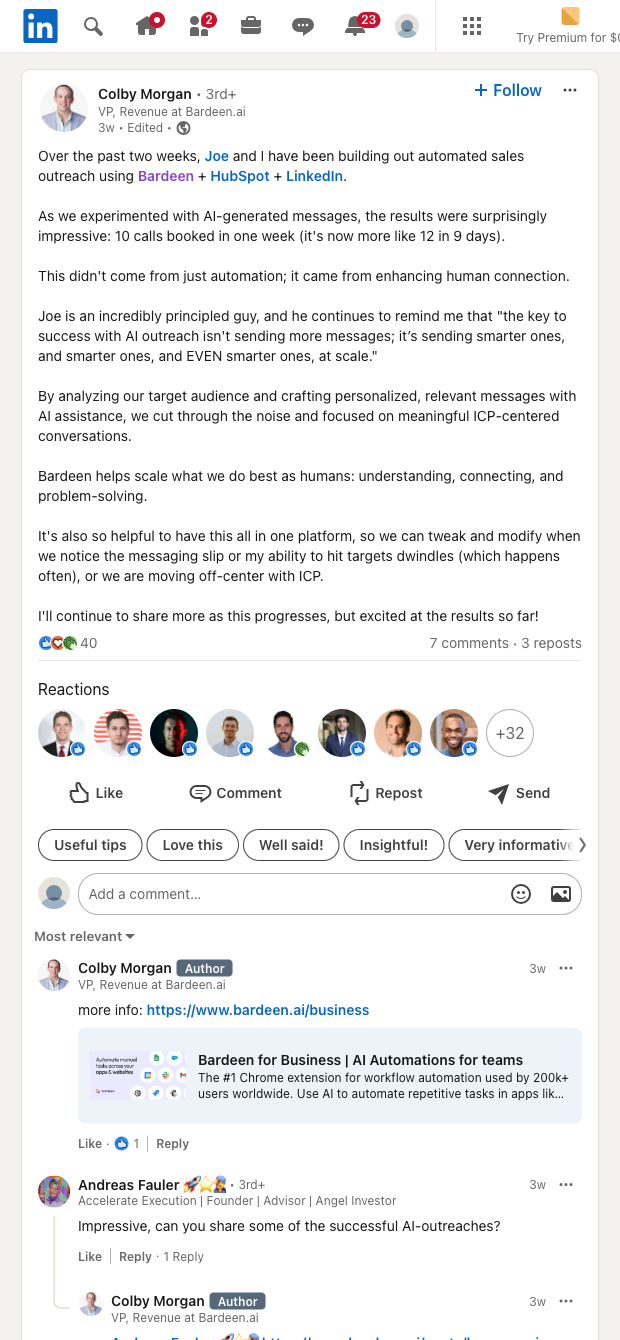

Designed for B2B demand generation marketers, SDRs, and social/community managers across global markets, this template turns any LinkedIn post URL into structured data. It extracts the author name and profile URL, post content, reaction/comment/repost counts, date, and a row for each reactor with their profile URL and reaction type (Like, Celebrate, Support, etc.).
Use it to pinpoint high-intent prospects and advocates, monitor competitor content, and personalize outreach with context from the original post. With Bardeen you can enrich reactor profiles (company, title, email), run AI summaries of the post, compute engagement rates, deduplicate against your CRM, and export clean tables to Google Sheets, Airtable, Notion, or push directly to HubSpot and Salesforce for ABM and social selling workflows.
This template is maintained and updated by Bardeen to adapt to LinkedIn changes and uses smart waits to ensure all reactions fully load, delivering reliable, high-quality data every time.
With Bardeen, you can do much more than just web scraping. After extracting data from any website, use Bardeen’s powerful automation tools to validate and enrich your data, run additional scrapers on linked pages, or leverage AI to qualify leads and generate content automatically. Once your data is ready, you can easily export it to CSV, Google Sheets, Airtable, or Notion for further analysis and reporting.






SOC 2 Type II, GDPR and CASA Tier 2 and 3 certified — so you can automate with confidence at any scale.







