


Turn any LinkedIn companies search into a clean, structured list for B2B prospecting, recruiting, and market research. This template extracts company name, profile URL, logo, headline, description, follower count, and jobs count from LinkedIn search results, so you can build ABM lists, qualify accounts by hiring signals, and export to Sheets, Airtable, Notion, or your CRM. Maintained and updated by Bardeen for reliable, high-quality data.
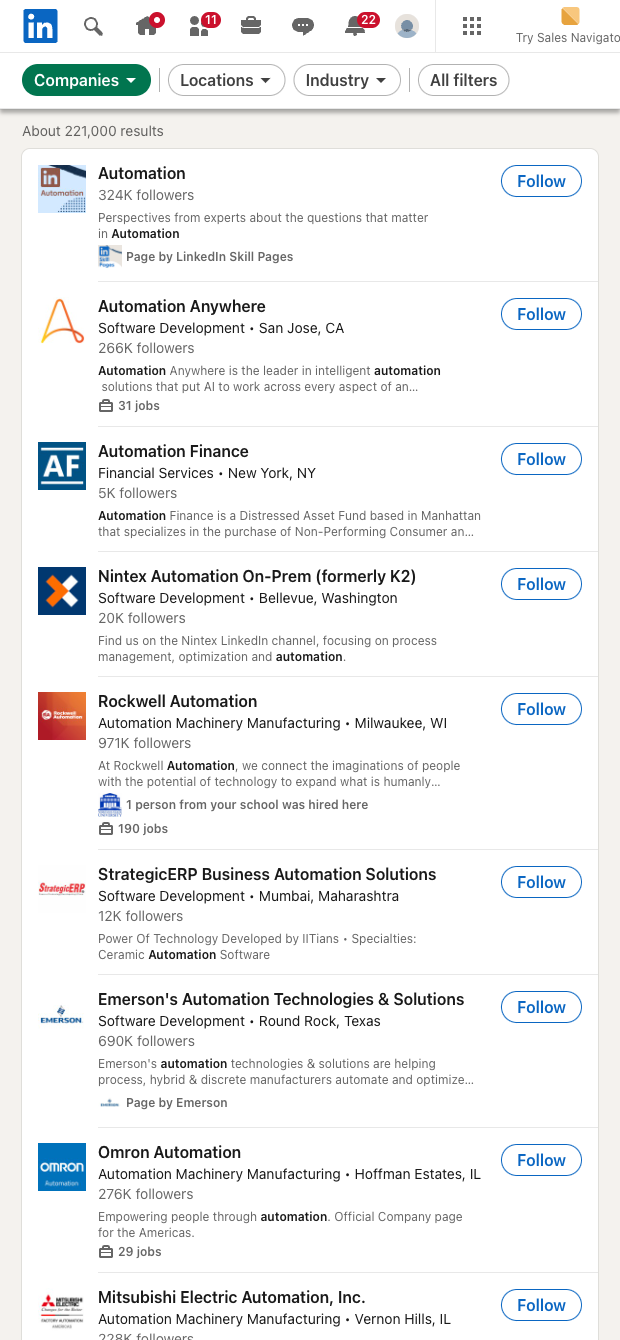

Who it's for: SDRs and sales teams building account lists, recruiters tracking hiring signals, founders and market analysts mapping a category—globally. This LinkedIn companies search scraper captures Name, Company URL, Logo, Headline, Description, Followers, and Jobs count directly from search results, making it easy to segment by intent, size proxy, and relevance without clicking into every profile.
How it helps: Start with any keyword (e.g., "automation", "fintech", "Series A") and instantly extract a structured company list. Use followers as a reach or traction proxy, prioritize by jobs count to spot active hiring, and leverage headlines/descriptions for quick segmentation. With Bardeen, enrich domains and firmographics, score and deduplicate accounts, summarize with AI, and send results to Google Sheets, Airtable, Notion, HubSpot, or Salesforce to kick off outreach, market mapping, or competitor tracking workflows.
Quality you can trust: This is a Bardeen-maintained template. We monitor LinkedIn changes and keep the scraper up to date so you get accurate, high-quality data with minimal upkeep.
With Bardeen, you can do much more than just web scraping. After extracting data from any website, use Bardeen’s powerful automation tools to validate and enrich your data, run additional scrapers on linked pages, or leverage AI to qualify leads and generate content automatically. Once your data is ready, you can easily export it to CSV, Google Sheets, Airtable, or Notion for further analysis and reporting.






SOC 2 Type II, GDPR and CASA Tier 2 and 3 certified — so you can automate with confidence at any scale.









