


Extract structured insights from LinkedIn Company or School People pages—like where employees live, what they do, seniority levels, skills, and education—with clean Category, Label, and Count fields. Built for recruiters, sales and RevOps, and competitive intelligence teams to size teams, map accounts, validate ICPs, and plan territories globally, then export to Google Sheets, Airtable, or Notion for analysis. Maintained and updated by Bardeen for reliable, high‑quality data.
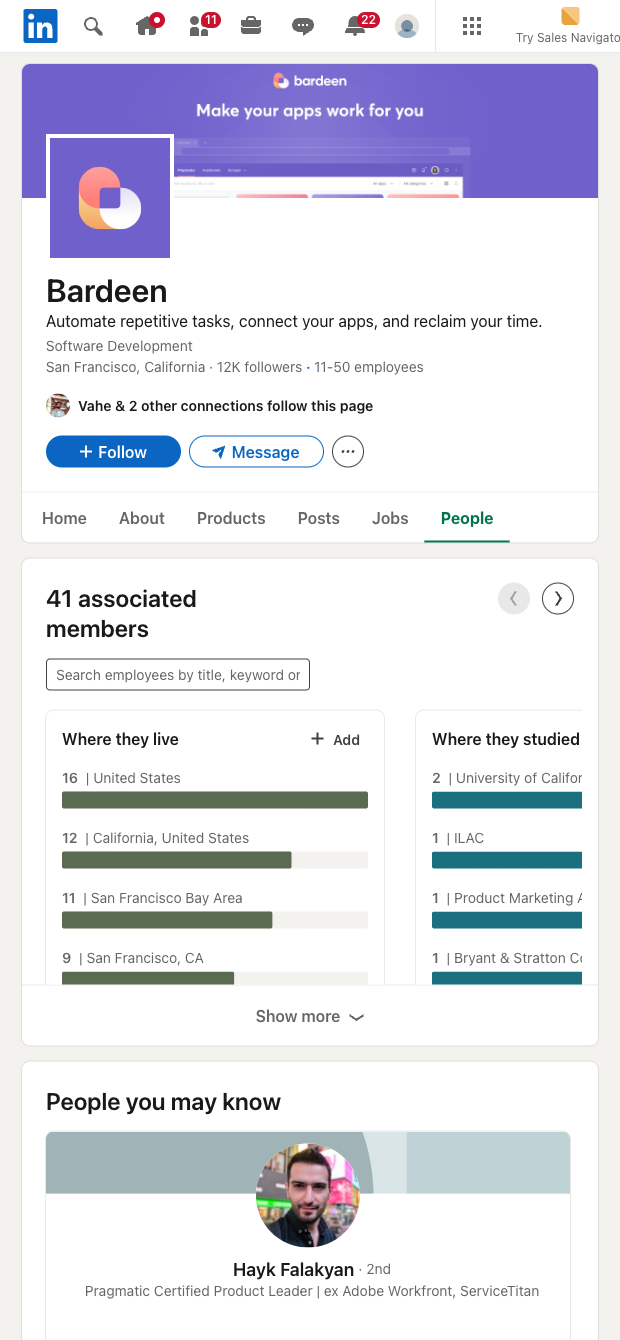

This template is ideal for talent acquisition, sales and RevOps, founders, strategy, and university recruiting professionals who need fast workforce insights from a LinkedIn Company or School People page. It captures aggregated distributions (e.g., Where they live, What they do, Seniority level, What they studied, Skills) as Category, Label, and Count, giving you a privacy-friendly snapshot of a company’s or alumni base’s composition without scraping individual profiles. Use it globally to benchmark competitors, validate your ICP, and size talent pools by region, function, and seniority.
Once scraped, you can enrich, analyze, and export with Bardeen: compute percentages and concentration ratios, prioritize territories by headcount, summarize workforce makeup with AI, or create account plans based on role and seniority distribution. Send the structured table to Google Sheets, Airtable, Notion, or your data stack for dashboards and collaboration, and combine with other Bardeen automations to keep your market maps and recruiting plans up to date.
Maintained by Bardeen: this scraper template is actively updated to reflect LinkedIn UI changes, ensuring high-quality, reliable data for your workflows.
With Bardeen, you can do much more than just web scraping. After extracting data from any website, use Bardeen’s powerful automation tools to validate and enrich your data, run additional scrapers on linked pages, or leverage AI to qualify leads and generate content automatically. Once your data is ready, you can easily export it to CSV, Google Sheets, Airtable, or Notion for further analysis and reporting.






SOC 2 Type II, GDPR and CASA Tier 2 and 3 certified — so you can automate with confidence at any scale.









