


Turn LinkedIn People Search results into a ready-to-use candidate database. Built for recruiters and talent sourcers, this template captures profile URLs, names, headlines, locations, current roles and companies (with logos and tenure), education, skills, languages, connection degree, mutual connection links, profile photos, and any available contact details—organized instantly for filtering, enrichment, and export to Google Sheets, Airtable, or your ATS.
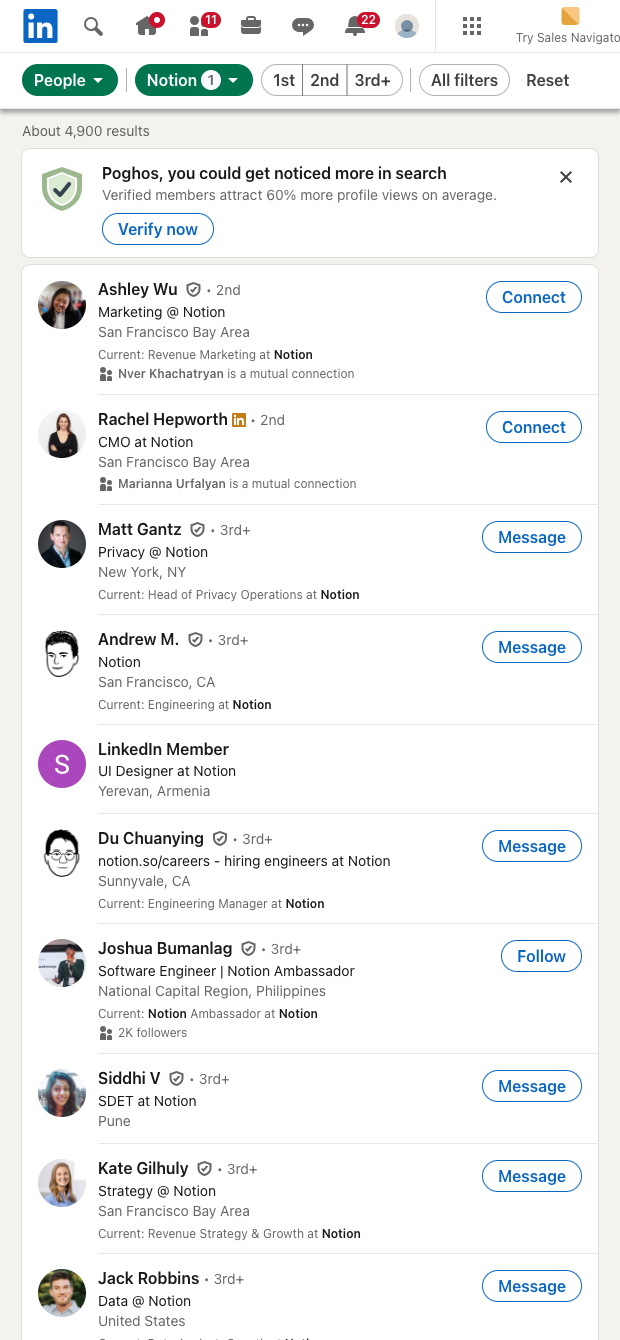

Who it’s for: Recruiters, talent sourcers, and HR teams globally who need to scale candidate discovery and outreach from LinkedIn People Search. This scraper structures rich profile data—name, headline, location, current company and role, tenure, education (with logos and links), skills, languages, connection degree, mutual connections URL, profile image, and available contact fields (email, phone, websites, Twitter, address, birthday, IM)—plus direct profile and custom URLs for quick review.
How it helps: Start from any LinkedIn People Search URL and collect profiles in bulk, then use Bardeen’s automation to enrich with company info, rank candidates with AI using skills and headlines, summarize About sections, normalize locations, and deduplicate against existing pipelines. Send shortlists to Google Sheets or Airtable, push to your ATS (e.g., Greenhouse, Lever), generate personalized outreach drafts, or route high-fit candidates to your calendar tool. The result is a faster, higher-signal sourcing workflow with clean, structured data.
This scraper is maintained and updated by Bardeen to reflect LinkedIn changes, ensuring reliable extraction and high-quality data over time.
With Bardeen, you can do much more than just web scraping. After extracting data from any website, use Bardeen’s powerful automation tools to validate and enrich your data, run additional scrapers on linked pages, or leverage AI to qualify leads and generate content automatically. Once your data is ready, you can easily export it to CSV, Google Sheets, Airtable, or Notion for further analysis and reporting.






SOC 2 Type II, GDPR and CASA Tier 2 and 3 certified — so you can automate with confidence at any scale.









