Lead enrichment is a critical component of sales success in 2025. It plays a vital role in qualifying sales leads and moving them through the sales funnel for more conversions.
Consider these compelling lead enrichment statistics from Madison Logic:
Still, you may have some pressing questions about how to enrich lead data. What is lead enrichment? What are the best lead enrichment tools in 2025? What is LinkedIn enrichment?
In this guide, we'll dive deep into everything you need to know about lead enrichment—including what lead enrichment is, why it matters immensely for sales teams, and how to implement it effectively.
Let’s start at the top.
Lead enrichment is the process of adding more information to an existing lead record to gain deeper insights about the lead. Why? It enables sales teams to build prospect lists properly, gain a better understanding, and engage with them. Simple.
For example, let's say a software company attends a trade show and collects business cards from interested attendees. The information on the cards is limited to name, company, and email. To qualify and prioritize these leads, the sales team can enrich the data in Google Sheets. This means adding extra details like job title, company size, industry, and technographic info. Here’s a Bardeen template meant to help with exactly that:

How does this playbook work?
Qualifying leads is time-consuming and error-prone. This playbook pulls leads from a Google Sheet, enriches them with data from Apollo and LinkedIn, qualifies them using a custom classifier, and saves the results to a new sheet – automating the entire process.
They may do this manually by researching each lead online. Or, they may use lead enrichment tools to automatically pull in third-party data. Now the sales reps have much more context about each lead to tailor their outreach.
If incomplete lead data is holding your team back, you are experiencing problems like:
LinkedIn lead enrichment—or, for that matter, lead enrichment from any social media—is the process of enhancing lead data by extracting valuable insights from LinkedIn profiles and company pages.
LinkedIn accounts for approximately 80% of B2B leads generated through social media platforms. It’s also a great place to enrich data as it stores a ton of useful details. It also has many in-built features like LinkedIn Sales Navigator to help you along. And Bardeen natively integrates with both, offering automations such as:
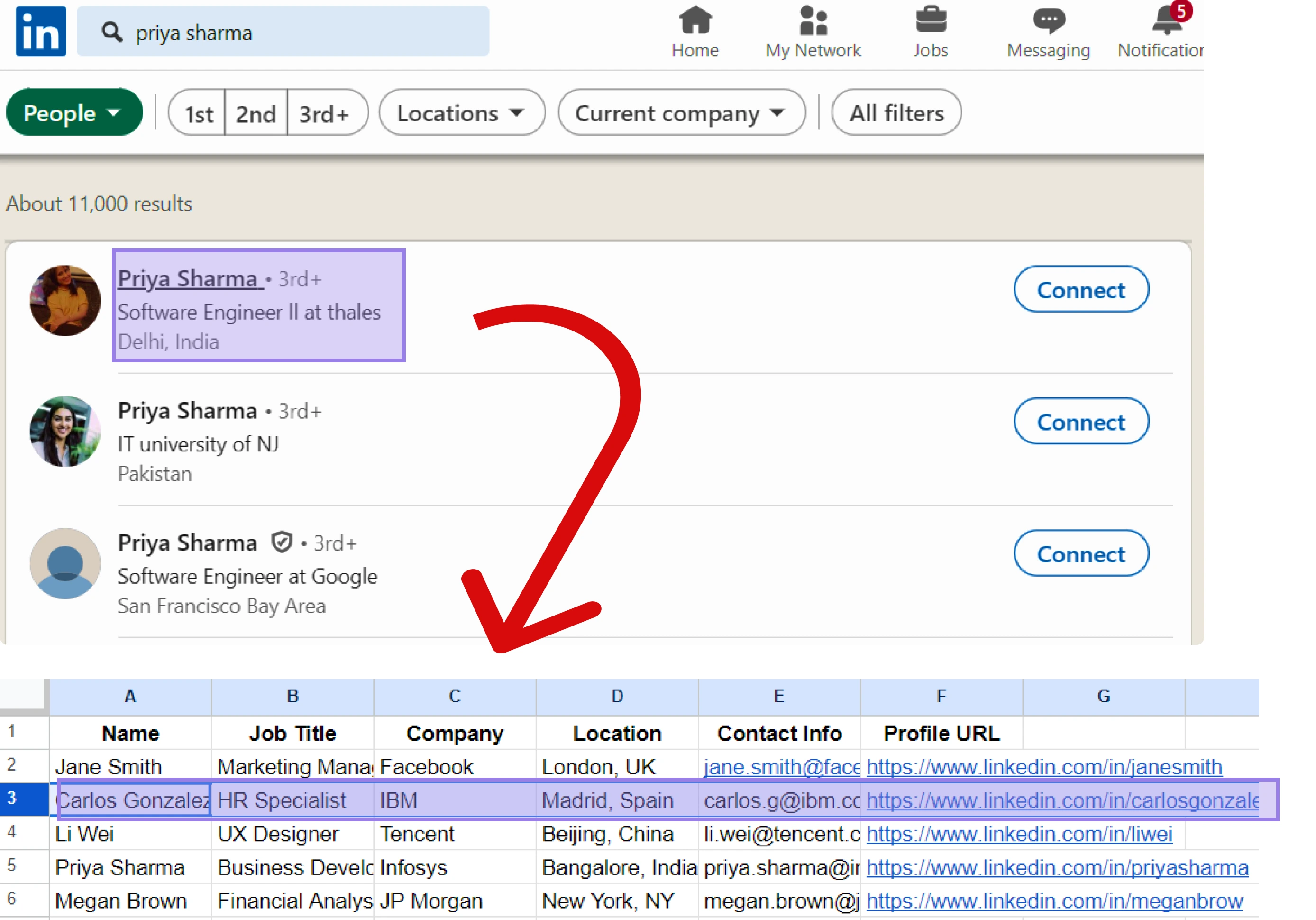
How does this playbook work?
Enriching LinkedIn profiles in Google Sheets is time-consuming. This playbook extracts LinkedIn profile links from a spreadsheet, scrapes key data points, and updates the sheet with the enriched data automatically.


How does this playbook work?
Manually researching leads on LinkedIn is time-consuming. This playbook grabs the URL of a LinkedIn profile, looks up the person's contact and company info in Apollo.io, and displays the results on-screen.
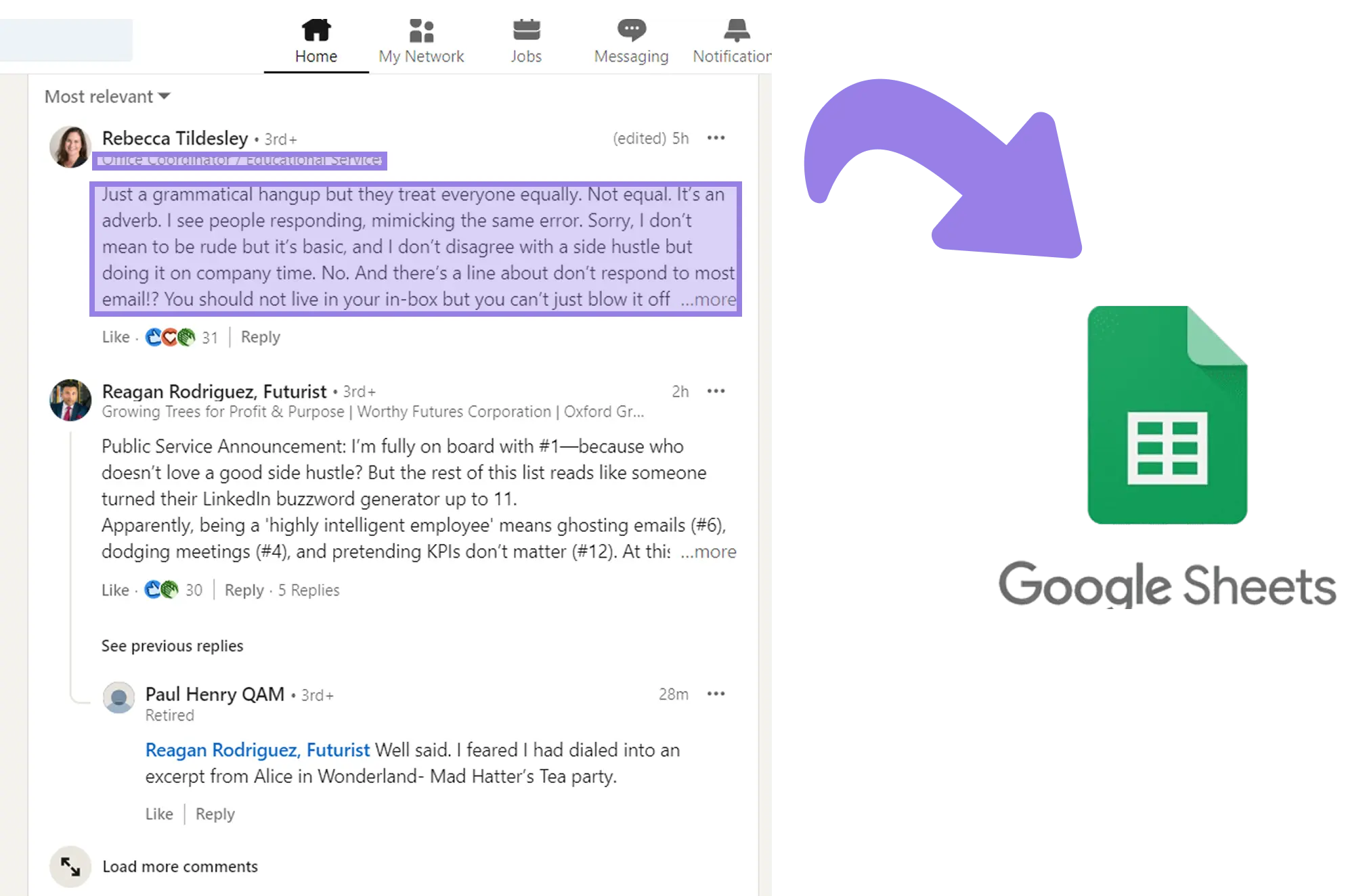
How does this playbook work?
Exporting LinkedIn post commenters to a spreadsheet is time-consuming. This playbook scrapes commenter data from a LinkedIn post and adds it to a Google Sheet with a single click, making it easy to analyze and use the data.
Enriching leads with additional context equips sales reps to personalize their cold emails and more effectively move leads through the funnel. Complete lead data allows for better lead scoring, segmentation, and prioritization.
In fact, OpenSend found that companies leveraging AI for lead enrichment report up to a 47% increase in conversion rates.
Some key benefits of lead enrichment include:
B2B sales cycles are long and complex, often involving multiple decision-makers and sometimes lasting up to 12 months.. Lead enrichment provides the information needed to identify key stakeholders, uncover buying signals, and engage leads with relevant messaging. It's an essential process for any B2B sales org looking to boost conversion rates and revenue.
B2B lead enrichment comes with its own challenges and obstacles. Automated lead enrichment tools can seriously slash the amount of time your team has to spend entering data — just think about how many hours the workflows below could save you.
How does this playbook work?
Qualifying leads is time-consuming and error-prone. This playbook pulls leads from a Google Sheet, enriches them with data from Apollo and LinkedIn, qualifies them using a custom classifier, and saves the results to a new sheet – automating the entire process.


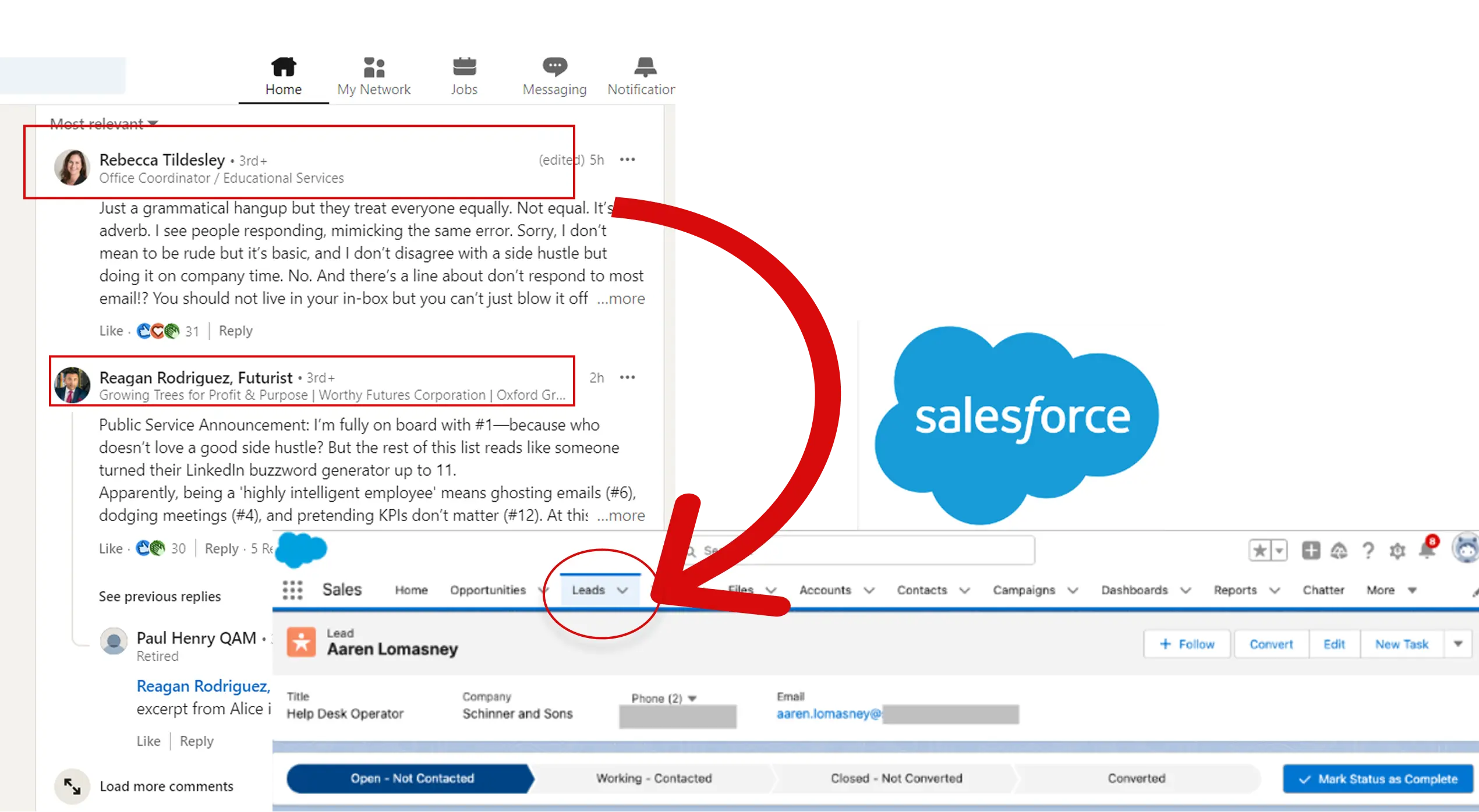
How does this playbook work?
Salesforce leads often have incomplete data. This playbook finds a lead's LinkedIn profile from their email, scrapes additional info, and updates the Salesforce record automatically.
Lead enrichment provides numerous benefits for sales and marketing teams looking to boost their performance and close more deals. By understanding these key advantages, you can optimize your sales process and achieve better results. Let’s take a look:
Enriching leads with additional data points like job title, company size, and industry gives reps valuable context. This helps avoid relying on outdated or incomplete information that can derail sales efforts.
With enriched lead data, sales teams can zero in on the most promising prospects. Reps can tailor messaging and outreach based on key attributes, making their communications more relevant and impactful, even when dealing with a high volume of leads.
Enriched lead data accelerates the process, especially if you also use lead qualification tools. Reps can quickly identify sales-ready leads and engage them in a timely manner. Prompt outreach when a lead is "hot" maximizes the likelihood of conversion.
Lead enrichment tools automate the time-consuming process of manually researching and updating lead records. This frees up reps to focus on revenue-generating sales activities. Automated enrichment ensures data is always accurate and actionable.
The benefits of lead enrichment are clear - more context, personalization at scale, faster lead engagement, and increased sales efficiency.
Automating lead enrichment is important because it supercharges your sales and marketing efforts. Here's why:
Manual research on every lead is incredibly time-consuming. Automation can do it faster and with minimal supervision.
Automating the process reduces the need for a large team dedicated to this task, making it a more cost-effective solution for high-volume lead management.
Leads that are contacted quickly are far more likely to convert. Automated enrichment ensures reps have all the key info right away, reducing lag and increasing win rates.
Automation often pulls from multiple verified sources, minimizing human error and outdated information that would otherwise pollute your CRM.
As you generate more leads, manually enriching them just doesn’t scale. Automation keeps your data rich and actionable, no matter how fast your business grows.
When the lead enrichment process is automated, it ensures that every lead is enriched in the same way, using the same standards and data sources.
Lead enrichment data refers to contextual information collected or added to a lead’s basic profile. It goes beyond name and email to provide additional details that sales and marketing teams find useful.
The goal of lead enrichment is to improve the quality of lead data so that revenue teams can better understand their customers and make smarter decisions. Let’s say someone fills out a form on your website and only provides their name and email. You contact record would look something like this:
As you can see, they’ve only provided the necessary information. These details aren’t very useful, either. But after using lead enrichment tools to collect publicly available information from social media, databases, or your CRM, your contact record can look more like this:
Now, your sales rep knows who Jordan is, what company they work for, and that they’re actively comparing solutions.
Before enriching leads, be clear about who you want to attract. Define key attributes like industry, company size, revenue, geography, tech stack, and job titles you care about.
Bad enrichment data can do more harm than good. Partner with trusted data providers (like ZoomInfo, Apollo) or use APIs that pull real-time, verified information.
Set up workflows that automatically trigger enrichment when a new lead enters your CRM.
For example, connect forms or landing pages to lead enrichment tools, so leads are updated the second they convert.
Focus on the most actionable pieces of information first:
This helps to ensure you don’t waste time and resources gathering data you don’t need.
Enriched data can get dated, especially in the fast-moving world of tech startups. Schedule periodic re-enrichment or use tools that automatically refresh records.
Create dynamic email templates and call scripts that use enriched details for personalization. For example, "Congrats on your Series B funding!" or "I see you're using Salesforce, here’s how we integrate."
Respect privacy laws (like GDPR, CCPA). Make sure you're clear about where the data comes from and how you're using it.
Before we get into how to enrich lead data and the best automated lead enrichment tools available, you should know the core types of data enrichment. To maximize the impact of your lead enrichment efforts, it's crucial to understand the various types of data you can use. This way, you can gain a 360-degree view of your prospects and tailor your outreach accordingly.
Contact data is the foundation of lead enrichment. It includes essential details like email addresses, phone numbers, and direct dial numbers. Having accurate contact information allows you to reach out to prospects through multiple channels and increases the likelihood of successful engagement.
For example, if you're targeting a decision-maker at a large enterprise, having their direct phone number can help you bypass gatekeepers and initiate a conversation.
Lead enrichment data strength: Strong
Ease of obtaining lead enrichment data type: Medium
Account data provides insights into the overall structure and hierarchy of a prospect's organization. It includes information about parent companies, subsidiaries, and key decision-makers within the account.
Imagine you're selling a complex enterprise solution. By understanding the account structure, you can identify the right stakeholders to engage with and tailor your messaging to address their specific needs and pain points.
Lead enrichment data strength: Strong
Ease of obtaining lead enrichment data type: Medium
Intent data reveals a prospect's level of interest and readiness to make a purchase. It includes online behaviors like website visits, content downloads, and search queries related to your product or service.
Let's say you notice a prospect has visited your pricing page multiple times and downloaded a case study. This intent data suggests they are actively evaluating solutions and may be ready for a sales conversation.
Lead enrichment data strength: Strong
Ease of obtaining lead enrichment data type: Medium
Social media data provides valuable insights into a prospect's interests, preferences, and professional network. It includes information from platforms like LinkedIn, Twitter, and Facebook.
For instance, if you discover a prospect is actively engaged in industry-specific LinkedIn groups, you can use that information to craft a personalized outreach message that resonates with their interests and establishes a connection.
Lead enrichment data strength: Medium
Ease of obtaining lead enrichment data type: Easy
Behavioral data tracks a prospect's interactions with your brand across various touchpoints. It includes email opens, link clicks, website visits, and event registrations.
Imagine you send a prospect an email invitation to a webinar. If they open the email, click the registration link, and attend the webinar, that behavioral data indicates a high level of engagement and interest in your content.
Lead enrichment data strength: Medium
Ease of obtaining lead enrichment data type: Easy
Demographic data provides insights into a prospect's personal characteristics, such as age, gender, income level, and education. This information can help you create targeted messaging that resonates with specific audience segments.
For example, if you're selling a luxury product, knowing a prospect's income level can help you determine if they are a good fit for your offering and tailor your messaging accordingly.
Lead enrichment data strength: Low
Ease of obtaining lead enrichment data type: Medium
Firmographic data focuses on the characteristics of a prospect's company, such as industry, company size, revenue, and location. This information helps you identify ideal customer profiles and target companies that align with your product or service.
Let's say your solution is designed for mid-sized businesses in the healthcare industry. By enriching your leads with firmographic data, you can quickly identify prospects that match those criteria and prioritize your outreach efforts.
Lead enrichment data strength: Strong
Ease of obtaining lead enrichment data type: Easy
Technographic data provides insights into the technologies and tools a prospect's company uses. This information is particularly valuable for B2B sales, as it helps you understand if your product or service is compatible with a prospect's existing tech stack.
For instance, if you sell a marketing automation platform, knowing that a prospect already uses a specific CRM system such as HubSpot or Salesforce can help you highlight the native integration capabilities of your solution.
Lead enrichment data strength: Medium
Ease of obtaining lead enrichment data type: Medium
Geographic data includes information about a prospect's location, such as city, state, and country. This data is useful for tailoring your outreach based on regional preferences, regulations, or events.
Imagine you're hosting a series of in-person workshops across different cities. By enriching your leads with geographic data, you can invite prospects located near each event venue, increasing the likelihood of attendance.
Lead enrichment data strength: Low
Ease of obtaining lead enrichment data type: Easy
Want to gain a holistic view of your prospects and create targeted outreach that resonates? Use as many of these nine types of lead enrichment data as it makes sense for your audience.
Businesses are leveraging lead enrichment to gather deeper insights, streamline workflows, and improve their sales and marketing strategies. The examples below show how you can use Bardeen to do extra research information in just a few clicks:
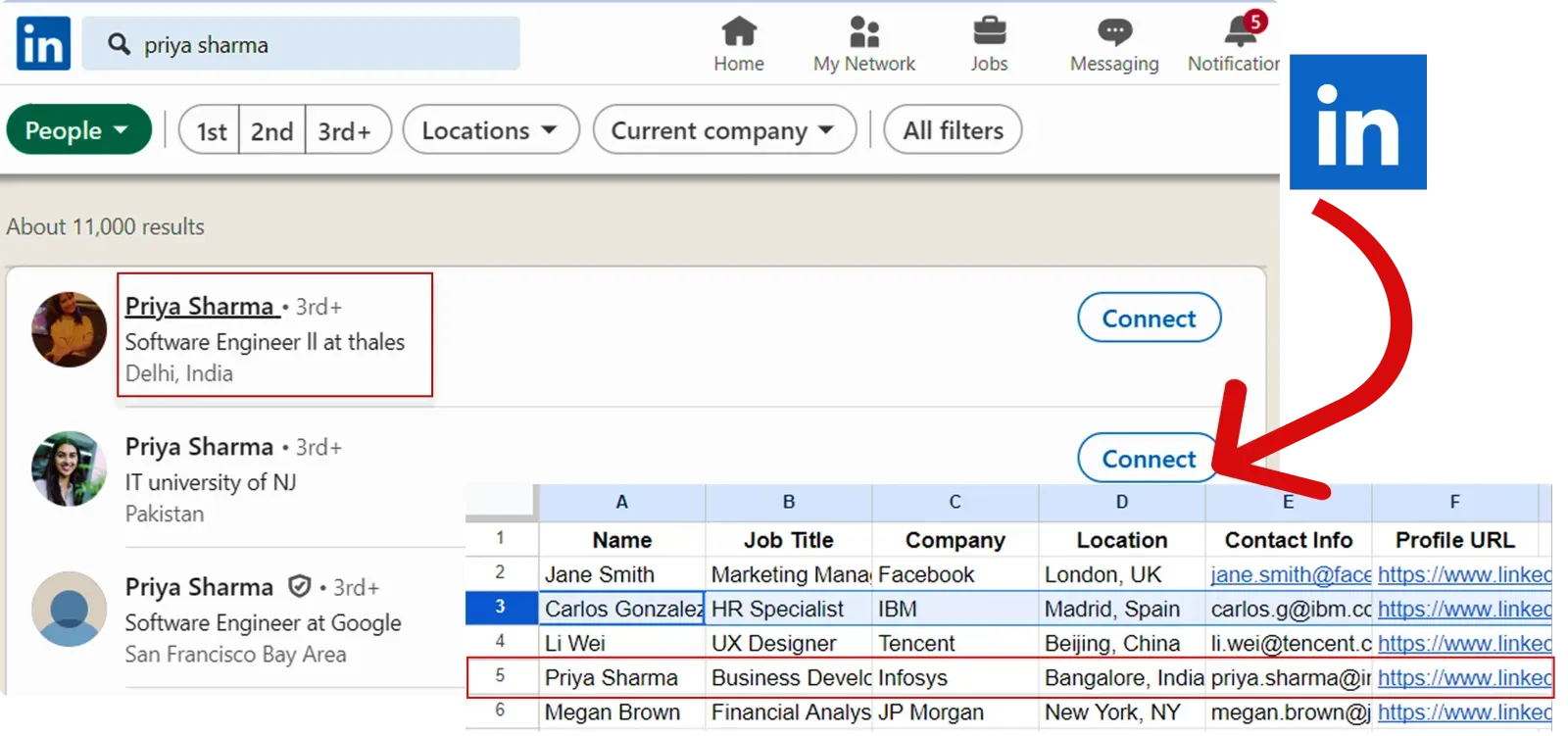
What it does: Collects publicly available data from a LinkedIn profile and organizes it into a spreadsheet
Automation Flow:
Enriched Fields: Name, Title, Company, Location, Profile URL
How does this playbook work?
Qualifying leads is time-consuming and error-prone. This playbook pulls leads from a Google Sheet, enriches them with data from Apollo and LinkedIn, qualifies them using a custom classifier, and saves the results to a new sheet – automating the entire process.


How does this playbook work?
Researching companies on LinkedIn is time-consuming. This playbook takes a Google Sheet of LinkedIn company URLs, scrapes key data from each profile, and saves it to a new sheet – automating the process.
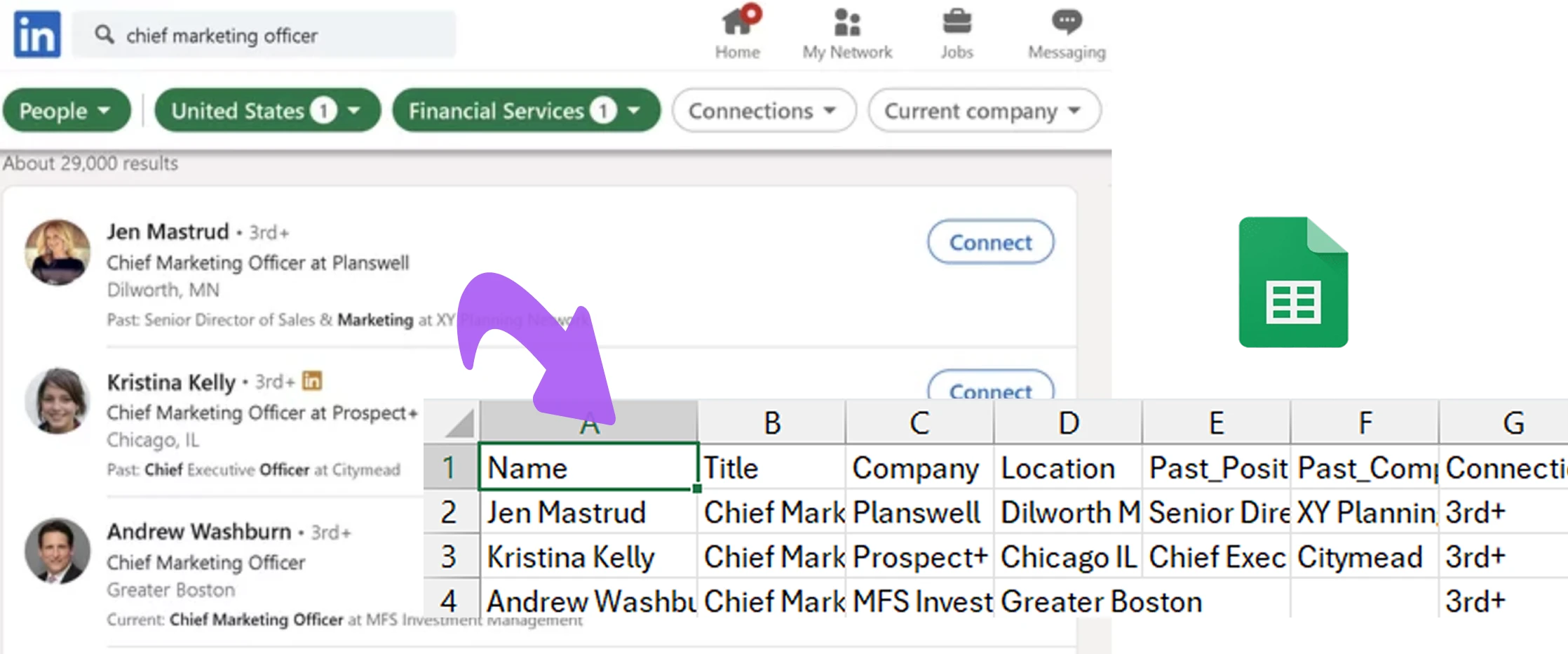
How does this playbook work?
Enriching company data is time-consuming. This playbook takes a Google Sheet of company names, pulls LinkedIn data for each (including employee info), and updates the sheet with the enriched data.
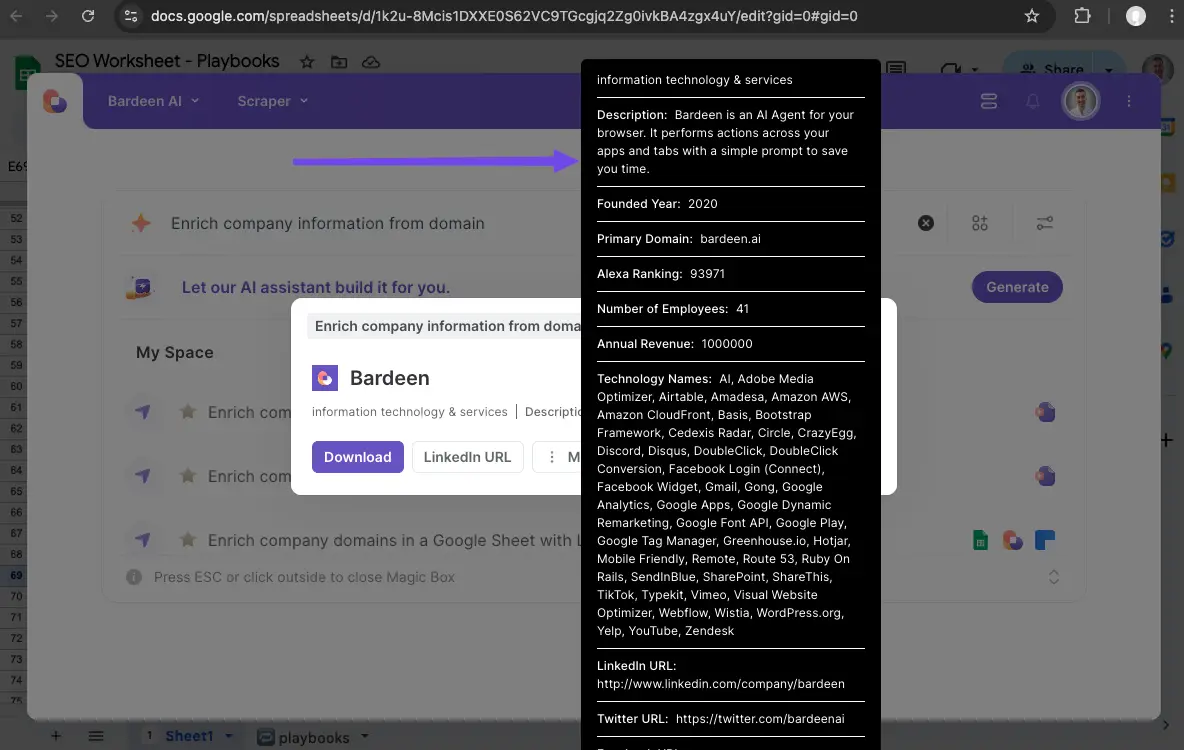
What it does: Uses a list of company domains to collect information about those companies
Automation Flow:
Enriched Fields: Company name, size, industry, location

How does this playbook work?
Company research is time-consuming. This playbook retrieves key data points like company size, industry, and location from a domain name, displaying them on-screen for quick reference.

How does this playbook work?
Gathering company data is time-consuming. This playbook pulls key info like company size, industry, and location from a domain and adds it to Google Sheets automatically.

What it does: Scrapes the web to find additional details about new leads and enriches CRM records
Automation Flow:
Enriched Fields: LinkedIn URL, job title, company info, location

How does this playbook work?
Outdated CRM data leads to missed opportunities. This playbook pulls a HubSpot contact, enriches it with up-to-date data, and updates the contact's record with fresh information automatically.
How does this playbook work?
Salesforce leads often have incomplete data. This playbook finds a lead's LinkedIn profile from their email, scrapes additional info, and updates the Salesforce record automatically.
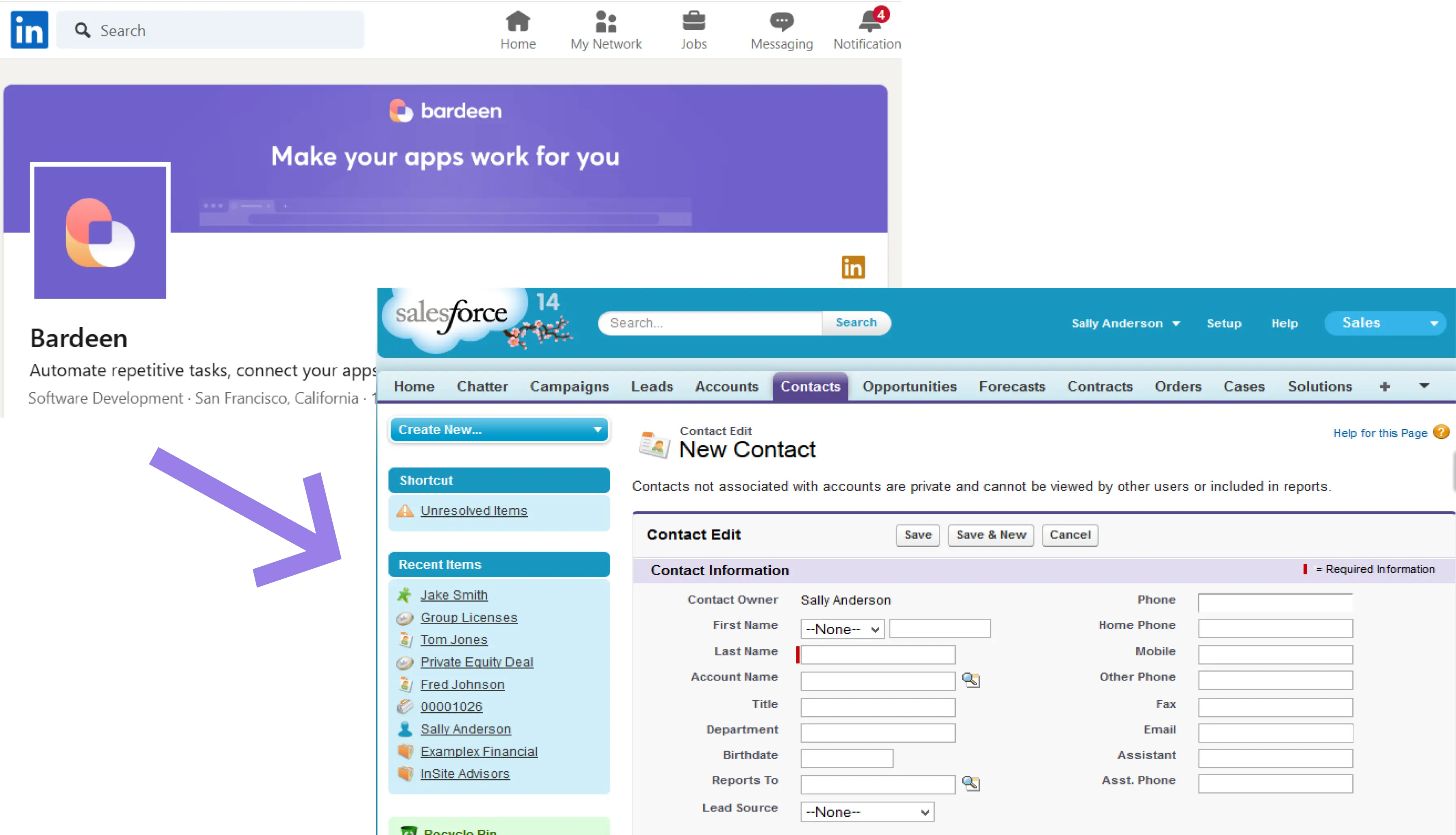
How does this playbook work?
Salesforce contacts often lack key info. This playbook finds a contact's LinkedIn profile from their email, scrapes the data, and updates their Salesforce record with the enriched details automatically.

What it does: Creates a lead list from LinkedIn search results
Automation Flow:
Enriched Fields: Name, title, LinkedIn URL, company name
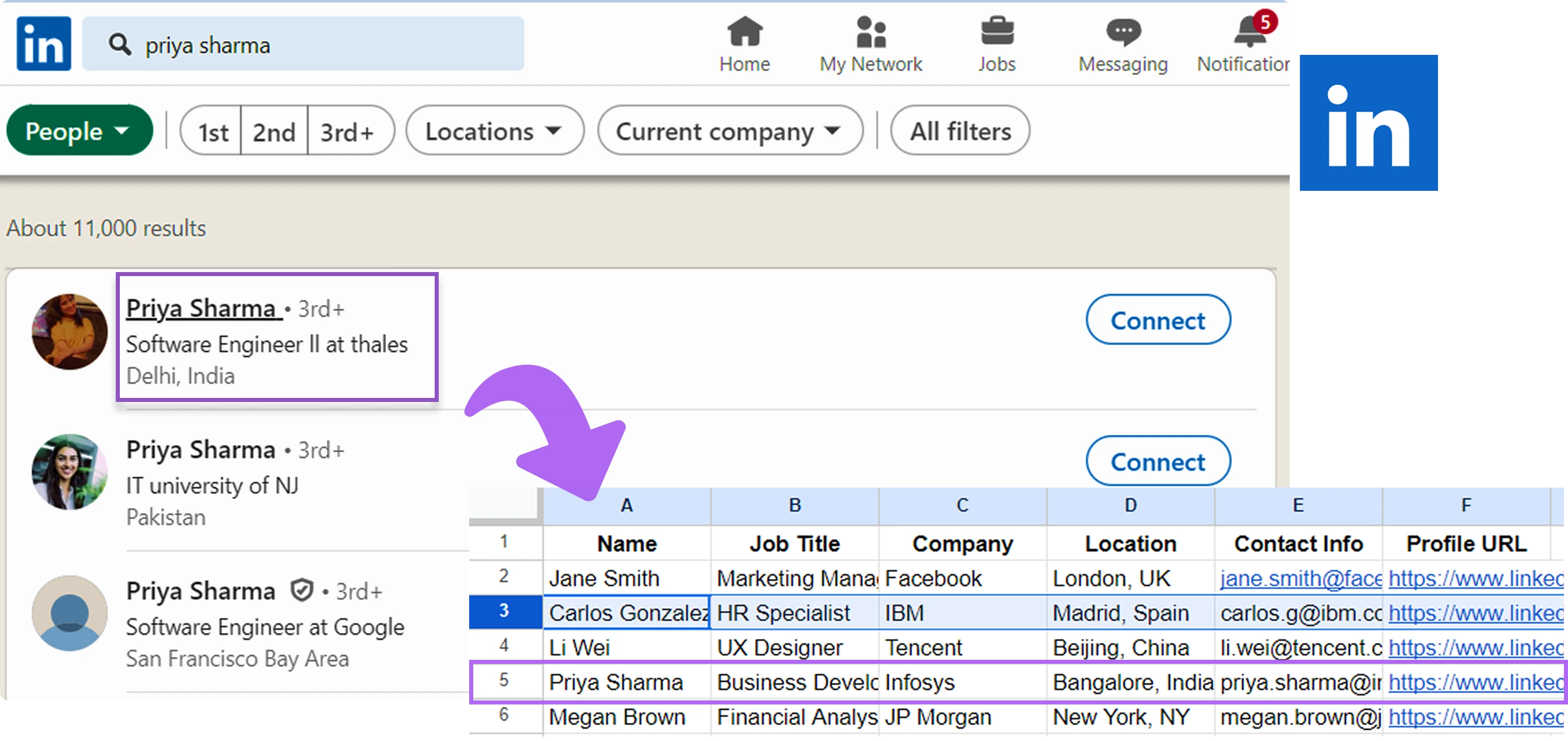
How does this playbook work?
Sourcing data from LinkedIn profiles is time-consuming. This playbook extracts key information from LinkedIn search results with a single click, making it valuable for recruiting, marketing, and sales.
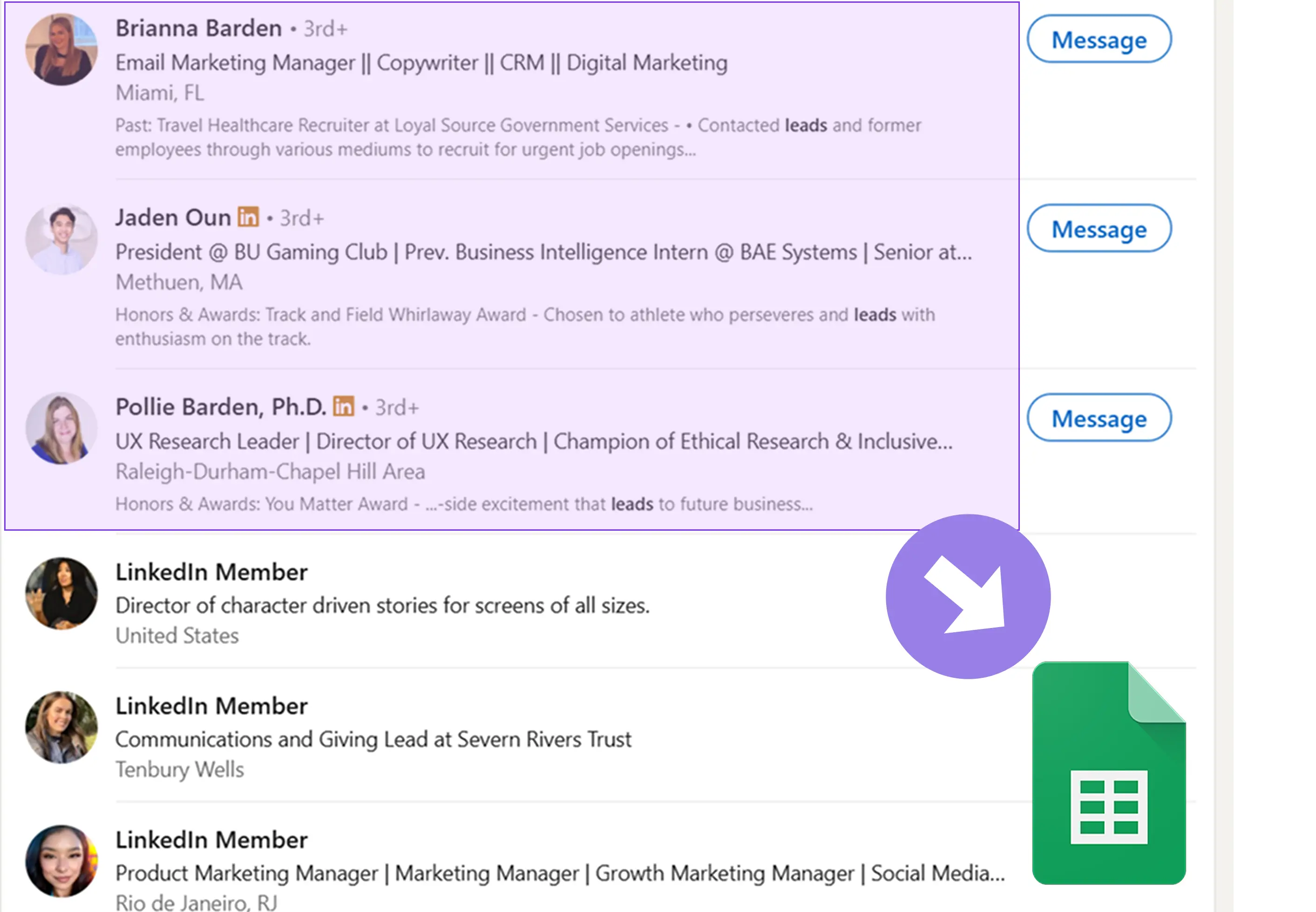
How does this playbook work?
LinkedIn lead qual is time-consuming. This playbook scrapes profile data from a search, uses AI to qualify leads based on your criteria, and saves results to Google Sheets automatically.

How does this playbook work?
Sourcing leads from LinkedIn searches is time-consuming. This playbook automates the process by scraping profile data from LinkedIn search results and saving it to a Google Sheets spreadsheet with a single click.
Lead enrichment involves both factors within your control and external factors that are beyond your influence. While you can optimize your internal processes and utilize lead enrichment tools, there are situations where lead enrichment may not yield the desired results, no matter how much effort you put in.
To help sales professionals make the most of lead enrichment, we've put together a detailed step-by-step guide. So, let’s see how to enrich lead data more effectively:
The first step? Collect relevant data about your prospects. This includes basic contact information such as email addresses and phone numbers, as well as firmographic and demographic data.
By gathering a wide range of data points, you can create a more complete profile of each lead, enabling you to customize your outreach and improve your chances of success.
Strategies for effective data collection:
Without a solid foundation of accurate data, subsequent B2C and B2B lead enrichment efforts may be less effective. And you know what that means: wasted time and wasted resources.
Once you’ve collected and enriched your lead data, it's crucial to route leads to the most appropriate sales representatives. This process, known as lead routing, ensures that each lead is handled by the rep best equipped to address their specific needs and concerns.
Effective lead routing takes into account factors such as industry expertise, geographic location, and past performance, allowing you to optimize your sales team's efficiency and productivity.
Strategies for successful lead routing:
Failing to route leads properly can result in missed opportunities, longer sales cycles, and lower conversion rates.
With enriched lead data and optimized routing in place, your sales team is well-positioned to convert prospects into customers. After all, conversion is the ultimate goal of the lead enrichment process. And that requires a strategic approach, aided by the insights gained from enriched data.
By understanding each lead's unique needs, preferences, and behaviors, sales reps can craft personalized outreach that resonates and drives action.
Strategies for improving lead conversion:
Without a focus on conversion, even the most well-enriched leads may fail to generate revenue for your business.
Lead enrichment doesn't end with conversion. To maximize the lifetime value of your customers, it's essential to continue nurturing leads — ideally using automated lead enrichment tools — long after the initial sale.
With enriched data, you’ll understand each customer's evolving needs and preferences, and you can deliver ongoing value and support, fostering loyalty and driving repeat business.
Strategies for effective lead nurturing:
Neglecting lead nurturing can lead to higher churn rates and missed opportunities for upselling and cross-selling.
This step-by-step guide is a great reference for anyone wanting to enrich lead data and scale their sales efforts. From data collection to lead nurturing, each stage plays a critical role in the overall success of your sales process. And it will, in the long run, help you close more deals!
Manual lead enrichment involves researching and adding information to lead records by hand. On the other hand, automated lead enrichment tools use tech to do it instead. Sales teams should carefully consider which approach best fits their needs and resources.
For manual enrichment, a sales rep might look up a lead's LinkedIn profile to find their job title and add it to the CRM. This allows for a personal touch but is time-consuming and unscalable.
In contrast, by integrating with your favorite CRM, a tool like Bardeen can automatically enrich leads with data like job title, company size, industry, and more. This enables enrichment at scale with minimal manual effort. However, automated tools may lack the nuance of human research.
Lead enrichment tools are worth the investment for most teams to gather key insights at scale. Here are some of the time-saving automations Bardeen offers out-of-the-box:

How does this playbook work?
Enriching contact data in Google Sheets is time-consuming. This playbook uses Apollo.io to find additional information for contacts based on their name and company, then updates the Google Sheet with the enriched data automatically.
The best lead enrichment software depends on your specific needs and use cases. To help you narrow down your shortlist, we’ve curated a list of our 8 favorite lead enrichment tools and reviewed each one based on standout features, strengths, weaknesses, and what actual customers have to say about their experiences.
Bardeen is commonly used to automate lead generation tasks by scraping public data from sources like LinkedIn, company websites, and other publicly available sources. Through pre-built or custom "playbooks," users can automate the enrichment process. Bardeen can then send the enriched data directly to your CRM, sales database, or spreadsheet.
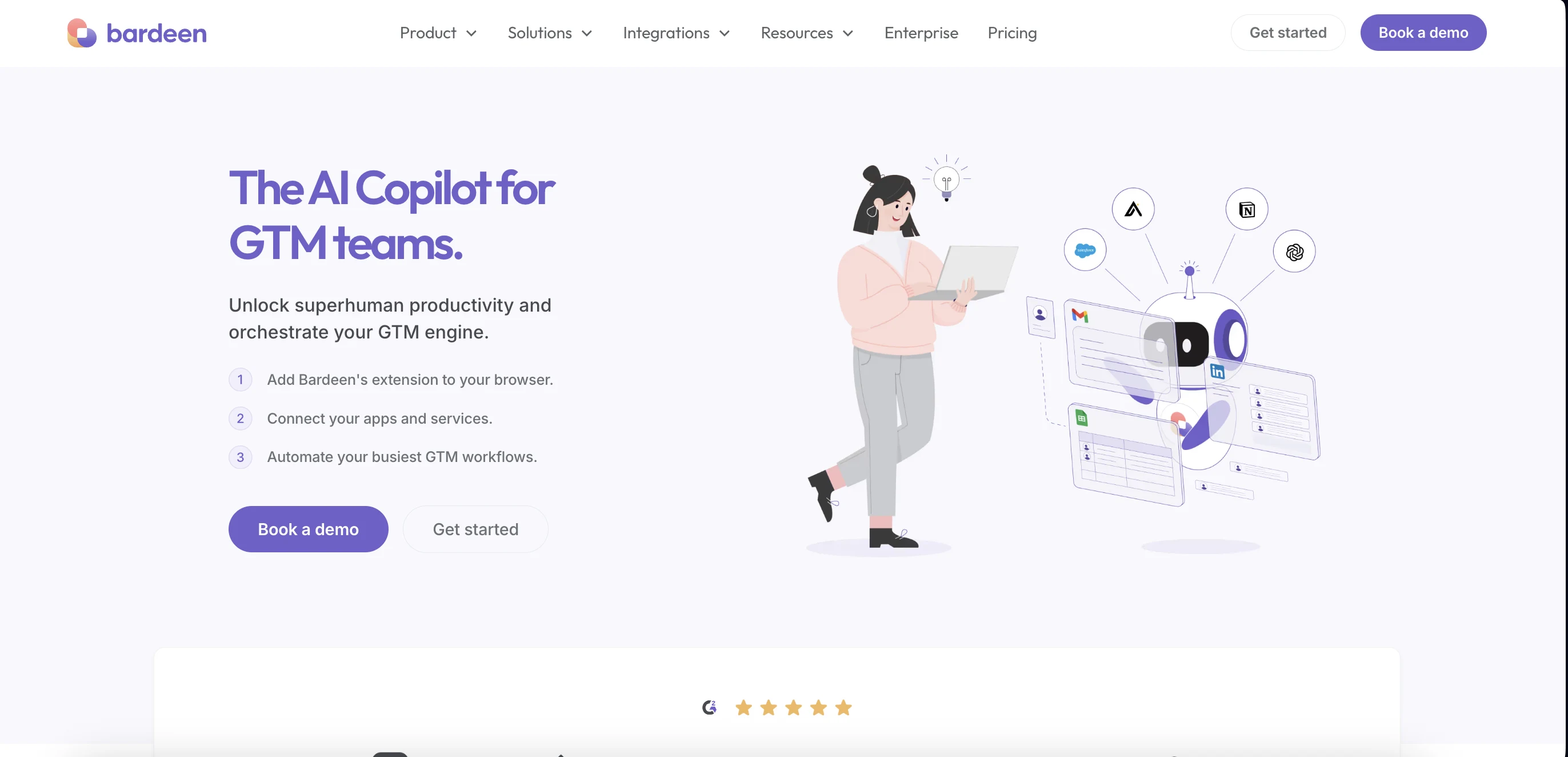
G2 users appreciate Bardeen’s integrations with platforms like LinkedIn and Product Hunt, noting that it helps them automate manual lead research and improve productivity. However, some users have mentioned a desire for more advanced CRM integrations, like direct Salesforce connectivity, to better suit enterprise workflows
On Capterra, Bardeen is praised for its ease of use, affordability, and the ability to create complex enrichment workflows without technical skills. Users highlight how Bardeen simplifies collecting enriched lead information across multiple sources. However, a few reviewers point out occasional limitations with customer support responsiveness and the need for even broader third-party integrations to unlock its full potential
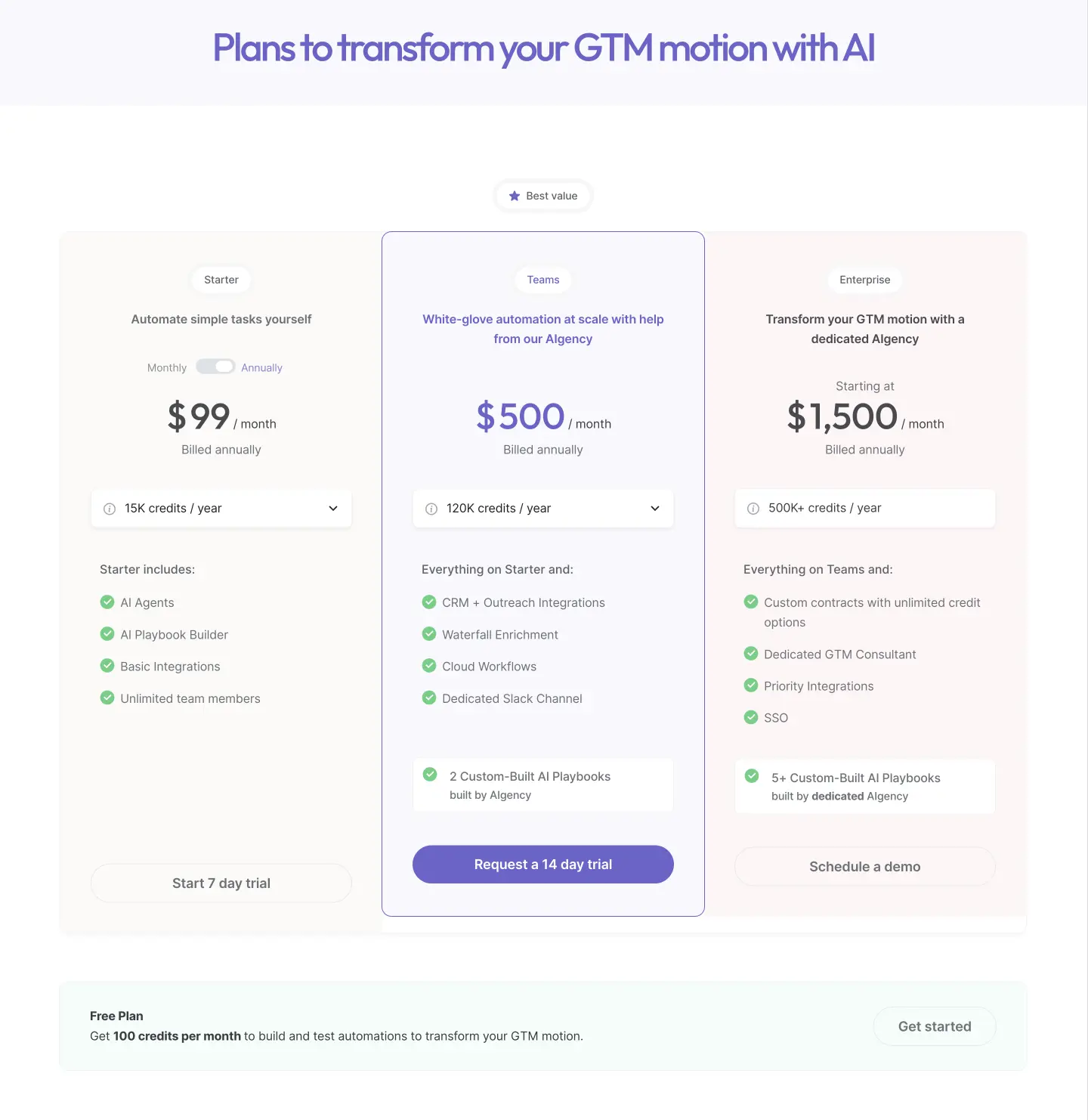
Bardeen’s pricing has been optimized for 2025 and includes the following plans:
Read why Bardeen is doubling down on AI + humans and how it can accelerate your sales cycle.
Ready to automate your workflows and maximize sales productivity? Sign up to Bardeen's free plan and experience the power of AI sales automation firsthand.
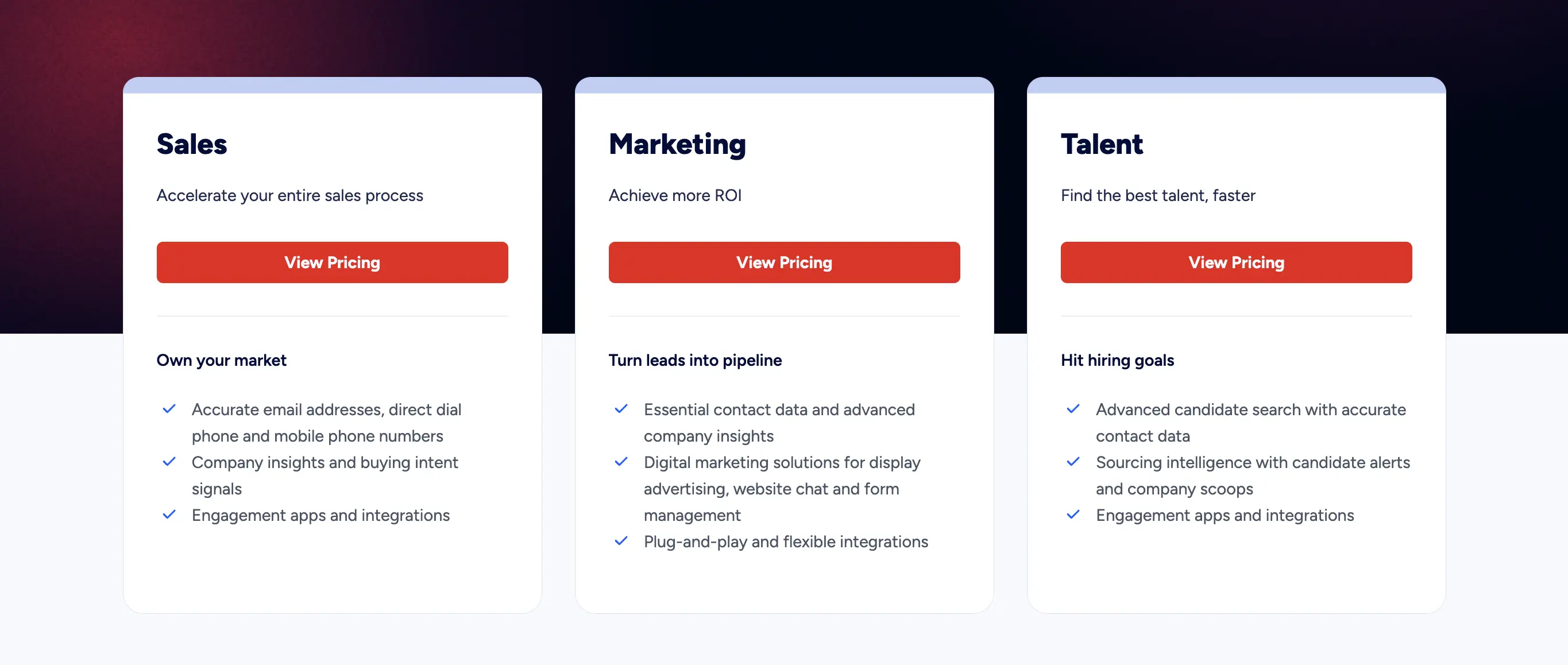
ZoomInfo offers access to a vast database of company and contact information. It also offers advanced tools for intent data tracking and market segmentation. ZoomInfo is widely used by organizations looking to scale their outbound efforts, improve data accuracy, and boost overall pipeline growth.
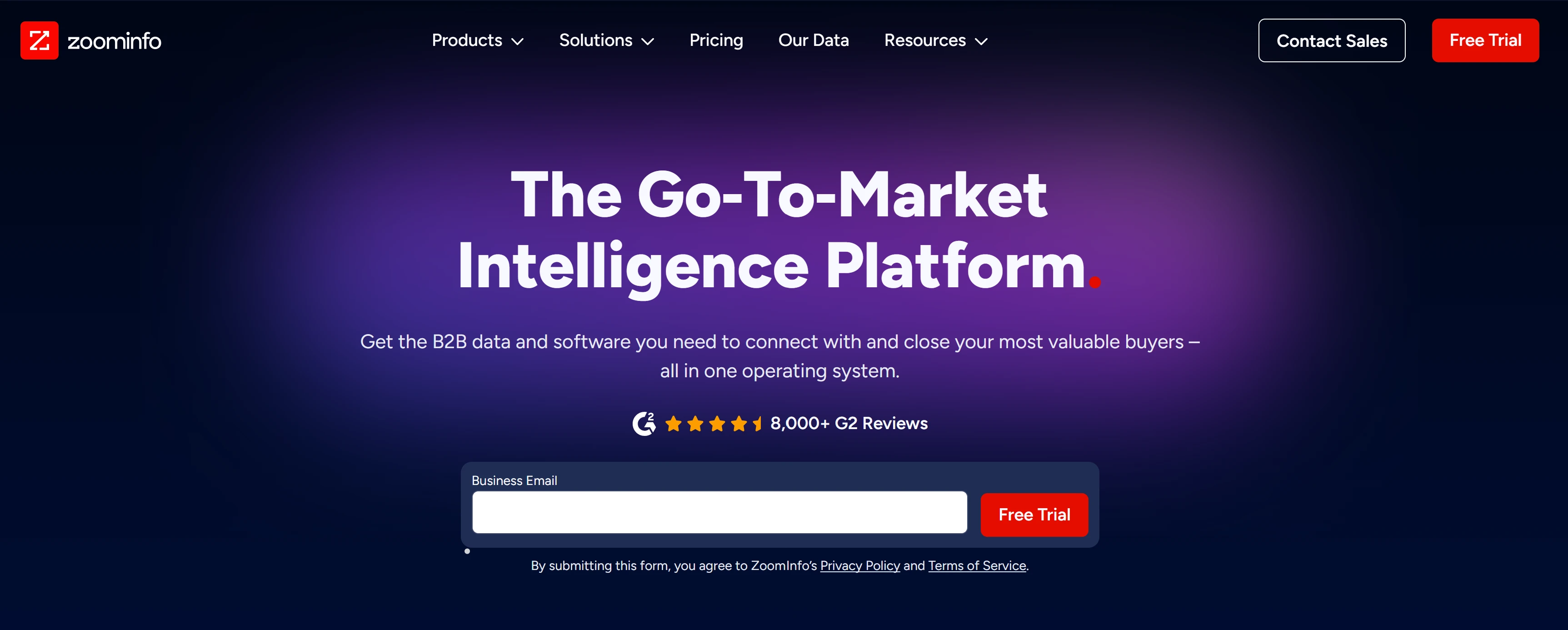
G2 users highlight ZoomInfo’s vast database of verified emails, direct dials, and firmographic data, noting that it significantly improves outbound prospecting and account-based marketing efforts. Many reviewers appreciate features like intent data and real-time alerts for lead activity, which help prioritize outreach. However, some users also mention drawbacks such as the high price point, occasional inaccuracies in smaller company data, and a somewhat steep learning curve for new users.
On Capterra, users praise it for reducing the time needed to research and enrich leads, emphasizing the quality and depth of information available. Positive feedback often focuses on how easily ZoomInfo integrates with Salesforce, HubSpot, and other CRM systems, enabling seamless enrichment workflows. But some users have complaints about cost, especially for smaller teams, and point out that data quality for international leads can sometimes be unreliable.
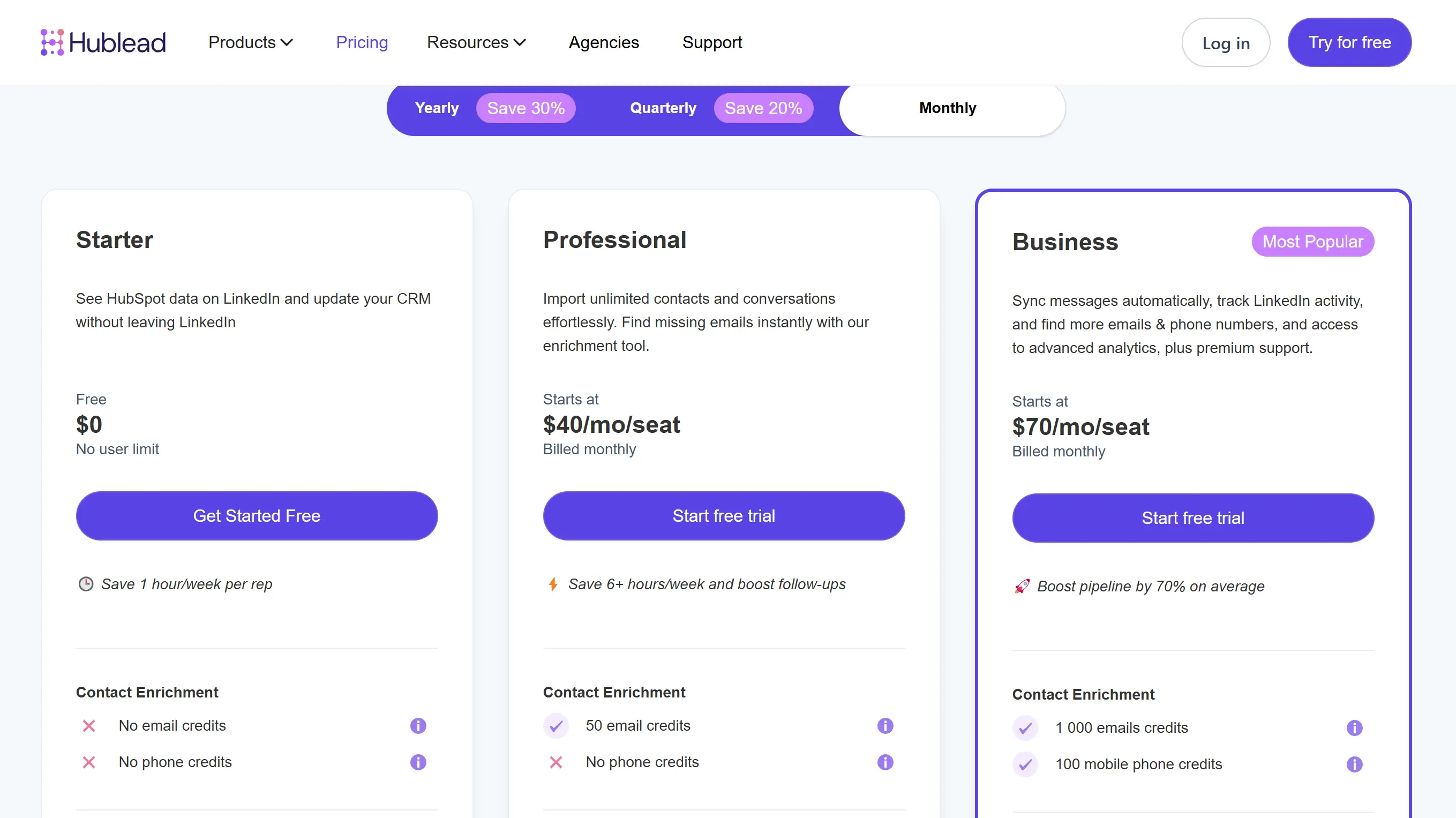
Hublead is a Chrome extension that integrates LinkedIn data directly into HubSpot. It allows users to collect contact and company information from LinkedIn profiles and automatically sync it with their HubSpot portal. It is particularly useful for teams that rely heavily on LinkedIn for prospecting and want an easy and fast way to update their CRM.
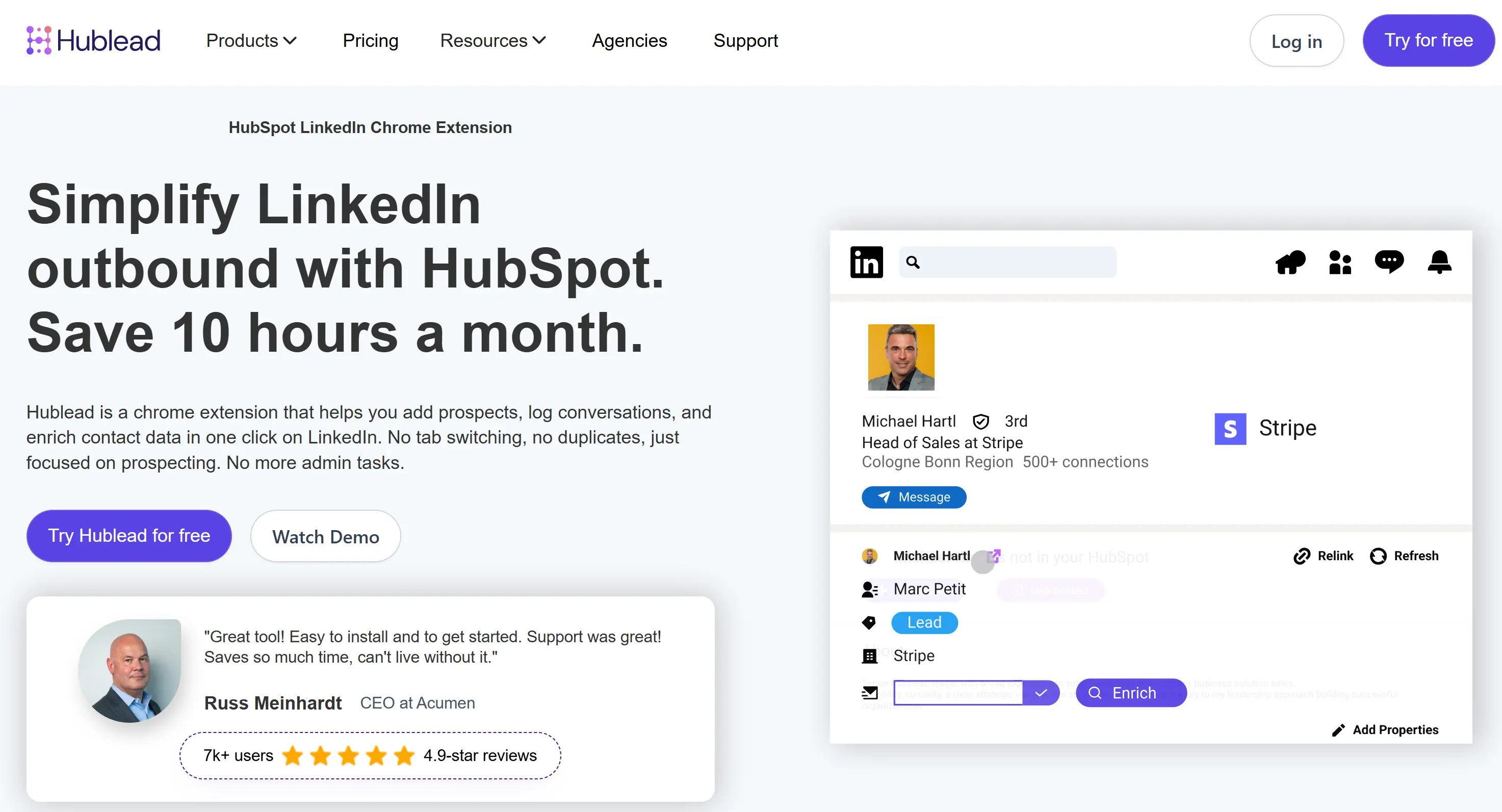
On G2, users commend Hublead for significantly improving the efficiency of building and enriching lead databases. Additionally, the responsiveness of the Hublead team in providing guidance on using the tool effectively was noted as a strong point.
On Capterra, users praise its ease of use and the time-saving benefits it offers. However, some users expressed a desire for more contact options directly from the LinkedIn app.
Cognism provides access to a global database of verified contact and company information.The platform emphasizes compliance with global privacy laws like GDPR and CCPA, making it a trusted choice for companies operating internationally. It also offers intent data and sales trigger alerts.. Cognism is widely used by B2B companies looking to accelerate their outbound strategies.

G2 users praise Cognism for its robust database, which integrates seamlessly with CRM systems and offers enriched B2B contact data. They also appreciate the platform's ability to accurately filter and segment leads, enabling more targeted outreach. However, some users mention that the platform’s pricing can be on the higher end, which may be a barrier for smaller teams or companies with limited budgets.
On Capterra, many highlight the user-friendly interface and the accuracy of contact information, particularly for finding direct dials. Some users also mention that Cognism’s AI-powered features, such as predictive analytics and intent data, help improve targeting and sales outreach. However, a few users have raised concerns about the platform's customer support, citing delays or unresponsiveness at times.

LeadGenius combines automation with a team of human researchers to deliver highly accurate and customized lead information. It is particularly known for its ability to provide targeted and niche data that may not be easily accessible through standard databases. LeadGenius is most effective for companies targeting specific or hard-to-reach markets, offering data that is often more tailored and precise than what standard databases provide.

On G2, users praise LeadGenius for both small and large-scale lead generation.Data quality is frequently praised, as is the flexibility in customizing data fields. However, some reviews point out that the platform can be a bit slow at times, and there are mentions of occasional data inaccuracies or outdated information.
On Capterra, users emphasize the tool's ability to integrate with existing CRM systems. Users also appreciate the intuitive user interface and the ability to tailor data collection for more accurate prospecting. However,there are mentions of occasional issues with data freshness, and a few users have expressed concerns about the pricing structure.
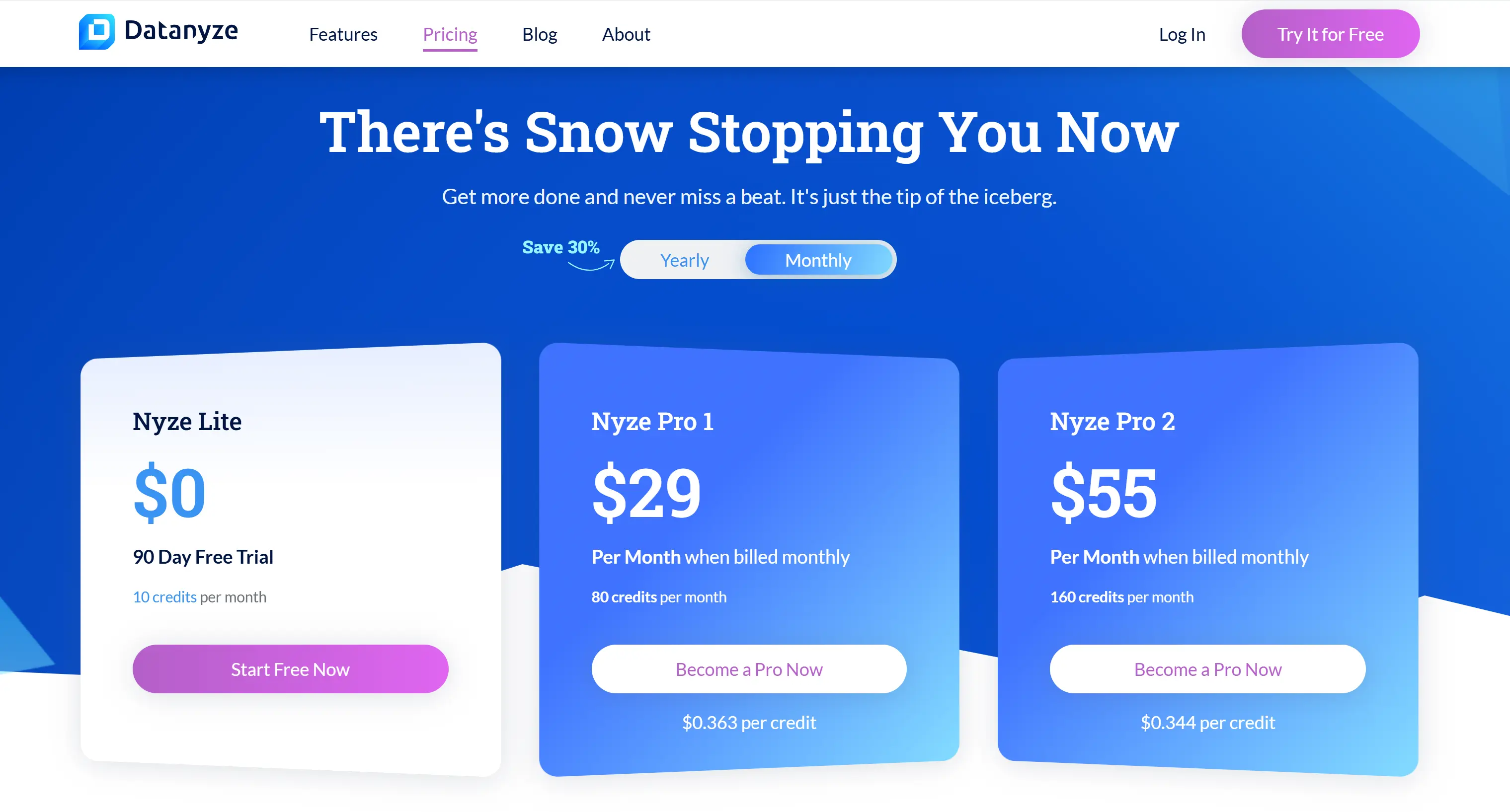
Datanyze specializes in providing technology-related data, helping identify the technologies used by target accounts. It enables sales and marketing teams to enhance their lead databases by filling in missing details on specific technology stacks or firmographic criteria. Datanyze is most useful for personalizing outreach based on a company's tech stack.
G2 users are enthusiastic about Datanyze for its technographic data. The real-time data updates and integration with popular CRM systems are also frequently mentioned as key strengths, streamlining the process of importing enriched leads. However, the user interface receives mixed feedback and a few users mention that Datanyze’s pricing is on the higher side.
On Capterra, users appreciate Datanyze for its integration with popular CRM systems. Users also value Datanyze’s features around intent data and technographic insights, which help them understand how likely a prospect is to convert. However, there are also mentions of a steep learning curve for new users.
An enrichment tool that aggregates data from over 50 providers — including LinkedIn and Apollo — to enhance lead profiles. Its no-code interface makes it easy to design custom workflows and continuously update prospect data with information such as job changes or funding events. Clay is Ideal for teams seeking customizable enrichment processes.

On G2, users have a generally positive outlook on Clay, with many appreciating its user-friendly interface and it’s ability to pull in data from a variety of sources. Users also note the flexibility of the platform, with customizable workflows and data enrichment rules. However, some users have pointed out that it is slow when processing large volumes of data.
On Capterra, users appreciate how Clay enables them to segment leads effectively and access enriched profiles. Users also mention that Clay's flexibility allows it to be adapted to a wide range of use cases, making it suitable for both small businesses and larger organizations. However,a few reviewers also mention occasional issues with the platform's speed, especially when processing large datasets.

Pipl excels at connecting fragmented personal details across different platforms, including social media, public records, and proprietary databases. It also offers deep identity verification and fraud detection capabilities, making it valuable for industries like financial services or risk management that require strict compliance and security measures.
On G2, users praise Pipl for its ability to deliver hard-to-find information, such as verified emails, phone numbers, and social media profiles. The ability to search across a wide variety of sources and databases, including deep web information, is seen as a standout feature. However, there are occasional comments about the platform’s interface being somewhat complex for new users, requiring a bit of a learning curve.
On Capterra, Pipl is commended for its ability to search across various data sources, including social media profiles and public records. Speed and ease of use are also frequently mentioned as positive aspects, with users noting that they can quickly gather and enrich leads without significant delays. However, some Capterra users mention that the platform can be overwhelming for beginners.

The fact is, lead enrichment is a crucial component of the sales process, enabling sales teams to make informed decisions and personalize their outreach for better results.
In this guide, we covered:
B2B lead enrichment doesn’t have to be a tedious, manual process. Automated lead enrichment tools like Bardeen make it easy to gather deep insights withminimal human effort.
Whether you're scaling your outbound efforts or optimizing your CRM data, Bardeen offers the flexibility and efficiency to level up your lead management strategy.
With lead enrichment, sales professionals can unlock the full potential of their leads and close more deals with qualified contacts. After all, a well-enriched lead is like a well-seasoned dish – irresistible!
If you’re not sure where to start or if you need some additional guidance, you can access our vast resource library:










SOC 2 Type II, GDPR and CASA Tier 2 and 3 certified — so you can automate with confidence at any scale.