


Are you tired of dealing with a cluttered and overwhelming email inbox? Keeping your inbox clean and organized is a huge challenge these days. Even if you manage to bring it down to zero, new emails keep piling up, and the issues continue.
The solution may lie in the power of AI. There are many new AI email assistants that can categorize, summarize, and draft replies to your emails. These can make email management far easier for you.
We tested a range of AI email management tools to help you identify the right tool for your needs. The software listed in our article can help you improve your communication, reply to important messages on time, and retrieve emails when needed. If you're ready to take control of your inbox, keep reading!
Many new email management software tools have sprung up with the development of natural language processing models like GPT-4. Here’s our list of the best ones available to you:
We want to ensure you know exactly what you’re signing up for when you pick an app. That’s why we download, install, register, test, and virtually dissect every software before we write our reviews. In this article, you’re getting firsthand accounts from people who have actually used each app.
You’ll find 5 top email management tools in this article. Here are the criteria we used to assess each one:
Here are the 5 best AI inbox management tools you should consider using from today!
Have you ever wished you could automate tasks within your browser? Bardeen.ai is a workflow automation extension in Chrome. It works locally on your computer and performs pre-built, triggered, and custom automations.
Bardeen’s integrations are extensive, to say the least. The app can integrate with popular platforms like HubSpot, and Gmail, making it ideal for users who work with a variety of apps in their daily lives.
The email management tool’s AI capabilities are also extensive. Thanks to its OpenAI integration, you can use Bardeen as an AI email assistant to write automated emails for you. You don't need a premium OpenAI account, and you don’t need to know how to write code to connect with the OpenAI API. Bardeen takes care of everything for you.
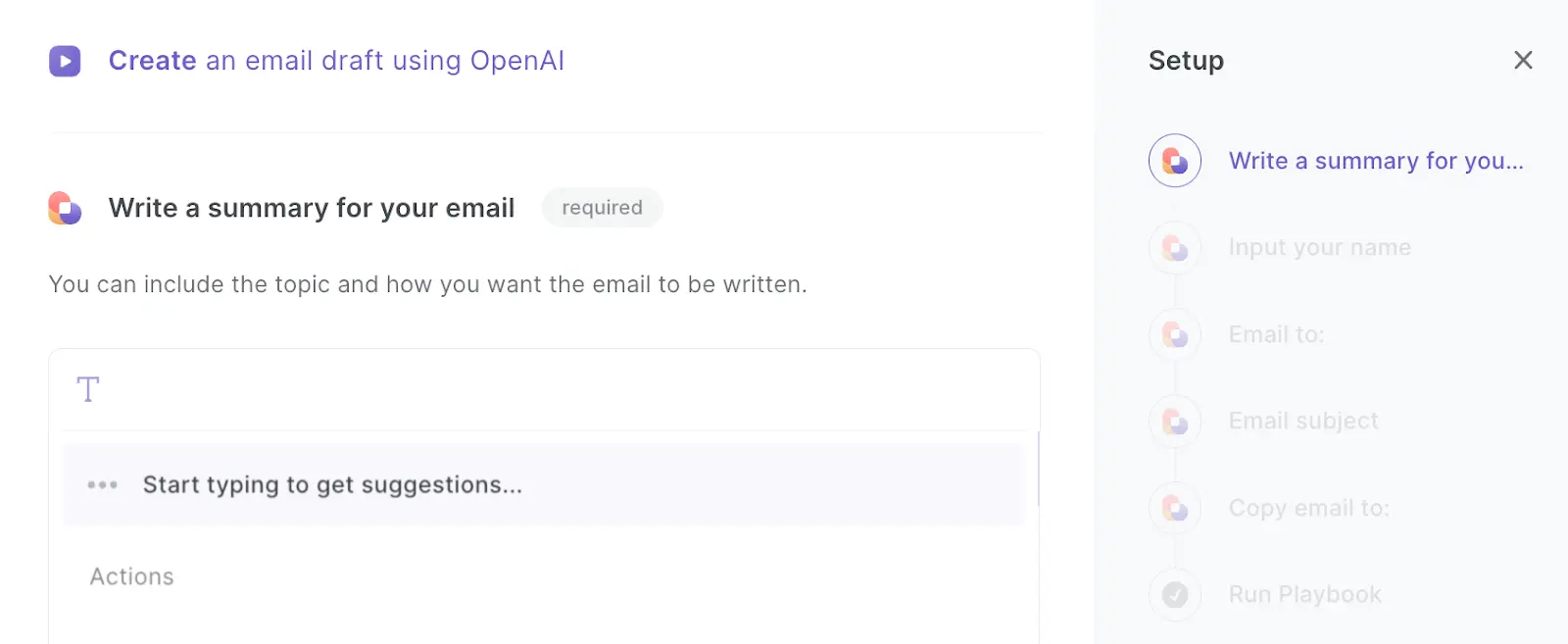
Bardeen is so well-rounded that its AI capabilities make it incredible value for money. Here are some examples of AI automations you can implement with Bardeen:
Bardeen can also perform other tasks, like writing a response to a HubSpot ticket and generating a list of tasks from an email. You can also use Bardeen’s Magic Box to create automations using natural language, translate emails with one click, and automatically archive newsletter and outreach emails to keep your inbox clean. It’s a great way to save time by leveraging AI.
Pros:
Cons:

Founded by former Google employees, Shortwave is an AI email assistant app built on top of Gmail. Available for desktop, iOS, and Android, it summarizes your emails, drafts replies, and groups threads into bundles. You can also get quick access to important contacts and receive emails at fixed times, all while using a futuristic interface.
The Personal plan offers unlimited searchable email history at $8.50 per month, but the free plan limits it to 90 days. The Shortwave email Mac management tool is suitable if you just want the basics, but if you’re serious about leveraging AI for email automation and inbox management then you should look elsewhere.
Pros:
Cons:
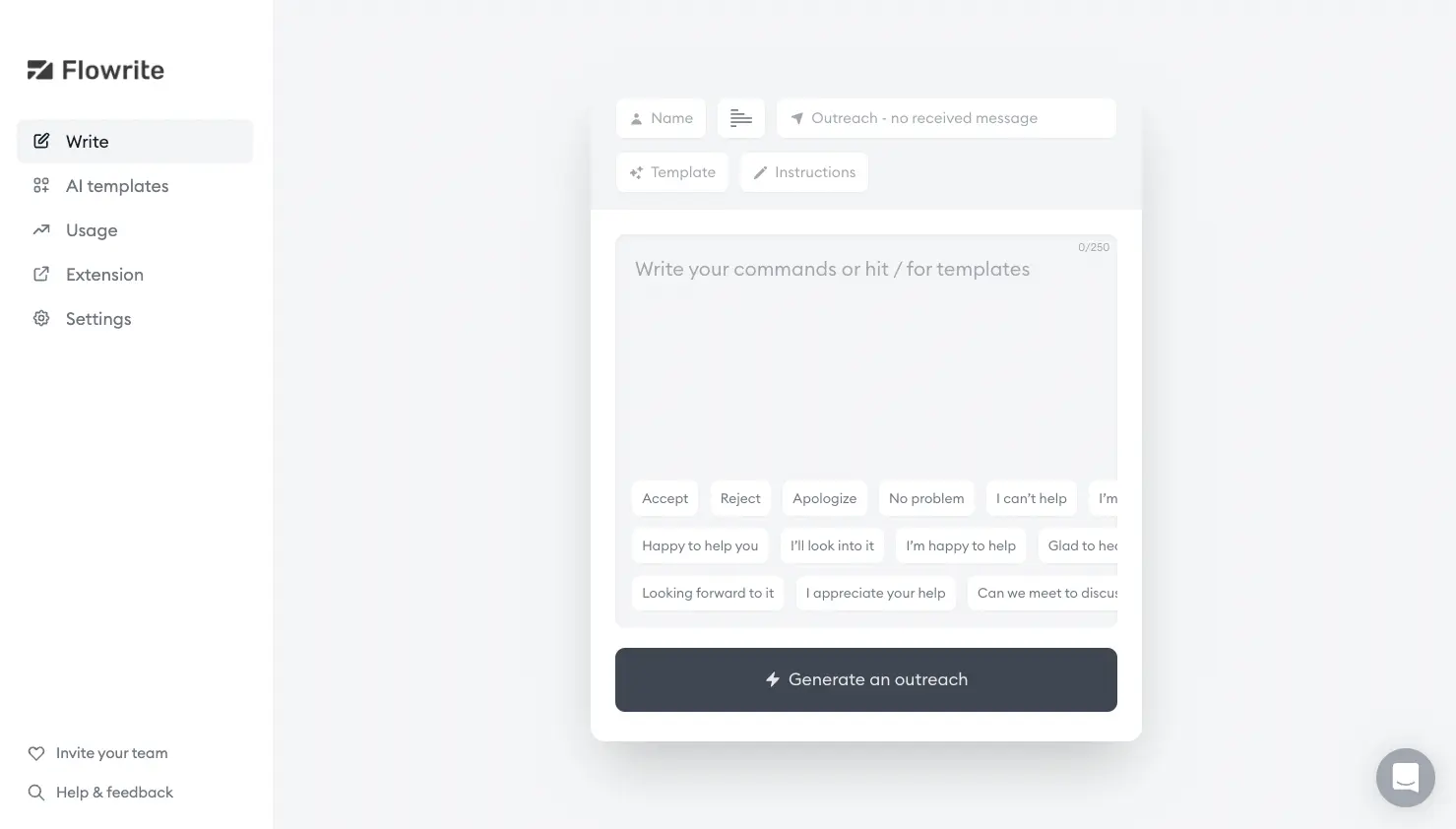
Want to know how to clean up Gmail? Flowrite has what you need. It’s a minimalistic, AI-powered email writer that works in three simple steps.
First, you type a prompt. The AI then generates a message, which you can then edit or send instantly. Based on the context of the email, you can also choose from templates for sales, customer support, and recruiting. This lets you email clients with ease.
Flowrite is integrated with Gmail, Outlook, LinkedIn, Slack, Intercom, and many more apps. Beyond the 14-day free trial, you can choose from monthly plans that start at just $5/month for single users.
Flowrite is an excellent place to get started if you find most AI email apps overwhelming.
Pros:
Cons:
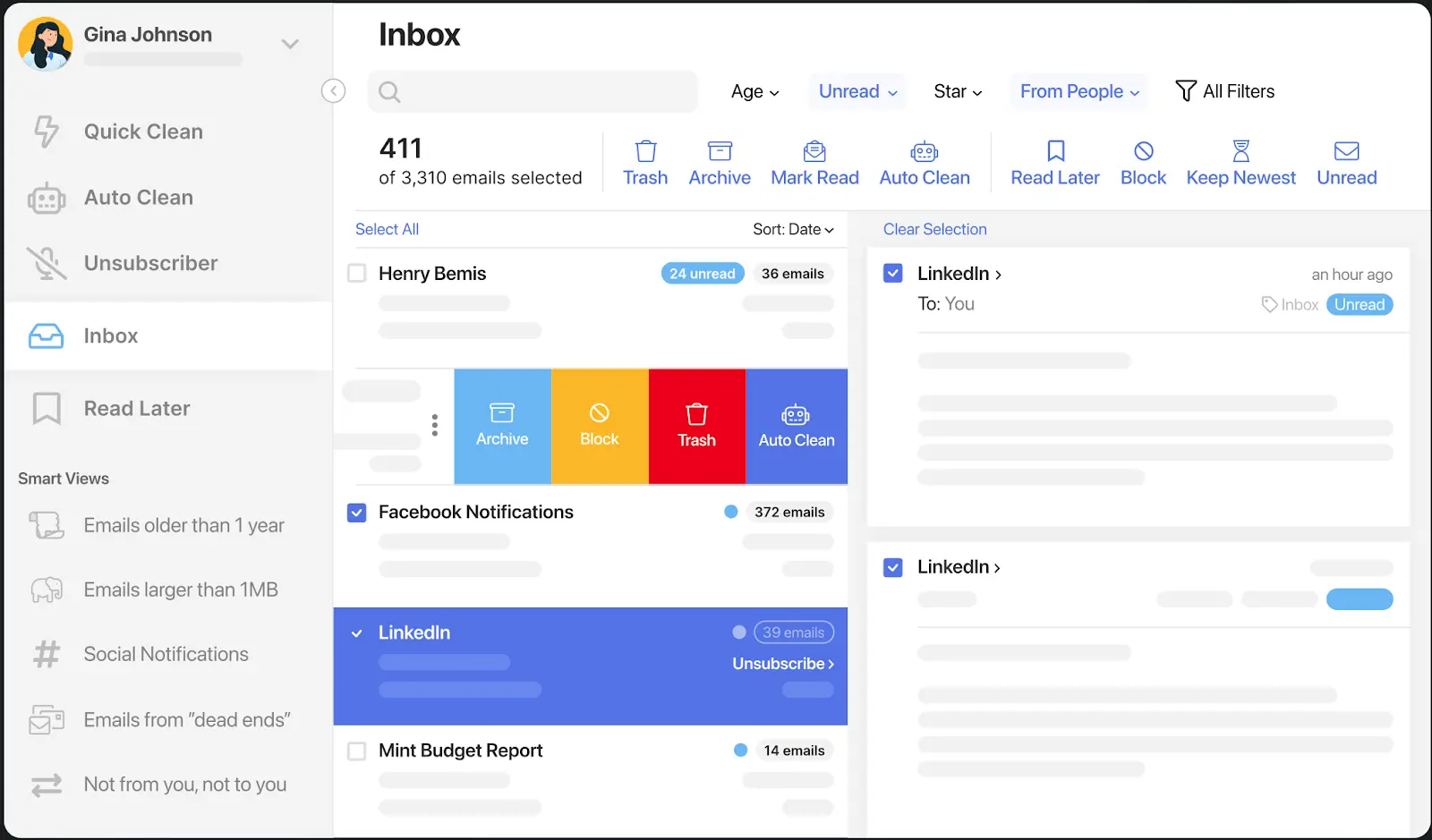
Clean Email is an email inbox cleaner app. It uses AI to help you delete unwanted emails and automate email cleaning tasks.
The Clean Email app can delete or archive emails in bulk, unsubscribe from newsletters, and add emails to the “Read Later” folder. It also adds predefined filters (or “Smart Views”) to your inbox to make it more organized.
Aside from the web app, it is also available on iOS, macOS, and Android. Since Clean Email works with Gmail, Yahoo, iCloud, and Outlook, you likely won’t have to change your email address to get set up on the app. You can get started for $9.99 per month.
Pros:
Cons:

We’ve included Copy.ai on our list as an alternative to dedicated AI email managers. Strictly speaking, you don’t need an AI email management tool to clean your inbox, as you can also use a general-purpose AI writer like Copy.ai to reply to and generate emails based on prompts.
With Copy.ai, once you’ve specified that you want to create an email, you need to input the points you wish to cover in the email and the preferred tone. Based on this, Copy.ai will generate several drafts of the email. You can sift through them, find the one you like best, and use the AI editor to sharpen it further.
There’s a free plan available, but it’s limited to only 2000 words. If you want to generate more words (and get access to 29+ languages), the Starter plan costs $49 per month.
Copy.ai has a steep price tag compared to other options, but it could be worth it if you need an all-in-one AI writer for blog posts and other content pieces. While we rate this tool highly as an AI-powered content producer, it is a little less reliable for writing emails and doesn’t come with any extra inbox management features.
In short, if you only need a tool to write emails, then Copy.ai is great. However, its price point doesn’t offer value for money if that’s your only requirement. If you’re looking for a more complete artificial intelligence email management tool, then go for one of the others on this list.
Pros:
Cons:
There are many benefits to using AI for email management. An email-clearing app could be your ticket to better organization, higher profits, and a more productive personal and professional life - it all starts with a clean inbox.
Here’s how AI email management apps like Bardeen can benefit you:
Try to answer this question: What’s your motivation behind organizing your inbox? It could be to streamline communication, lower stress, or eliminate distractions. No matter your goal, an AI email management tool can add value.
Although all the tools we’ve listed in this article have pros and cons, the best overall option is Bardeen. We found that its wide range of integrations and automations are simply too good to ignore, and the fact that it’s free makes it all the more worthwhile.
Bardeen’s versatility makes it the best overall option for most people. We were impressed by how much time and effort we saved for email management. What’s more, you can perform more automations for areas like productivity, marketing, and sales.
Bardeen can help you declutter your inbox and automate other repetitive tasks. It’s free to get started and will instantly bring you productivity and organization benefits. Why not give it a try yourself? Download Bardeen and try an automation today.
AI email managers can help you stay organized by managing your emails for you. An email clean tool can rid your inbox of spam or unwanted messages, while AI-powered inbox management apps can automatically reply to certain emails. Anyone who wants a clean and managed email inbox should consider leveraging an AI tool.
Bardeen is one of the top-rated AI email assistants for Gmail. It’s a free Google Chrome extension and can perform a range of automations that revolutionize your inbox management. For instance, you can prompt Bardeen to scan incoming emails and create automatic responses using OpenAI.
AI email managers are versatile tools that can help you with numerous organization tasks, including (but not limited to) email sorting, automatic smart replies, summarizing emails, managing attachments, deleting spam mail, and prioritizing emails.







SOC 2 Type II, GDPR and CASA Tier 2 and 3 certified — so you can automate with confidence at any scale.







