

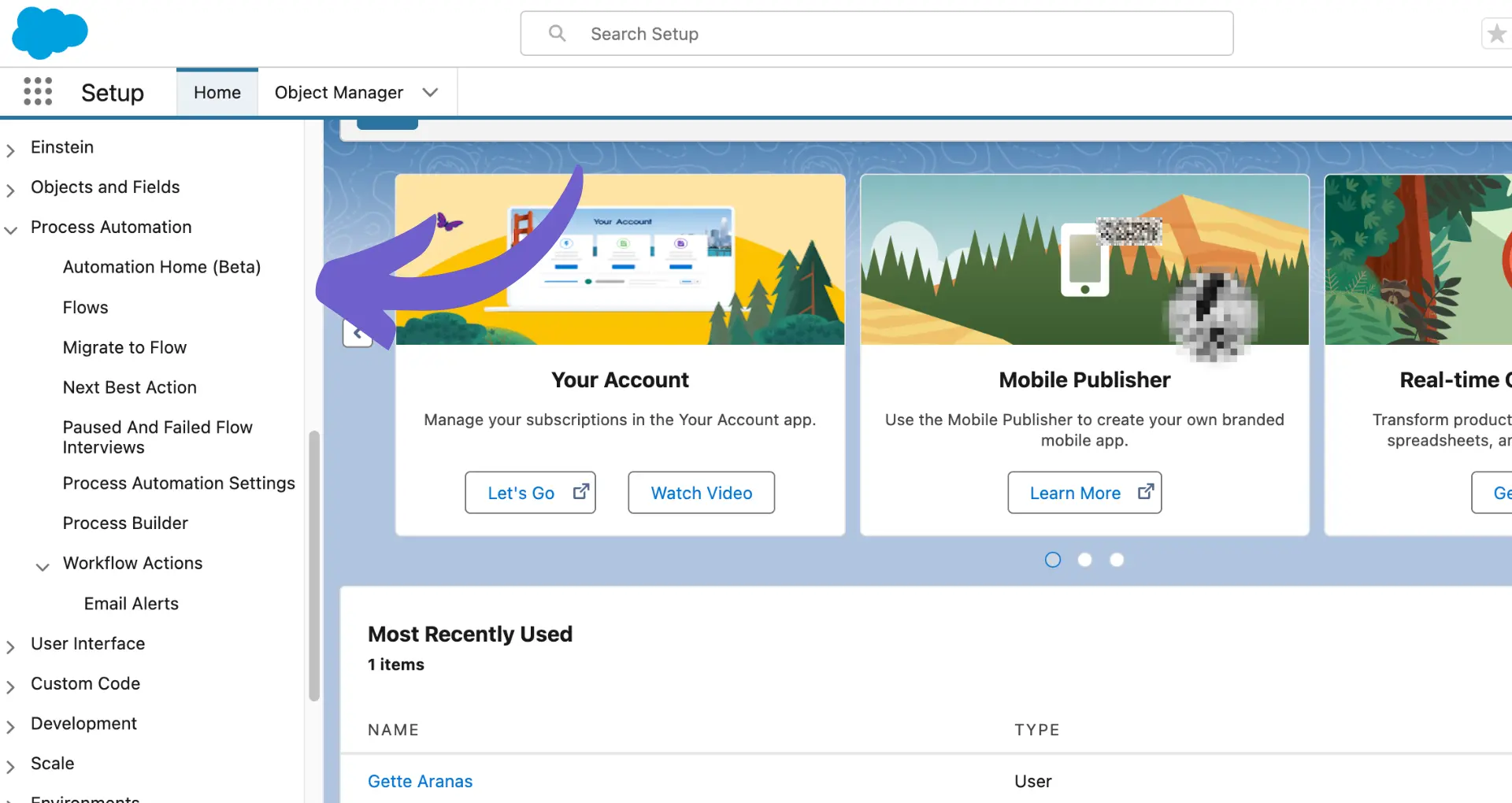
Salesforce workflow automation is a game-changer for businesses looking to streamline their processes and boost productivity. By automating repetitive tasks and creating intelligent workflows, you can save time, reduce errors, and keep your team focused on what matters most: closing deals and delighting customers.
In this comprehensive guide, we'll walk you through the fundamentals of Salesforce workflow automation and show you how to harness its power to supercharge your sales operations. From understanding the basic components of workflows to designing complex automation rules, you'll gain the knowledge and skills needed to take your Salesforce game to the next level.
But that's not all! We'll also introduce you to the exciting world of AI-powered automation tools like Bardeen, which can help you automate even the most complex workflows with ease. Imagine being able to close deals 3x faster and save hours of manual data entry each week - that's the kind of efficiency you can expect with Salesforce workflow automation.
So, are you ready to become a Salesforce workflow automation master? By the end of this guide, you'll have all the tools and knowledge you need to create a well-oiled sales machine that runs like clockwork. Let's dive in and discover how workflow automation can transform your business!
Salesforce workflow automation is a powerful tool that can help streamline your sales processes, boost productivity, and eliminate tedious manual tasks. By automating key workflows, you can free up your team to focus on high-value activities like building relationships with customers and closing deals. In this section, we'll explore the basics of Salesforce workflow automation and how it can transform your business.
At its core, Salesforce workflow automation is all about converting manual, repetitive tasks into automated processes. This can include everything from updating records and assigning tasks to sending emails and creating new records based on specific triggers.
For example, imagine you have a sales team that manually enters data into Salesforce after each customer interaction. With automation in sales prospecting, you could set up a process that automatically updates the relevant records as soon as a call or email is logged, saving your team countless hours of data entry.
To create effective workflows in Salesforce, you need to understand the basic components and triggers that make them work. Some key elements include:
By combining these elements in different ways, you can create powerful automations that save time and ensure consistency across your sales processes.
When implemented effectively, Salesforce workflow automation can have a huge impact on your overall CRM efficiency. By eliminating manual data entry and ensuring that key tasks are completed consistently and accurately, you can:
For example, a study by Nucleus Research found that sales teams using automation saw a 14.5% increase in productivity and a 12.2% increase in sales revenue. By leveraging the power of AI sales automation, you can unlock similar benefits for your own organization.
Salesforce workflow automation is a game-changer for businesses looking to streamline their sales processes and drive better results. By understanding the basics of how it works and the impact it can have, you'll be well on your way to becoming a workflow automation pro.
In the next section of this guide, we'll dive deeper into the nuts and bolts of designing effective Salesforce workflows. Get ready to learn everything you need to know to start automating like a pro!
Designing effective Salesforce workflows is crucial for automating your sales processes and driving better results. In this section, we'll explore the key steps to building powerful workflows, best practices for setting conditions and criteria, and real-world examples of effective workflow rules in action. By following these guidelines, you'll be able to create workflows that save time, reduce errors, and help your team work more efficiently.
Building a Salesforce workflow involves several key steps:
For example, let's say you want to automatically assign new leads to the appropriate sales rep based on their location. You would create a workflow that triggers when a new lead is created, checks the lead's location, and then assigns it to the right rep based on predefined criteria.
To ensure your workflows are effective and efficient, follow these best practices when setting conditions and criteria:
For instance, if you're creating a workflow to update a customer's status based on their engagement level, you might use a combination of criteria like "Last Activity Date is greater than 30 days ago" and "Email Opens is less than 2" to identify inactive customers.
Here are a few examples of how effective workflow rules can be used in different sales scenarios:
By implementing these types of workflows, you can ensure that key tasks are completed consistently and efficiently, freeing up your team to focus on higher-value activities.
Automate your sales prospecting tasks with Bardeen's tools. Spend less time on repetitive workflows and more time on closing deals.
Designing effective Salesforce workflows is all about understanding your sales processes, leveraging best practices, and continuously refining your approach. By following the steps and guidelines outlined in this section, you'll be well on your way to creating workflows that drive real results for your business.
Now that you've got a solid foundation in workflow design, let's explore how to optimize your workflows for business scaling in the next section of this guide. Get ready to take your automation game to the next level!
As your business grows, it's essential to optimize your Salesforce workflow automation to handle increased data volumes, user registrations, and transaction complexity. In this section, we'll explore how to scale workflows for larger operations, integrate with other tools and systems, and monitor and adjust workflows as your business needs evolve. By following these best practices, you'll be able to maintain a high-performance Salesforce org that supports your business growth.
When scaling your workflows for larger operations, consider the following strategies:
For example, if your business experiences a sudden surge in user registrations, you can use bulk processing to create user accounts in advance, minimizing the impact on system performance during peak times.
As your business scales, you may need to integrate Salesforce with other tools and systems to streamline processes and share data. Consider the following when integrating workflows:
For instance, if you need to sync data between Salesforce and your ERP system, you can use Mulesoft to create a scalable, bi-directional integration that keeps both systems up-to-date.
To ensure that your workflows continue to meet your business needs as they evolve, regularly monitor and adjust your automation:
For example, if you notice that a particular workflow is causing performance issues during peak hours, you can adjust the workflow logic or schedule it to run during off-peak times to minimize the impact on system resources.
Optimizing your Salesforce workflow automation for business scaling requires a proactive approach to data management, integration, and monitoring. By following the best practices outlined in this section, you'll be well-equipped to handle the challenges of growth and ensure that your workflows continue to drive efficiency and productivity.
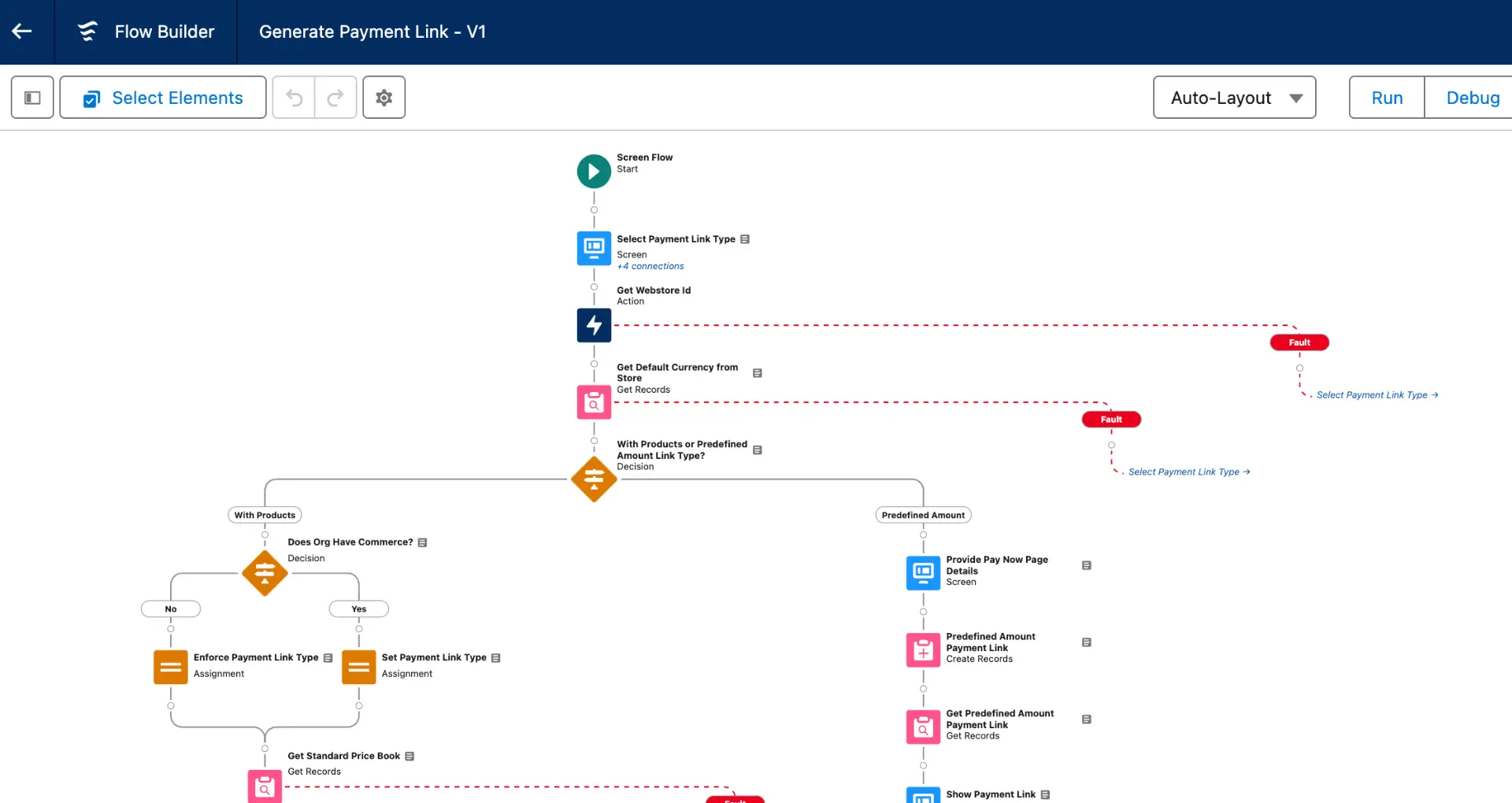
Even with the most well-designed workflows, issues can arise that impact their performance and effectiveness. In this section, we'll explore common errors in workflow automation, provide guidance on maintaining and updating workflows, and offer tips for continuous improvement and optimization. By addressing these issues proactively, you can ensure that your workflows continue to run smoothly and deliver the desired results.
Some of the most common errors in Salesforce workflow automation include:
For example, if you notice that a particular field is not being updated as expected, review your workflow rules to ensure that the field update is properly configured and that the rule criteria are met.
Use Bardeen's sales prospecting automation to handle repetitive tasks swiftly and avoid common workflow issues, ensuring a smoother sales process.
To keep your workflows running smoothly, regularly maintain and update them:
For instance, if you've recently modified a custom object's fields, review your related workflows to ensure that field updates and rule criteria are still valid and make any necessary adjustments.
Continuously improving and optimizing your workflows is key to maximizing their value:
For example, if users report that a particular workflow is causing confusion or delays, gather their input to identify specific pain points and redesign the workflow to address these issues.
Troubleshooting common workflow automation issues requires a combination of proactive monitoring, regular maintenance, and continuous improvement. By following the tips outlined in this section, you'll be able to keep your workflows running smoothly and effectively.
That's it! You've made it to the end of our Salesforce workflow automation journey. In the next section, we'll recap the key takeaways and send you off with a newfound mastery of workflow automation. Thanks for joining us on this wild ride! 🚀
Mastering Salesforce workflow automation is crucial for streamlining processes, improving efficiency, and driving business growth.
Here's a quick recap of the key points covered in this guide:
By applying the insights and strategies shared in this guide, you'll be well on your way to becoming a Salesforce workflow automation pro. To take your skills further, consider using automation for sales prospecting. Just remember, with great automation power comes great responsibility! 😉








SOC 2 Type II, GDPR and CASA Tier 2 and 3 certified — so you can automate with confidence at any scale.









