


Without automation, businesses struggle to process large volumes of data quickly. This creates problems such as operational bottlenecks, poor data quality, and scalability challenges.
Scalable and flexible, data automation software can accommodate business growth, handling increasing data volumes efficiently. If data processing is a scourge on your organization, let me show you how data automation solutions can help. In this article, we'll explore how automation software tools are transforming the way businesses handle their data and drive operational efficiency.
Data automation is the process of using technology to automate data-related tasks involved in the collection, management, storage, and analysis of business data – for example data enrichment. It uses technologies such as Artificial Intelligence (AI) and Machine Learning (ML) to perform tasks with minimal human oversight.
With a data automation platform, organizations can automate activities such as:
As businesses become increasingly data-driven, data automation helps create scalable processes that accommodate growth. With automation tools, companies can accelerate their data management processes. This not only enhances efficiency but also minimizes the risk of human error, ensuring data accuracy and consistency across the organization.
And tools such as Bardeen can help with automating data tasks such as:

How does this playbook work?
Need to quickly pull data from a LinkedIn profile? This playbook scrapes key information from the active LinkedIn profile tab, giving you structured data in seconds.


How does this playbook work?
Gathering Instagram profile data for leads is time-consuming. This playbook extracts key data points from a list of Instagram profile links and adds them to a Google Sheet automatically.

How does this playbook work?
Tracking down phone numbers in email threads is time-consuming. This playbook automatically scans your current Gmail thread and extracts all phone numbers mentioned, saving you valuable time when scheduling calls or following up.
Data automation is important because it solves problems like data inconsistencies, slow decision-making, and inefficient workflows. It also enables businesses to handle large volumes of data effortlessly, ensuring that insights are timely and accurate.
By providing real-time updates and seamless data flow, it helps businesses identify issues early, respond to challenges swiftly, and optimize performance. Ultimately, data automation tools drive greater efficiency, accuracy, and scalability across various operations such as sales prospecting or lead qualification.
In 2024 alone, It was estimated that 25% of tasks across all industries were automable. On top of that, Gartner estimates that poor data quality costs businesses over $15 million per year. Data is a problem for modern businesses and automation is the answer.
Key challenges that businesses face include:
Some key benefits of data automation in business operations include:
By embracing a data automation platform, businesses can focus their resources on strategic initiatives and innovation, rather than getting bogged down by repetitive, time-consuming data management tasks. As the volume and complexity of data continue to grow, automation becomes essential for companies looking to stay agile and competitive..
Data automation starts by integrating data from various sources, such as databases, Google spreadsheets, and applications, and then processes it using either a rules-based algorithm or AI. Once processed, the data is analyzed and presented in a way that is actionable for decision-makers.
Most data operations can be broken down into four main components:
This is the stage where data is gathered and collected. Automation can be used to scrape data from websites, social media profiles, CRM records, and other sources. You can also pull unstructured data from emails and chat logs and convert it into a structured format.
Bardeen has fully customizable, pre-built template such as:
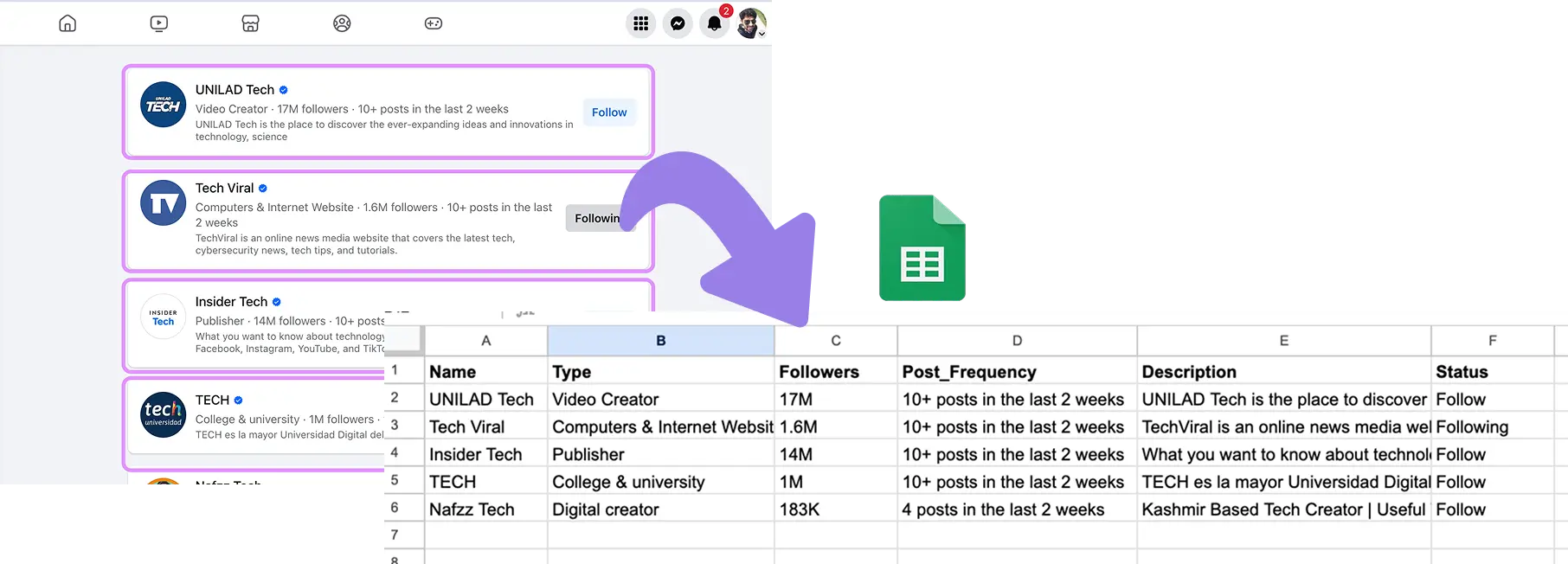
How does this playbook work?
Gathering data from Facebook profiles is time-consuming. With one click, this playbook extracts key information from a Facebook profile page, giving you structured data for research and analysis.
How does this playbook work?
Facebook group member data is valuable for marketing and sales, but manually extracting it is time-consuming. This playbook scrapes member data from a Facebook group and saves it to Google Sheets with a single click.
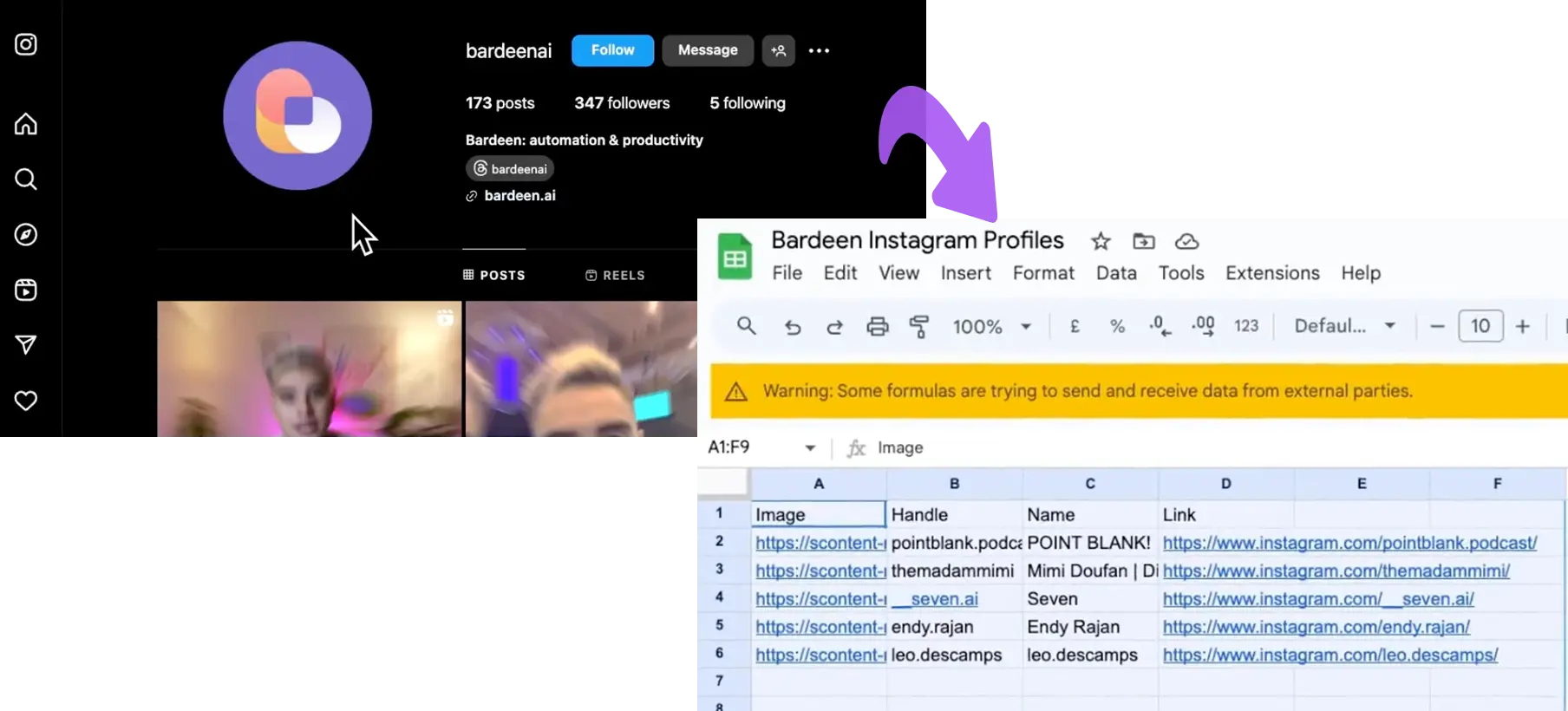
How does this playbook work?
Tracking Instagram followers and following is time-consuming. This playbook scrapes follower/following data from an Instagram profile and saves it to Google Sheets in one click, making it easy to analyze your audience.
Data processing is the process of collecting, organizing, transforming, and analyzing raw data to convert it into meaningful and actionable information. It involves several steps that help in making data useful for decision-making, reporting, or analysis. The primary goal of data processing is to extract insights, detect patterns, and produce outputs that support business operations or strategic objectives.
You can use tools like Talend and Databricks to combine data from multiple sources to create a unified dataset and cross-reference for accuracy. Intercom can also pull unstructured data from emails and chat logs and convert it into a structured format before storing it securely.
Then, you can use Bardeen’s AI to gather actionable insights:

How does this playbook work?
Quickly get answers to your questions without leaving your browser. This playbook uses OpenAI to generate explanations based on your input, delivering insights in seconds.

How does this playbook work?
Extracting action items from websites is time-consuming. This playbook analyzes any webpage using OpenAI, generates a list of tasks, and saves them to a new Google Doc automatically.
.png)
How does this playbook work?
This Playbook will generate research or gather relevant news from the web based on your prompt and will save the information to a Google Sheets spreadsheet.
Data integration is the process of combining data from different sources, formats, and systems into a unified, cohesive dataset. The goal of data integration is to create a single, consistent view of data that can be easily accessed, analyzed, and used for decision-making. This process helps organizations manage and leverage data from disparate systems, ensuring that information is accurate, consistent, and up-to-date across all platforms.
Tools like Airtable can present data in a format that is easy to analyze, such as dashboards, reports, or data visualizations. This enables decision-makers to have a unified perspective on the information.
Here’s how Bardeen can help:

How does this playbook work?
Keeping your Airtable contacts up-to-date is time-consuming. This playbook extracts LinkedIn profile links from an Airtable, scrapes the latest data, and updates your records automatically.



How does this playbook work?
Exporting contacts from Gmail to HubSpot is time-consuming. This playbook finds emails with a specific label, enriches the sender's contact info, and creates HubSpot contacts automatically.
Data analysis is the process of inspecting, cleaning, transforming, and modeling data to discover useful information, draw conclusions, and support decision-making. It involves applying statistical, mathematical, and computational techniques to analyze datasets, uncover patterns, identify trends, and make predictions. The primary goal of data analysis is to convert raw data into actionable insights that can inform business strategies, improve operations, and guide decision-making.
Tools like Tableau can be used to apply techniques like regression analysis, correlation, and hypothesis. Other tools like Databricks utilize AI and ML to forecast future outcomes using predictive analytics based on historical data.
These components ensure that data flows seamlessly from one stage to another, improving efficiency, accuracy, and timeliness. By automating data-related tasks, organizations can unlock greater insights, improve decision-making, and drive business success.
Data automation tools have the power to transform companies across all industries. The following use cases show the possibilities that automation provides:
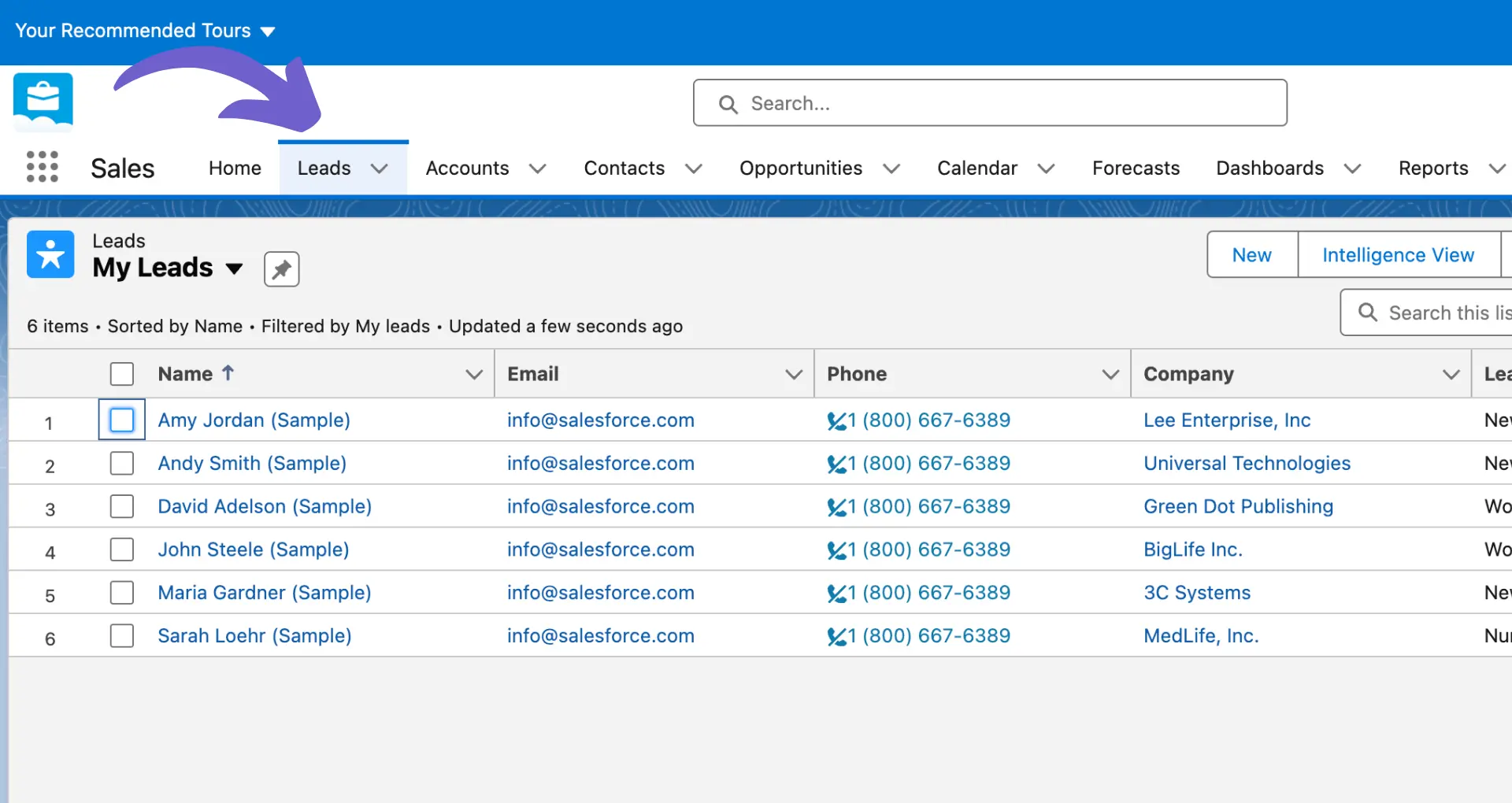
Data automation integrates with CRM systems such as HubSpot or Salesforce to automatically update customer information, track interactions, and provide sales teams with real-time data about leads and opportunities:


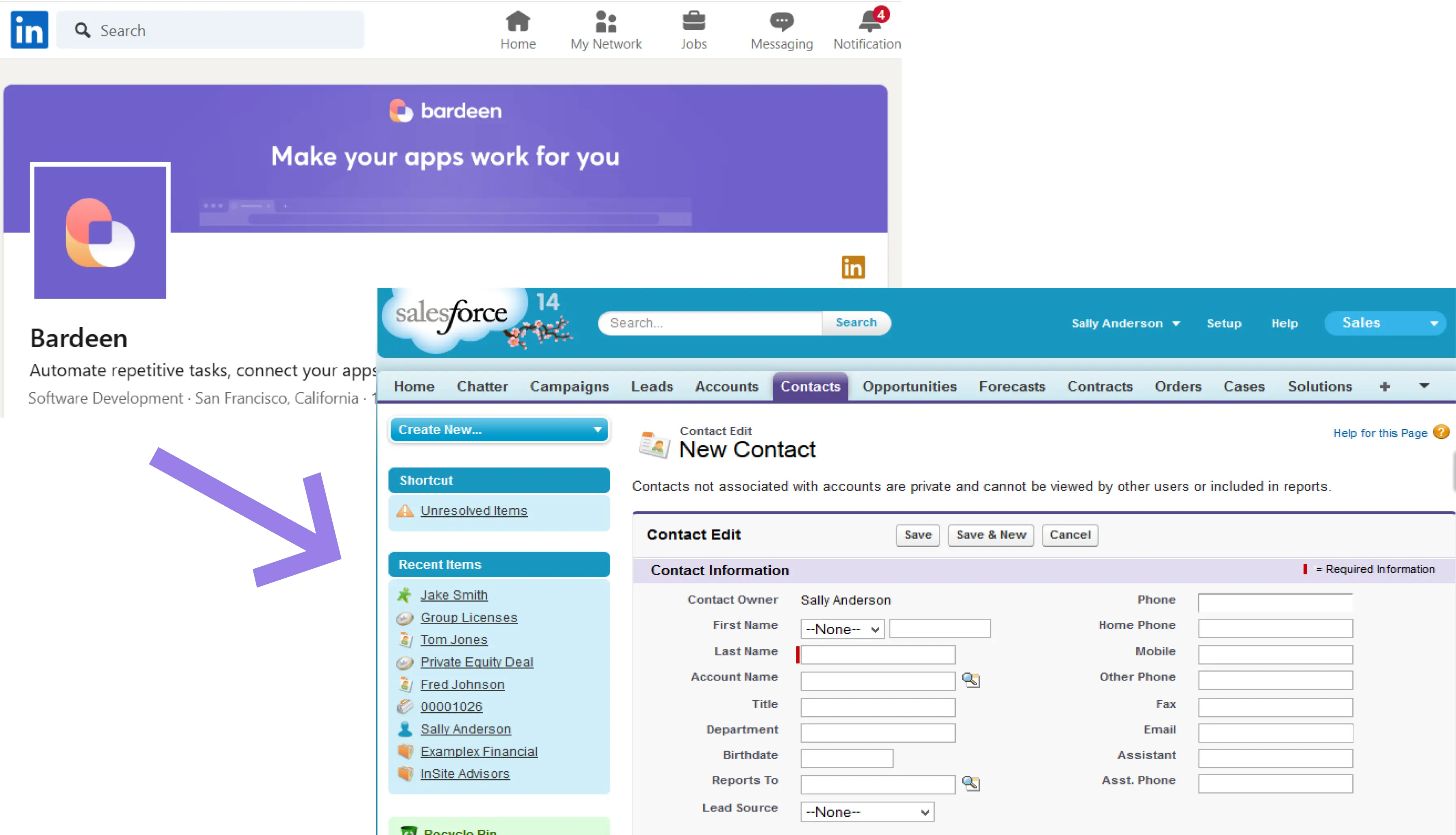
How does this playbook work?
Salesforce contacts often lack key info. This playbook finds a contact's LinkedIn profile from their email, scrapes the data, and updates their Salesforce record with the enriched details automatically.

How does this playbook work?
Outdated CRM data leads to missed opportunities. This playbook pulls a HubSpot contact, enriches data, and updates the contact's record with fresh information automatically.
Benefit include:
Widget Inc. experienced difficulties in managing customer data, leading to missed opportunities. By integrating CRM software with their sales tools, they automated data collection and analysis, providing sales representatives with centralized and prioritized customer information. This integration led to a 30% increase in sales revenue, demonstrating the significant impact of a data automation platform on sales performance.
Data automation can be used to qualify and score leads based on their interaction with marketing materials, website behavior, or email engagement. Once leads are scored, automated workflows can nurture them through personalized content until they are ready to make a purchase:

How does this playbook work?
Reaching out to LinkedIn post commenters is time-consuming. This playbook scrapes their data, finds email addresses, and drafts a personalized outreach email in Gmail with AI – just one click.
How does this playbook work?
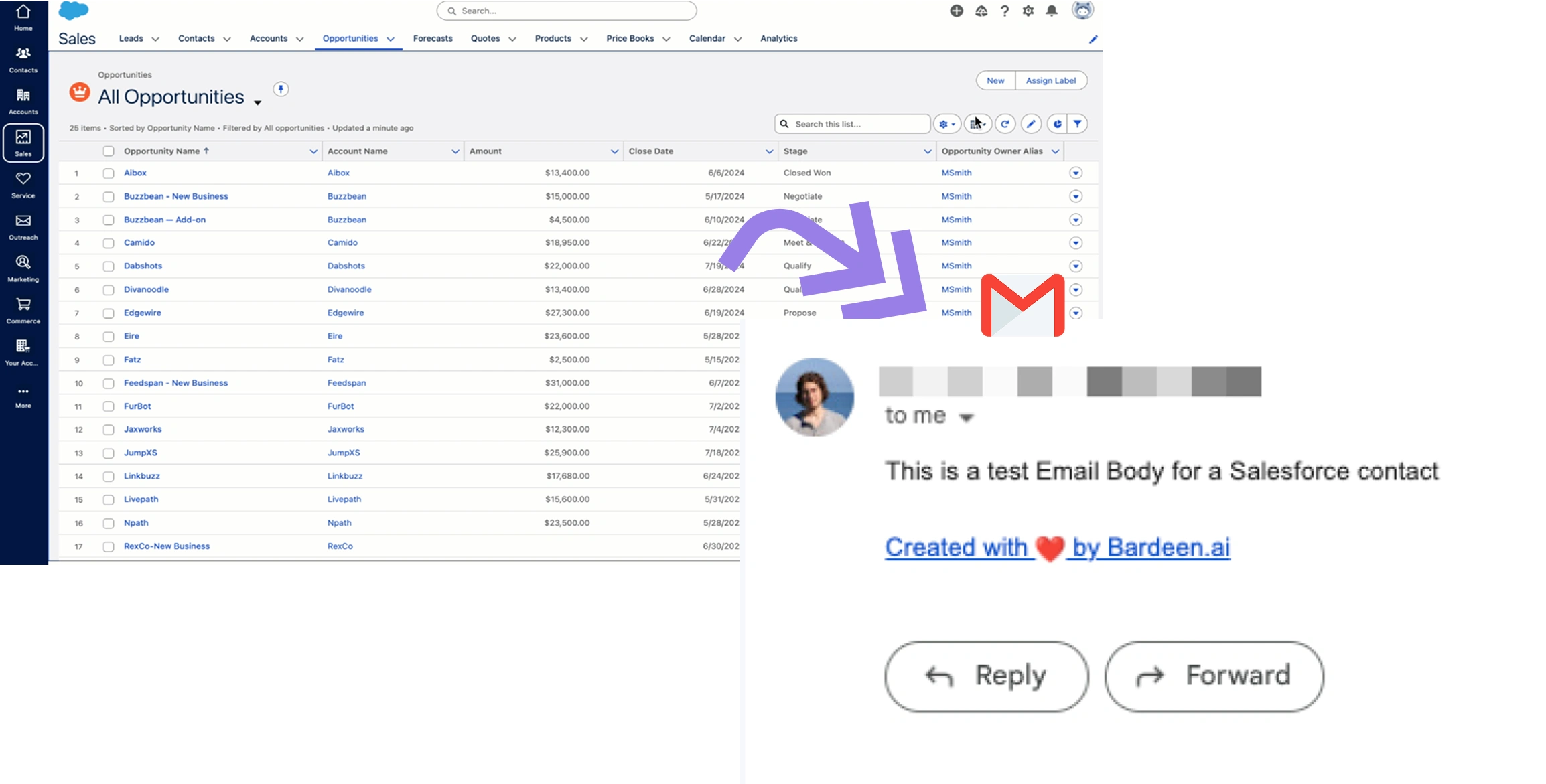
Emailing Salesforce contacts is a common but time-consuming task. This playbook retrieves a contact from Salesforce, extracts their email address, and sends a personalized email via Gmail automatically.
Benefits include:
CentricsIT wanted to boost lead generation and increase revenue through more efficient marketing strategies. They implemented marketing automation tools to streamline lead management and nurturing processes. As a result, CentricsIT saw a 59% increase in leads and generated $1.5 million in new revenue following the automation implementation.
AI-powered chatbots can interact with customers in real time, providing immediate responses to common inquiries or frequently asked questions. These bots can analyze data from past customer interactions to offer more accurate and context-aware answers.
Benefits include:
NIB Health Insurance implemented an AI-powered digital assistant to handle incoming customer requests. This assistant reduced the need for human customer service support by 60% and decreased phone calls with agents by 15%, leading to savings of $22 million. The AI tools, powered by AWS—including the Claude 3.5 Sonnet model—enhanced customer interactions and operational efficiency.
Payroll systems automatically calculate salaries, deduct taxes, and process payments to employees on payday. The system also ensures tax filings are submitted on time.
Benefits include:
Recently, Communicorp UK adopted an AI-enabled payroll platform. They were able to reduce the time spent on payroll from one to two days per month to just one hour. This efficiency gain allowed HR to focus more on human-centric tasks, such as building staff relations.
AI-driven tools automatically review financial transactions for compliance with accounting standards (GDPR, HIPAA) and flag anomalies for investigation.
Benefits include:
For example, Varo Bank needed to ensure their systems could handle regulatory requirements from the pre-charter phase through growth stages. They used automation to become more flexible and scalable in regulatory reporting compliance. As a result, they were able to address changing regulatory requirements efficiently and support business stakeholders effectively.
Artificial intelligence (AI) and machine learning (ML) have become integral components of modern data automation tools, revolutionizing the way businesses handle and process data. By leveraging the power of AI and ML, these tools can provide advanced features such as predictive analytics, intelligent decision-making support, and automated data processing.
Some key AI and ML features that enhance data automation include:
With AI and ML algorithms, data automation tools can learn from historical data patterns, adapt to changing business needs, and continuously improve their performance over time. This enables organizations to gain deeper insights, make data-driven decisions, and automate their lead management.
The integration of AI and ML in data automation aligns with the growing trend of intelligent automation, where software systems can autonomously perform complex tasks, freeing up human resources for higher-value activities. As businesses generate and consume ever-increasing amounts of data, the role of AI and ML in data automation becomes even more critical for staying competitive in today's data-driven landscape.
Bardeen can help you save time and automate repetitive data tasks. Learn how to automate sales prospecting in minutes.
Evaluating data automation software requires a careful assessment of:
By considering these factors and conducting thorough research, you can choose a solution that not only automates processes efficiently but also adds significant value to your organization in the long term.
Codeless automation platforms have emerged in the world of data automation, enabling users without extensive technical knowledge to automate their workflows and data processes. These platforms offer a user-friendly interface that allows business users to create and manage automation tasks without writing a single line of code – exactly as Bardeen’s magic box and workflow builder.
Some key advantages of codeless automation platforms include:
Drag-and-drop interfaces and intuitive design make it easy for non-technical users to build and modify automation workflows.
Pre-built templates and connectors accelerate the automation process, reducing the time and effort required to set up and maintain automated tasks.
Codeless platforms can adapt to changing business needs, allowing users to quickly modify and scale their automation workflows as requirements evolve.
By empowering business users to automate processes themselves, organizations can reduce their reliance on IT resources and minimize the costs associated with custom development.
For instance, you can automate lead generation without coding. Codeless automation platforms democratize data automation, making it accessible to a wider range of users within an organization.
Just as Bardeen’s AI copilot for GTM teams, this enables businesses to use the power of automation without the need for extensive technical expertise, ultimately leading to increased efficiency, productivity, and agility in data management and process automation.
The best data automation tools seamlessly integrate with existing business systems and applications, centralizing data management for enhanced efficiency and productivity. These tools offer extensive integration options, enabling connectivity with a wide range of popular software solutions.
Key integration capabilities to look for include:
With these integration capabilities, organizations can break down data silos, streamline workflows, and gain a holistic view of their business operations. Automated data integration eliminates manual data entry and reduces the risk of errors, ultimately leading to more accurate and timely insights for decision-making.
The best data automation software depends on your specific needs and use cases. To help you narrow down your shortlist, we’ve curated a list of our 8 favorite data automation tools.
These are some of the most useful and reliable tools on the market, curated by use! Read on to discover their features, pros and cons, pricing, and review data from real users.
Bardeen is a no-code automation platform designed to streamline repetitive tasks, integrate data across various apps and platforms, and automate workflows without the need for any programming knowledge. It allows users to automate tasks that would otherwise be time-consuming and manual, improving efficiency and productivity.

G2 users generally praise Bardeen for its ability to automate data collection and streamline workflows, significantly reducing manual tasks. Many users highlight its web scraping capabilities, noting that it works seamlessly across different websites and simplifies data extraction. The ease of setup and intuitive design are also frequently mentioned..
Capterra users emphasize its user-friendly, no-code interface that simplifies the automation of workflows without requiring technical expertise. Additionally, users appreciate Bardeen's ability to streamline tasks and enhance productivity.
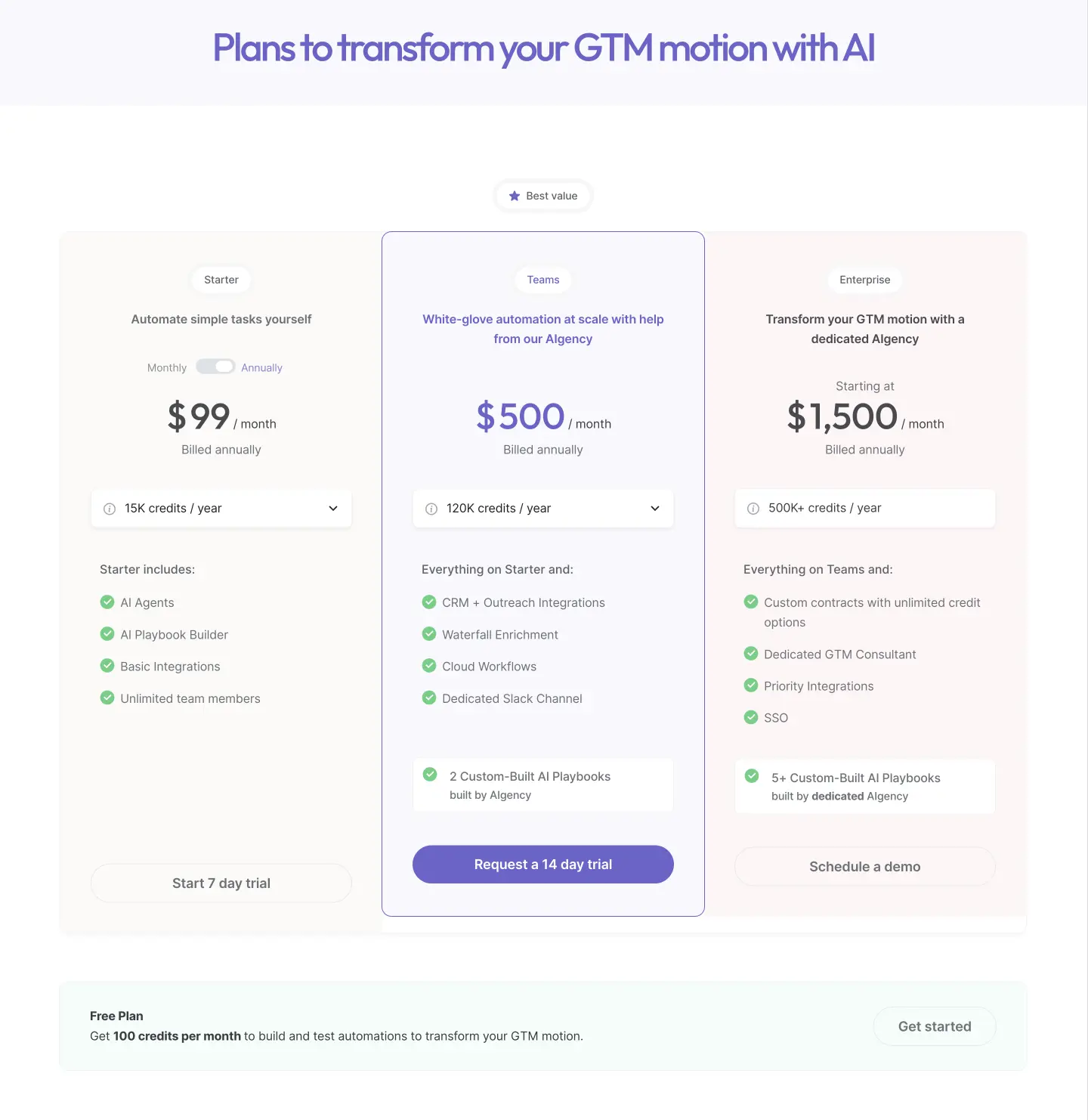
Bardeen’s pricing has been optimized for 2025 and includes the following plans:
Read why Bardeen is doubling down on AI + humans and how it can accelerate your sales cycle.
Ready to automate your workflows and maximize sales productivity? Sign up to Bardeen's free plan and experience the power of AI sales automation firsthand.
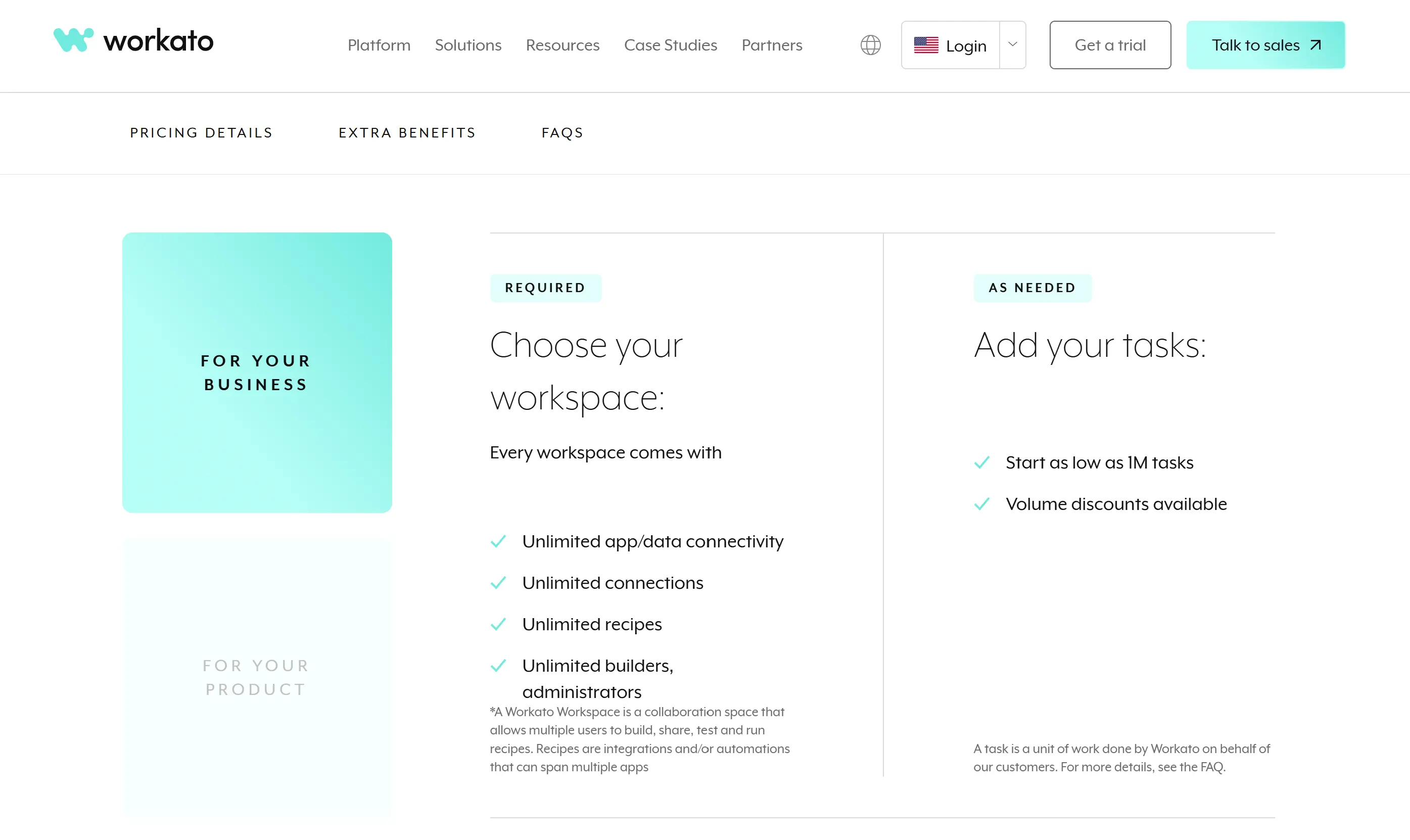
Workato is an enterprise-grade automation and integration platform that enables businesses to connect applications, automate workflows, and manage data processes seamlessly without requiring deep coding expertise. It combines integration platform as a service (iPaaS) capabilities with robotic process automation (RPA) and AI-driven automation, making it a powerful tool for data automation across various business functions.

G2 users value Workato for its robust data automation capabilities, frequently praising its user-friendly interface and flexibility in automating complex workflows. The platform's extensive library of pre-built connectors simplifies the integration process. Additionally, users appreciate the assistance from their Customer Success Managers.
Capterra users generally commend Workato for its robust data automation capabilities, highlighting its user-friendly interface and flexibility in automating complex workflows. However, some users mention that the platform can be costly, which may pose challenges for smaller teams or businesses.
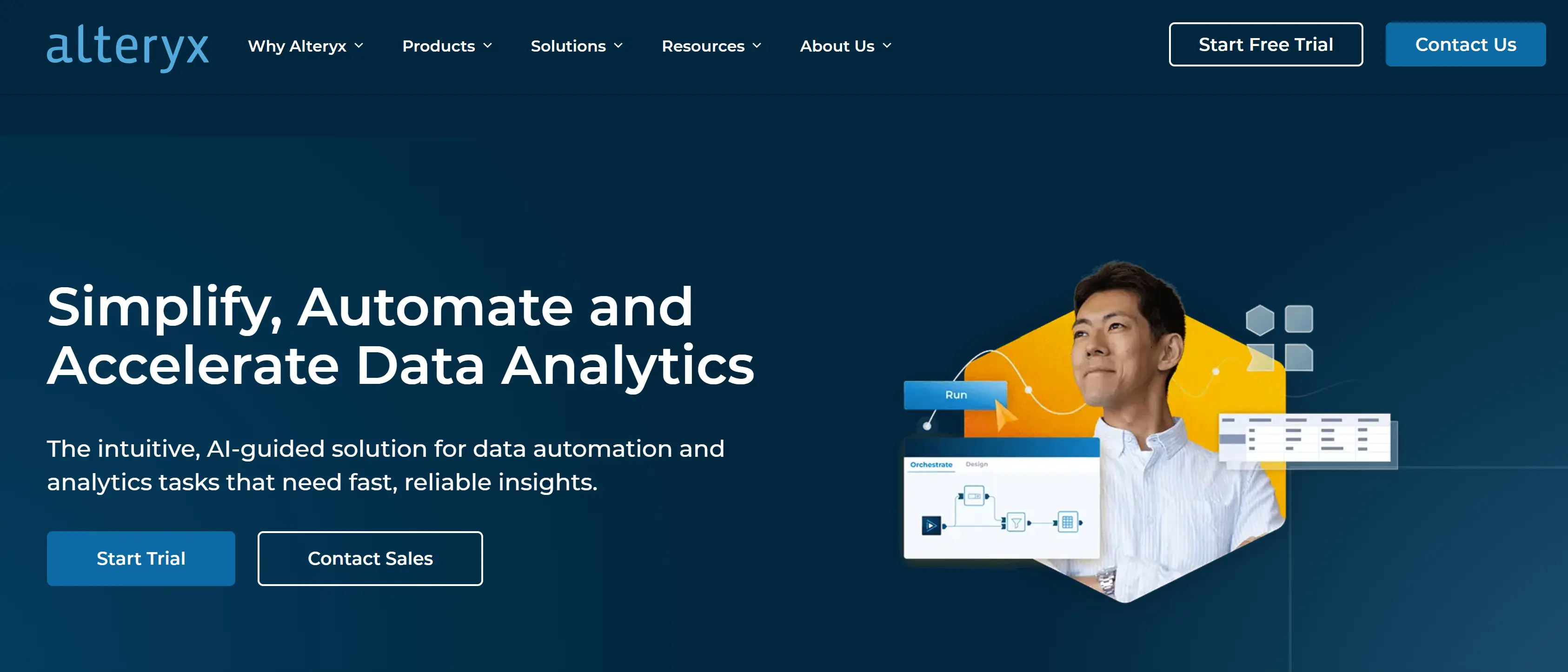
Alteryx is a self-service data analytics and automation platform that enables users to automate data preparation, blending, and advanced analytics without requiring extensive coding knowledge. It is widely used for ETL (Extract, Transform, Load) processes, predictive analytics, and workflow automation, making it a powerful tool for businesses that need to process and analyze large volumes of data efficiently.
G2 users commend Alteryx for its user-friendly, drag-and-drop interface that simplifies complex ETL (Extract, Transform, Load) processes. This intuitive design allows users to efficiently blend, analyze, and prepare data from multiple sources.
Capterra users praise Alteryx for its seamless integration with applications like Tableau and SQL. They also praised its ability to simplify data imports and automate workflows without deep coding knowledge. The integration of Python was also appreciated for extending the tool's functionalities.

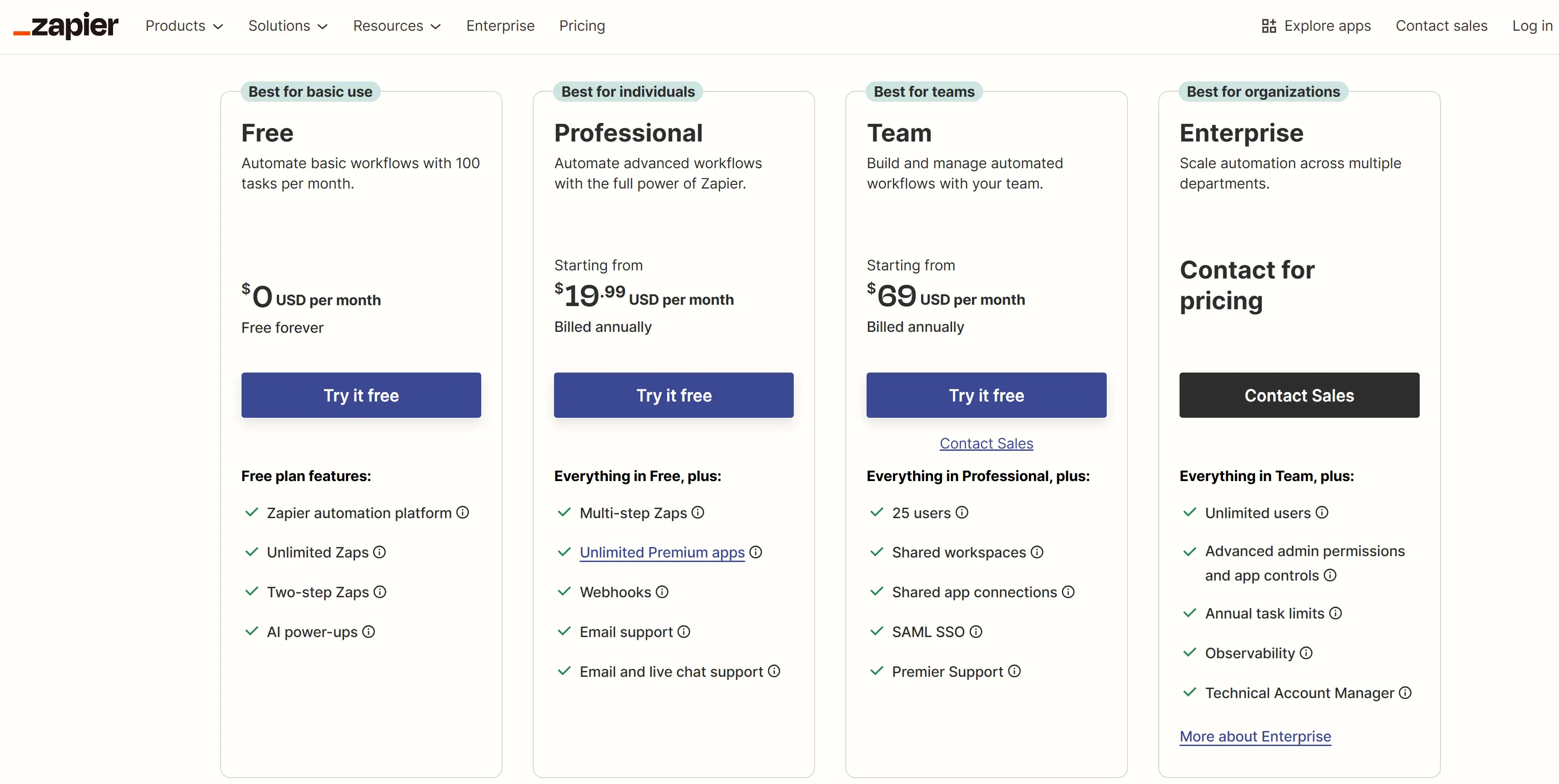
Zapier is a cloud-based automation tool that allows users to create automated workflows, called Zaps, which connect different apps and automate repetitive tasks between them. It enables users to automate data transfer and other actions without writing any code. Zapier is highly popular for integrating apps and automating workflows across a wide variety of platforms, saving time and reducing manual effort.

G2 users frequently commend Zapier for its user-friendly interface and robust data automation capabilities. The extensive library of pre-built connectors is another feature that users find particularly beneficial, enabling seamless integration with a wide range of applications. Additionally, Zapier's real-time integration capabilities are praised, with users highlighting its effectiveness in ensuring immediate data synchronization across applications.
Capterra users generally commend Zapier for its user-friendly interface and robust data automation capabilities. Many appreciate its intuitive design, which allows users to set up complex workflows without requiring extensive technical knowledge. The platform's extensive range of integrations is another frequently mentioned advantage, enabling seamless connectivity between numerous apps and services.
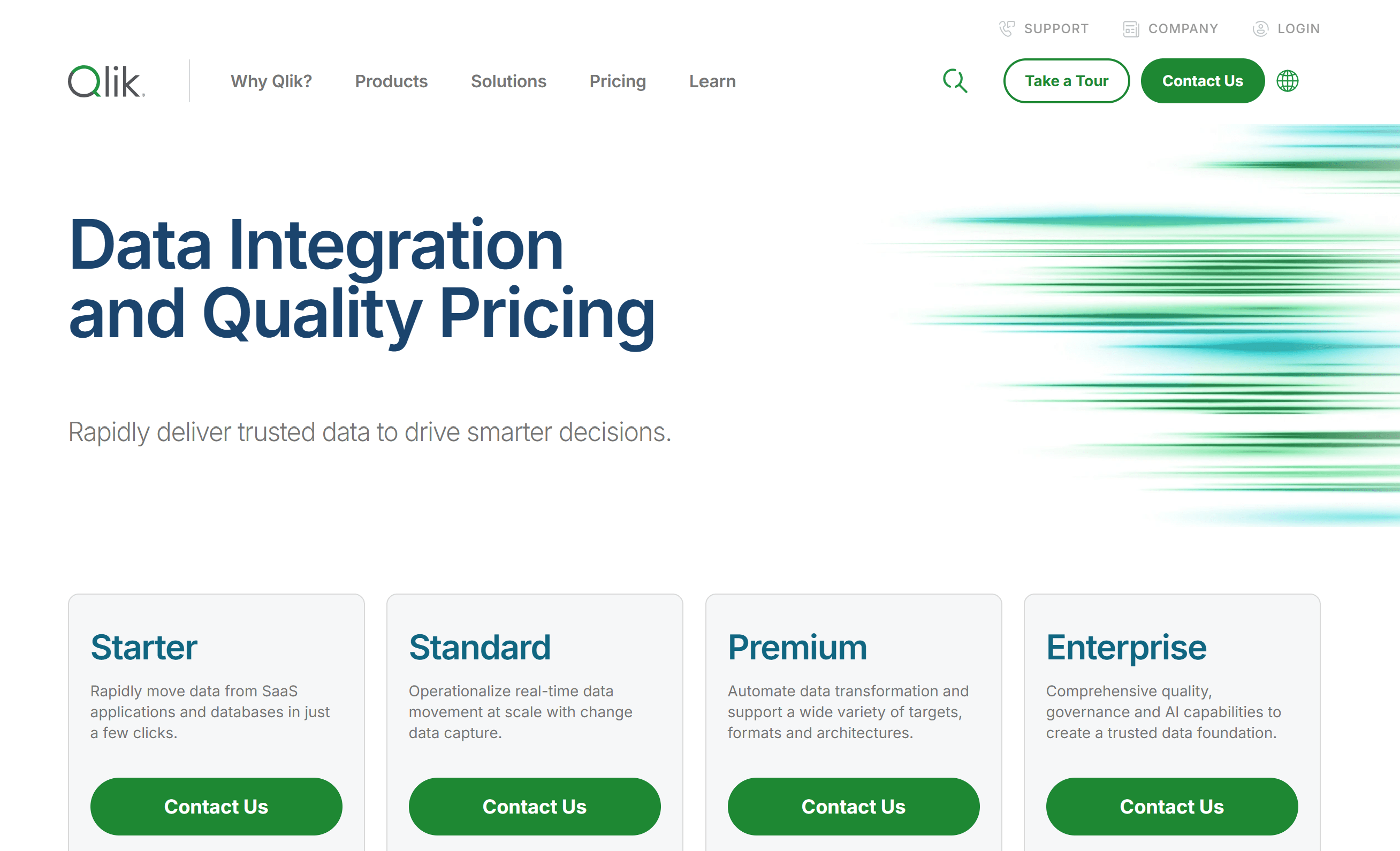
Fivetran is a fully managed data integration platform that automates the Extract, Load, and Transform (ELT) process, enabling businesses to seamlessly move data from multiple sources into a centralized data warehouse for analysis. It is designed for data engineers, analysts, and business intelligence teams to automate data pipeline management without requiring manual coding or maintenance.

G2 users commend Fivetran for its user-friendly interface and robust data automation capabilities, particularly appreciating its ease of setup. The platform's automation features are also highly praised for enabling seamless data integration without manual intervention. Additionally, Fivetran's cloud extraction capabilities are well-received.
Capterra users generally praise Fivetran for its efficient data automation capabilities, highlighting its user-friendly interface and straightforward setup process. Many users appreciate that it simplifies ETL (Extract, Transform, Load) workflows without requiring extensive coding knowledge.

Informatica is a leading enterprise data management and automation platform that specializes in data integration, data governance, ETL (Extract, Transform, Load), and cloud data management. It provides organizations with tools to automate data workflows, ensure data quality, and seamlessly move data across systems, making it a powerful choice for enterprises dealing with large-scale data processing.

G2 users recognize Informatica for its comprehensive data automation solutions, highlighting features such as user-friendly interfaces, scalability, and cloud-native architecture. However, some users mention that certain features, like automated lineage derivation, could be improved to facilitate easier tracking and root cause analysis.
Capterra users commend Informatica for its robust data automation capabilities, highlighting its user-friendly interface and powerful ETL (Extract, Transform, Load) processes. Some even praised Informatica as the "best ETL tool in the market."
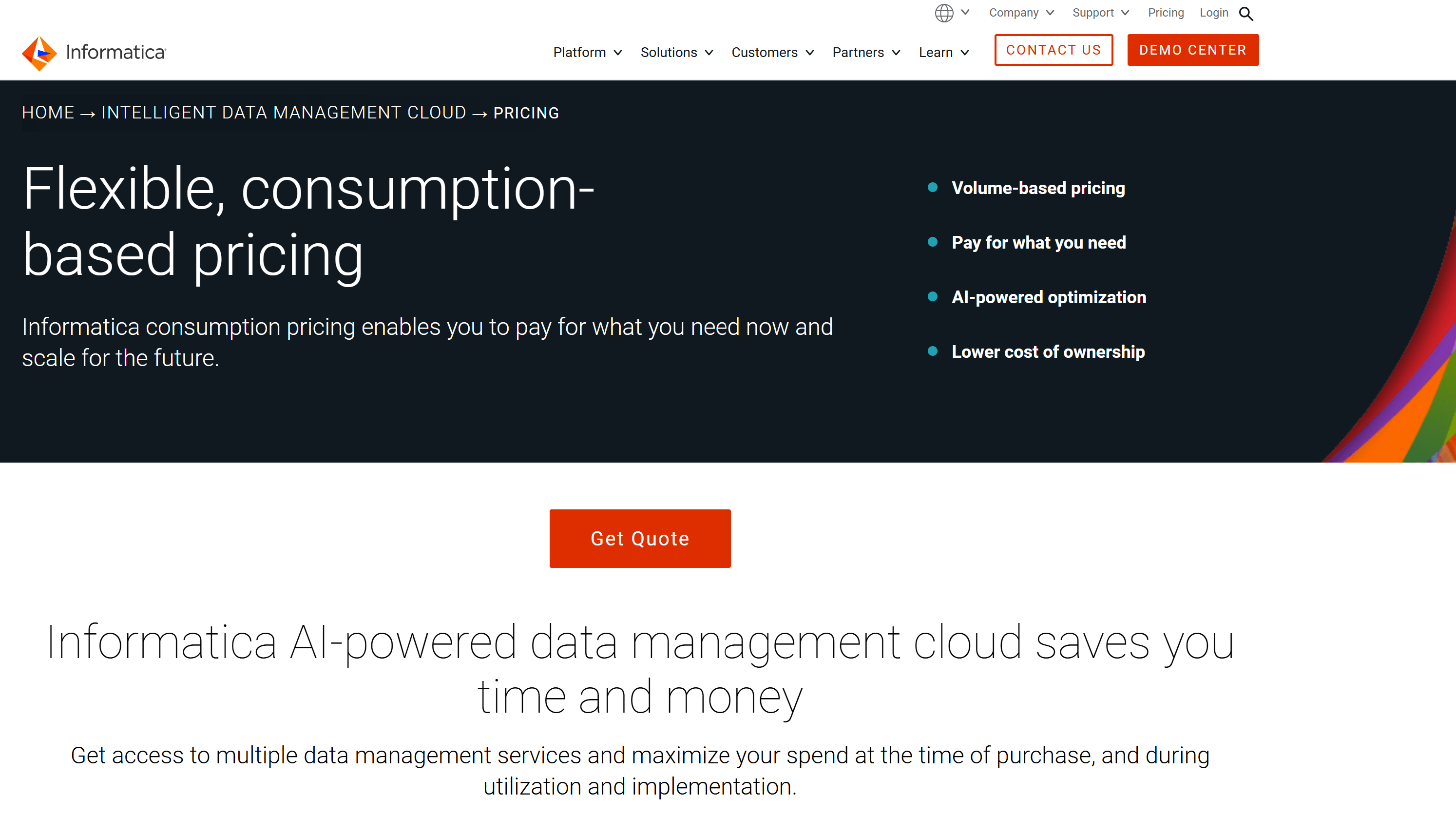
Tableau Prep is a self-service data preparation tool within the Tableau ecosystem that automates data cleaning, transformation, and structuring before analysis. It helps users quickly prepare raw data for visualization and reporting by offering an intuitive, drag-and-drop interface with automation features that streamline repetitive data preparation tasks.

G2 users commend Tableau Prep for its intuitive, drag-and-drop interface that make it accessible to users with varying levels of technical expertise. However, some users note that while Tableau Prep excels in data preparation, it may lack certain advanced features found in dedicated data transformation tools, potentially limiting its effectiveness for more complex data workflows.
Capterra users appreciate Tableau Prep for its data automation capabilities, highlighting its ease of use and powerful features. Others praised Tableau's ability to create attractive dashboards and its flexibility in data analysis.

Note: users must purchase the Tableau+ package to access AI features. This is reflected in the prices below:
Talend is a data integration and automation platform that enables businesses to extract, transform, and load (ETL) data across multiple systems while ensuring data quality and governance. It provides no-code/low-code data pipelines, real-time data processing, and cloud-native automation to help organizations manage and streamline data workflows efficiently.

G2 users recognize Talend for its robust data automation capabilities, particularly appreciating its user-friendly interface and extensive connectivity options. Many highlight its accessibility for users with varying technical backgrounds.
Capterra users commend Talend for its robust data automation capabilities, particularly appreciating its user-friendly interface and extensive connectivity options. Users also value Talend's ETL (Extract, Transform, Load) functionalities, with one stating that it "provides a lot of options to connect to different data sources, helping in getting good quality of data."
When selecting data automation tools, it's crucial to consider their scalability and security features to ensure they can accommodate growing data volumes and protect sensitive business information. Scalability allows the software to handle increasing data complexity and adapt to evolving business requirements without compromising performance or efficiency.
Key aspects to evaluate include:
Equally important is the security of data automation software. Top tools implement robust measures to safeguard sensitive data and ensure compliance with industry regulations such as GDPR, HIPAA, and SOC 2. Look for features like:
Real-world case studies demonstrate the importance of scalability and security in data automation. For example, a global e-commerce company successfully automated its data pipelines using a tool that could handle petabytes of data while maintaining strict PCI-DSS compliance.
Data automation software is essential for modern businesses - the integration of AI and ML in data automation tools, like Bardeen, empowers organizations to automate complex tasks without the need for extensive coding knowledge. Businesses can ensure data accuracy, improve decision-making, and maintain a competitive edge in their industry.
Whether you're in sales, marketing, HR, or any other department, the ability to automate repetitive tasks is invaluable. Explore Bardeen today and discover how our AI-powered automation solutions can transform your data processes and keep your business agile and competitive. Sign up for a free plan to experience the power of data automation firsthand.







SOC 2 Type II, GDPR and CASA Tier 2 and 3 certified — so you can automate with confidence at any scale.








