


Extract structured data from any YouTube channel’s About tab to power creator discovery and outreach. Ideal for influencer marketers, partnerships and BD teams, PR, and sales, this scraper captures channel metadata like name, handle, description, total views, join date, location, and external links (including contact and social profiles when available), so you can build clean, global creator lists and move fast on collaborations.
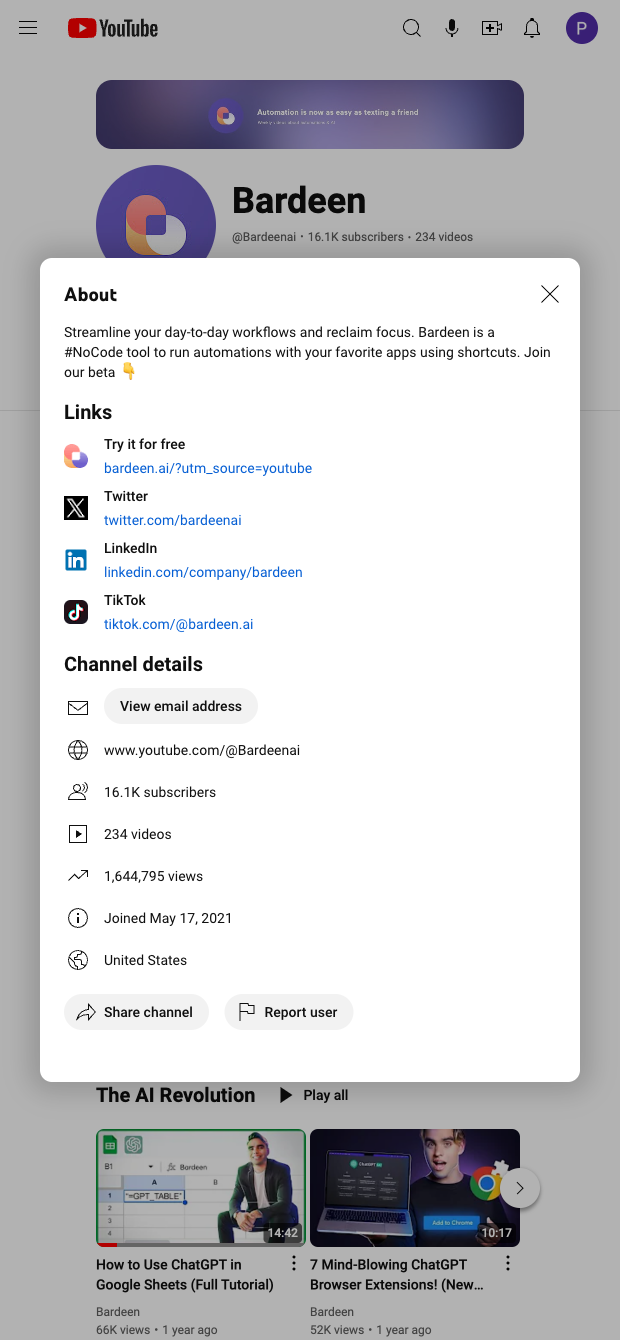

This template is built for professionals who evaluate and engage YouTube creators—think influencer marketing managers, brand partnerships/BD teams, PR, and sales/prospecting. It extracts key details from the YouTube About tab, including channel title and handle, long description, total views, join date, location, custom URL, and external links (website, socials, and business inquiry email when visible). Use it to create a reliable, global database of channels for vetting and outreach.
Send the structured results directly to Google Sheets, Airtable, Notion, or your CRM, then use Bardeen to enrich and act: auto-categorize creators by niche with AI, extract and normalize domains from links, tag regions or languages, deduplicate channels, and generate personalized outreach snippets. You can also score creators by maturity signals like total views and tenure (join date), summarize channel positioning, and route qualified prospects to your pipeline—without copy-paste.
Maintained by Bardeen: This scraper is actively monitored and updated to keep pace with YouTube UI changes, ensuring reliable, high-quality data for your workflows.
With Bardeen, you can do much more than just web scraping. After extracting data from any website, use Bardeen’s powerful automation tools to validate and enrich your data, run additional scrapers on linked pages, or leverage AI to qualify leads and generate content automatically. Once your data is ready, you can easily export it to CSV, Google Sheets, Airtable, or Notion for further analysis and reporting.






SOC 2 Type II, GDPR and CASA Tier 2 and 3 certified — so you can automate with confidence at any scale.








