


Export your YouTube watch history into a clean table with video titles, links, channels, views, descriptions, and thumbnails—ideal for content strategists, researchers, and social media managers who need to organize, analyze, and repurpose watched videos in Google Sheets, Notion, or Airtable.
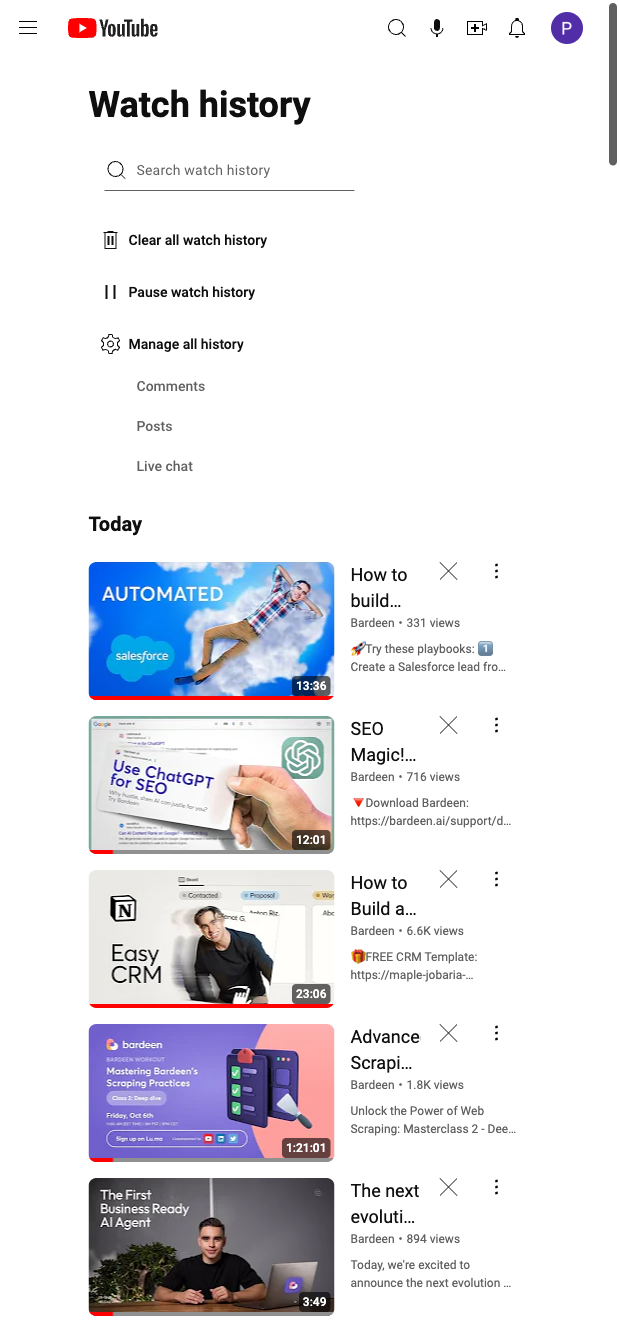

This template is built for professionals who rely on YouTube for research and inspiration—content marketers, social media managers, creators, educators, and competitive intelligence analysts. From your YouTube History page, it captures key fields like Title, Video link, Author, Author link, Views, Description, and the Preview image, making it easy to turn your watch history into a structured, searchable knowledge base. It’s a great fit for global teams who want to track learning resources, monitor competitor content, or curate inspiration.
Once scraped, use the Bardeen extension to enrich your dataset with AI summaries (key takeaways, topics, and intent), auto-tag by channel or category, deduplicate, and compute simple metrics. Seamlessly export to Google Sheets for analysis, Notion to build a content library, or Airtable to feed an editorial pipeline. Common workflows include weekly roundups of watched videos, competitive monitoring by channel, and curated collections for onboarding or training—directly from the history you already have.
Maintained by Bardeen: This scraper is built and updated by Bardeen to adapt to YouTube UI changes, ensuring reliable, high-quality data extraction over time.
With Bardeen, you can do much more than just web scraping. After extracting data from any website, use Bardeen’s powerful automation tools to validate and enrich your data, run additional scrapers on linked pages, or leverage AI to qualify leads and generate content automatically. Once your data is ready, you can easily export it to CSV, Google Sheets, Airtable, or Notion for further analysis and reporting.






SOC 2 Type II, GDPR and CASA Tier 2 and 3 certified — so you can automate with confidence at any scale.









