


Export LinkedIn Sales Navigator company search results into a clean table with company name, URL, industry, company size, About, Employees link, and logo image. Perfect for SDRs, AEs, sales ops, and B2B marketers to build ICP account lists, prioritize by industry/size, and send data to Google Sheets, Airtable, Notion, or your CRM—then enrich, score, and summarize with AI.
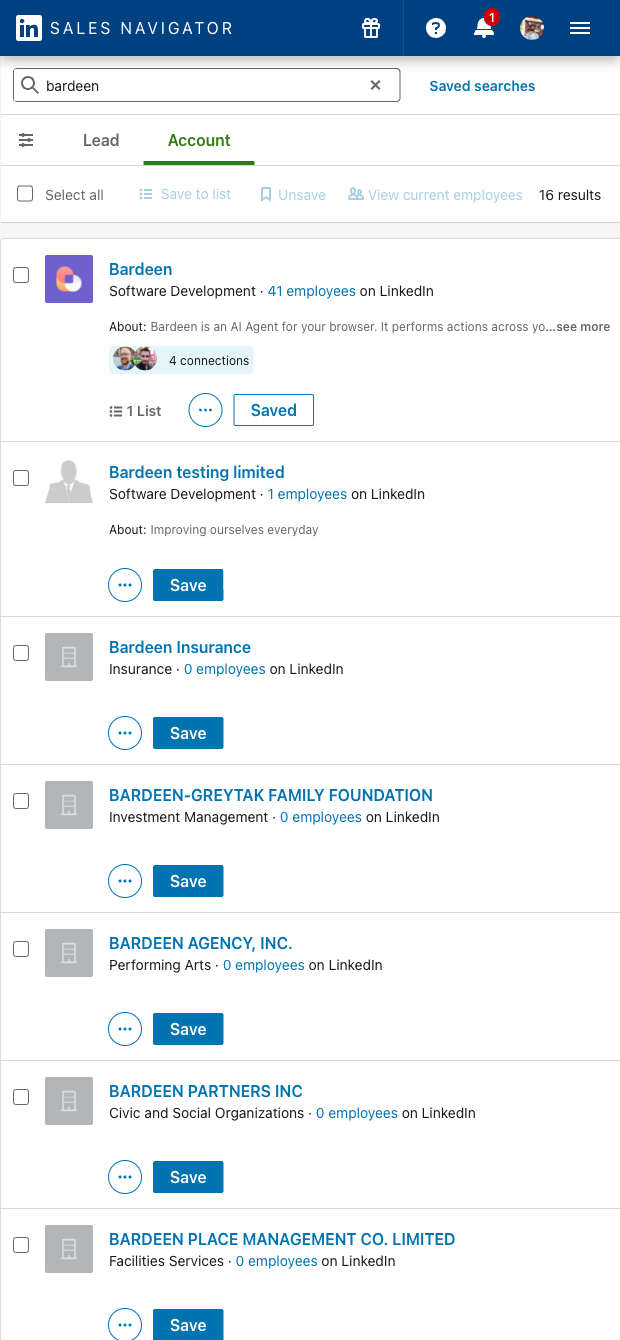

Who it’s for: SDRs, AEs, sales operations, and growth marketers working in B2B sales worldwide who use LinkedIn Sales Navigator to discover and qualify accounts. This scraper captures the core company fields you see in Sales Navigator results—Name, Company URL, Industry, Company size, About, Employees URL, and Image—so you can quickly turn filtered searches into actionable lead lists.
How you’ll use it: Build ICP-aligned account lists, segment by industry and size, and prioritize territories. Use the Employees URL to drill down into people searches for prospecting, or enrich rows with domains, technographics, and revenue estimates. Ask AI to summarize the About text, classify industries, or generate an ICP fit score. Deduplicate, tag by territory or segment, and sync to Google Sheets, Airtable, Notion, or your CRM to power ABM campaigns, market mapping, and outbound sequences.
Quality you can count on: This template is maintained and updated by Bardeen to reflect LinkedIn UI changes, ensuring reliable, high-quality data extraction for Sales Navigator company search and accounts dashboards.
With Bardeen, you can do much more than just web scraping. After extracting data from any website, use Bardeen’s powerful automation tools to validate and enrich your data, run additional scrapers on linked pages, or leverage AI to qualify leads and generate content automatically. Once your data is ready, you can easily export it to CSV, Google Sheets, Airtable, or Notion for further analysis and reporting.






SOC 2 Type II, GDPR and CASA Tier 2 and 3 certified — so you can automate with confidence at any scale.









