


Extract Zillow search results into a clean table with location, price, beds, baths, square footage, listing link, and image. Ideal for U.S. real estate agents, investors, and acquisitions teams to build comps, track inventory, and create targeted lead lists, then export to Google Sheets, Airtable, Notion, or your CRM for fast analysis and outreach.
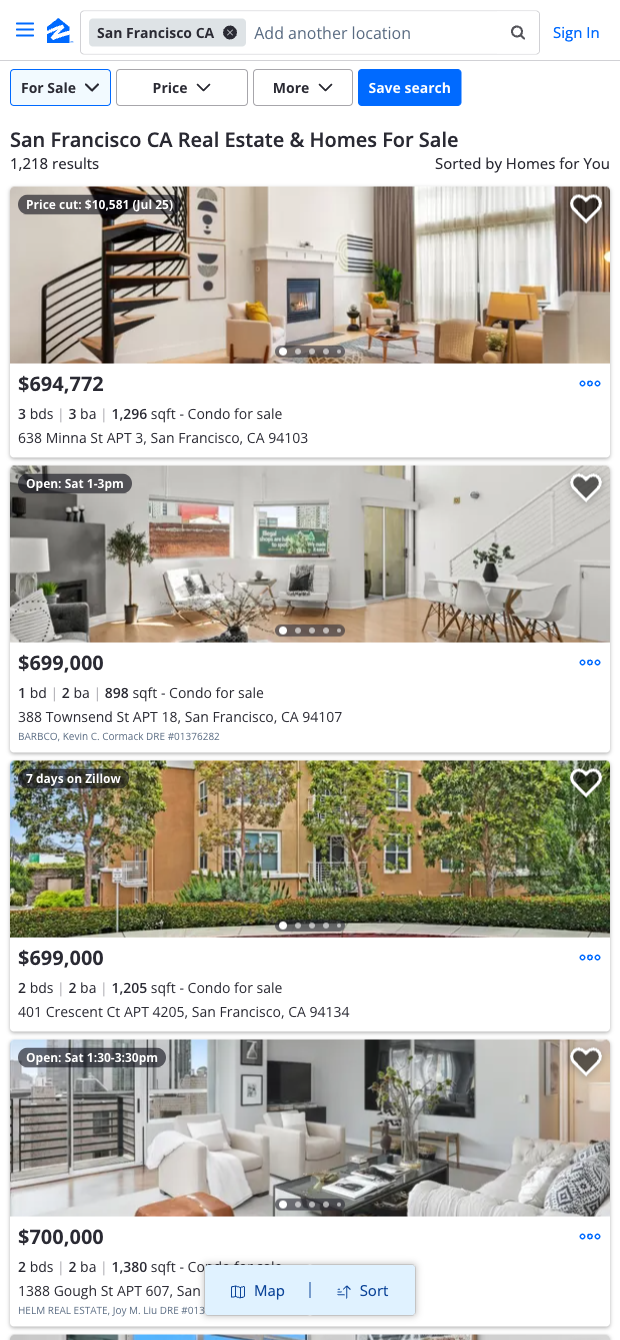

This Zillow search results scraper is designed for U.S.-focused real estate professionals who need reliable property data at scale. It captures key listing details—location, price, BD, BA, square footage, image, and URLs—so agents, brokers, and investors can build comps, analyze price per square foot, monitor territories, and prioritize high-potential opportunities. Use it to assemble prospecting lists, compare neighborhoods, and keep a pulse on market shifts across cities or zip codes.
With the Bardeen Chrome extension, you can enrich and process the extracted data: compute KPIs like price/sq. ft., deduplicate across sources, enrich with geocodes or neighborhood data, ask AI to summarize trends, and push everything into Google Sheets, Airtable, Notion, or your CRM for automated follow-ups and reporting. This template is maintained and updated by Bardeen to keep up with website changes, ensuring high-quality, dependable Zillow data for your workflows.
With Bardeen, you can do much more than just web scraping. After extracting data from any website, use Bardeen’s powerful automation tools to validate and enrich your data, run additional scrapers on linked pages, or leverage AI to qualify leads and generate content automatically. Once your data is ready, you can easily export it to CSV, Google Sheets, Airtable, or Notion for further analysis and reporting.






SOC 2 Type II, GDPR and CASA Tier 2 and 3 certified — so you can automate with confidence at any scale.









