


Extract clean, structured data from any Zillow property page to power real estate comps, underwriting, and market research—ideal for U.S.-based investors, agents, analysts, and property managers who need Zillow listing details in spreadsheets, CRMs, or databases.
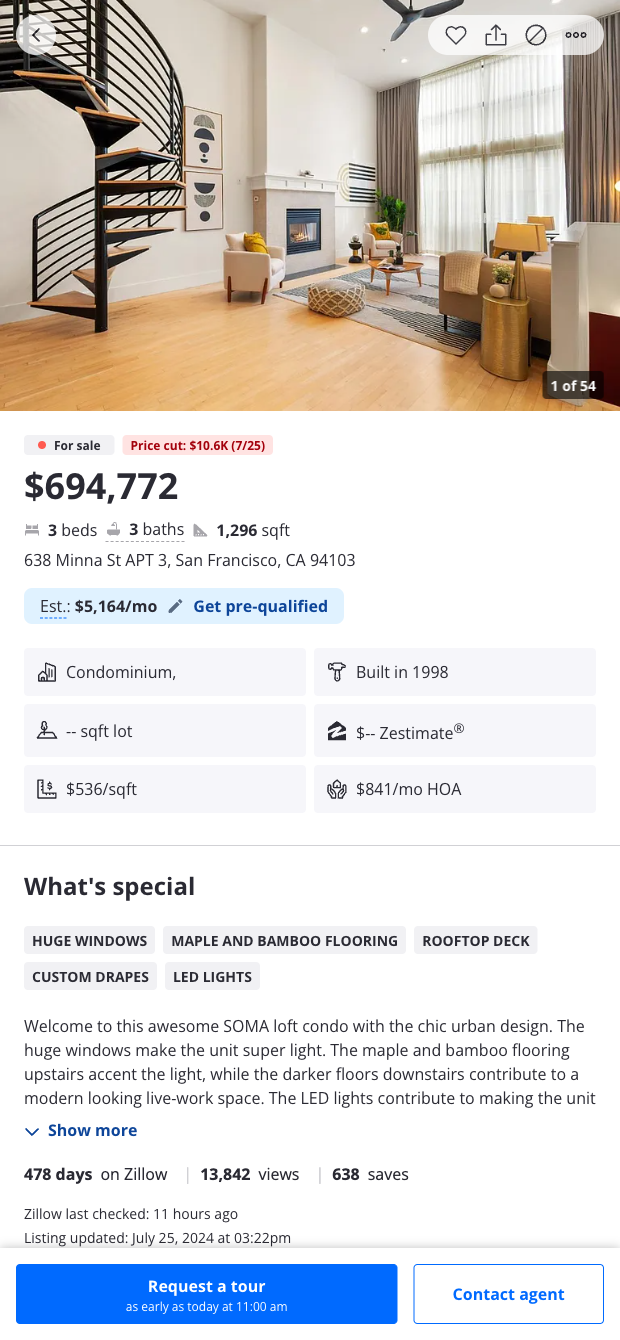

Who it’s for: real estate investors, agents, analysts, appraisers, and property managers operating in the United States. This Zillow property scraper pulls key fields from individual listing pages to create a ready-to-analyze table, including price, beds, baths, square footage, lot size, full address, property type, listing status, days on market, price and tax history, HOA fees, description, and estimate metrics (like Zestimate and rent estimate) where available. It’s a fast, reliable way to capture Zillow listing data for comps, due diligence, and neighborhood research.
How to use the data: with the Bardeen Chrome extension you can enrich and transform results on the fly—compute price per square foot and simple cap rate estimates, flag properties that match your buy box, summarize highlights with AI, auto-build comparable sets from nearby listings, and sync or export to Google Sheets, Airtable, Notion, or your CRM. This makes Zillow data instantly actionable for underwriting, lead qualification, portfolio tracking, and market analysis across U.S. metros.
Maintained by Bardeen: this template is actively updated to keep pace with Zillow’s layout and logic changes, delivering reliable, high-quality data extraction for your workflows.
With Bardeen, you can do much more than just web scraping. After extracting data from any website, use Bardeen’s powerful automation tools to validate and enrich your data, run additional scrapers on linked pages, or leverage AI to qualify leads and generate content automatically. Once your data is ready, you can easily export it to CSV, Google Sheets, Airtable, or Notion for further analysis and reporting.






SOC 2 Type II, GDPR and CASA Tier 2 and 3 certified — so you can automate with confidence at any scale.








