


Scrape TripAdvisor search results into a structured table of places with titles, ratings, review counts, locations, place types, keyword mentions, links, and images—ideal for hospitality and travel professionals to research markets, track competitors, and build qualified lead lists worldwide.
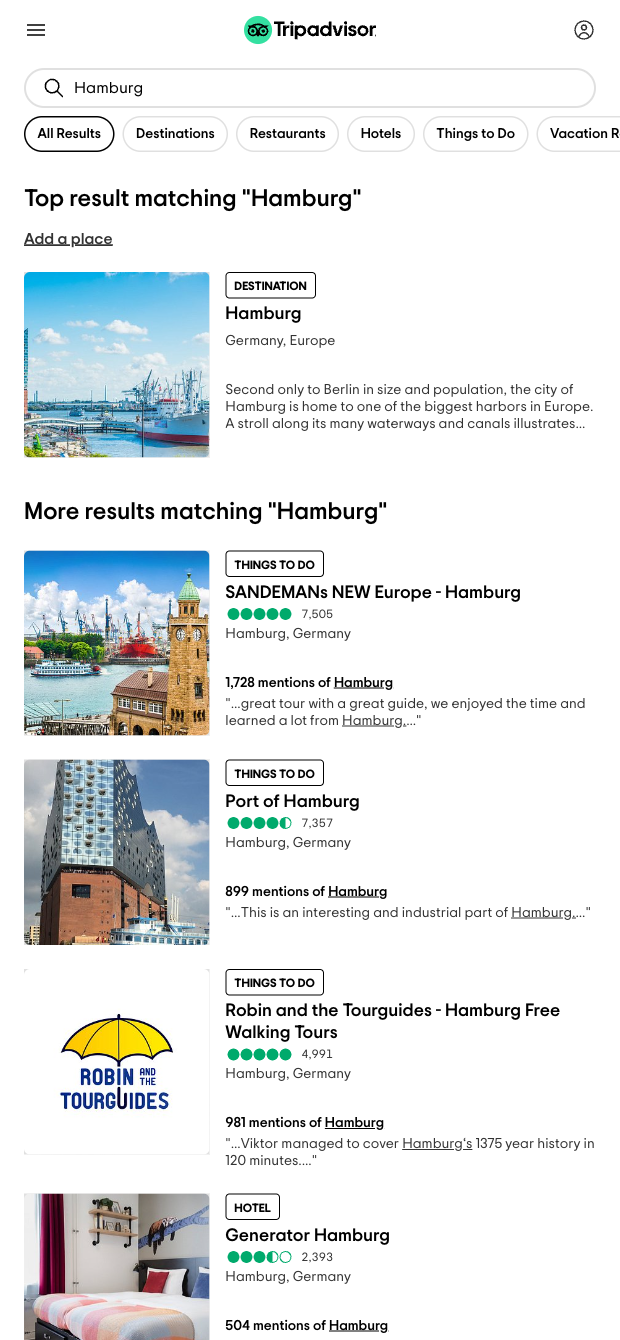

This template extracts rich data from TripAdvisor search pages, including Title, URL, Reviews, Rating, Search mentions, Mention, Location, Place type, and a Preview image. It’s designed for hotel and restaurant marketers, tour operators, destination marketing organizations (DMOs), OTAs and travel marketplace teams, and travel SEO/content teams who need global coverage to analyze any city or keyword, discover top venues, and identify emerging trends.
Use the data to build lead lists of high‑rating, high‑review venues, benchmark competitors, and plan content around what travelers mention most. With the Bardeen extension, you can enrich each row with AI (e.g., summarize review sentiment, tag by place type), compute priority scores combining rating and review volume, filter by location or keywords, deduplicate results, and export to Google Sheets, Airtable, Notion, or your CRM. Create repeatable workflows that monitor search mentions, surface top attractions/restaurants/hotels, and route the data where your team needs it.
Maintained by Bardeen: This scraper is regularly updated to keep pace with TripAdvisor changes, delivering reliable, high‑quality data for your workflows.
With Bardeen, you can do much more than just web scraping. After extracting data from any website, use Bardeen’s powerful automation tools to validate and enrich your data, run additional scrapers on linked pages, or leverage AI to qualify leads and generate content automatically. Once your data is ready, you can easily export it to CSV, Google Sheets, Airtable, or Notion for further analysis and reporting.






SOC 2 Type II, GDPR and CASA Tier 2 and 3 certified — so you can automate with confidence at any scale.








