


Extract Google Maps location reviews into a clean table with reviewer name, rating, date, review text, profile image, and review counts—perfect for local SEO managers, reputation teams, and multi‑location operators to monitor feedback, analyze sentiment, and export to Google Sheets or Airtable. This template is maintained by Bardeen for reliable, high‑quality data.
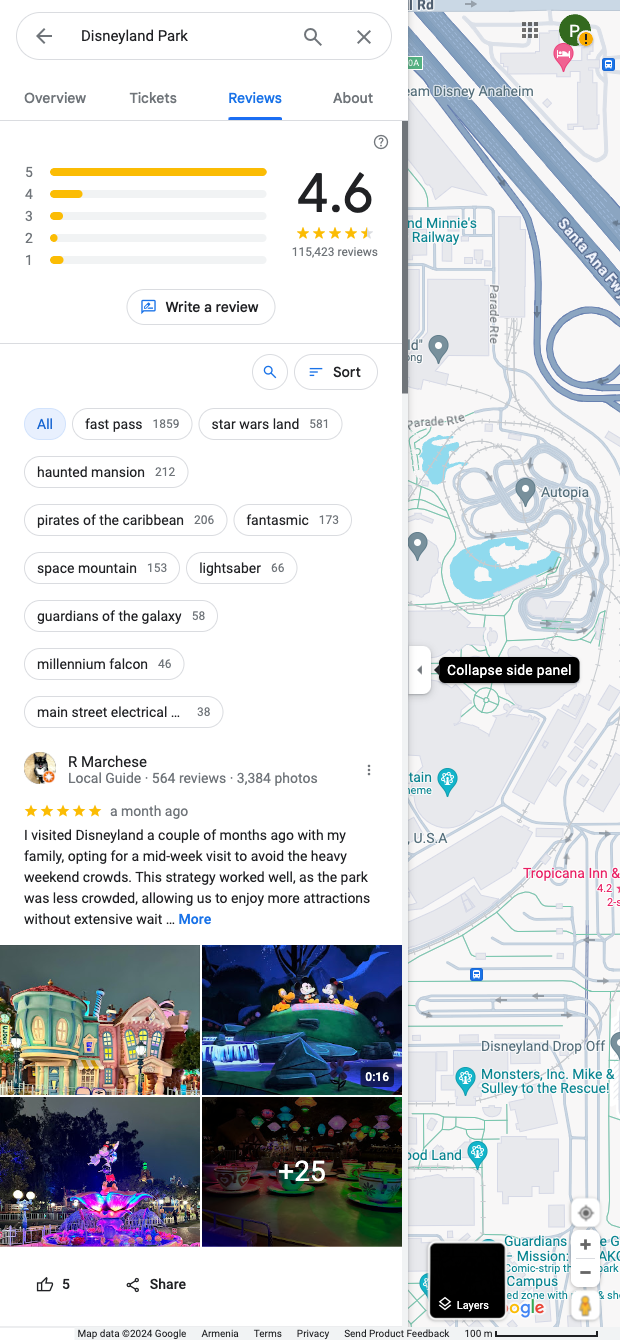

This scraper is built for professionals who rely on Google Maps reviews: local SEO specialists, reputation management agencies, CX and operations teams across hospitality, retail, attractions, healthcare, and other local services. It captures reviewer name, star rating, review date, review content, profile image, and review counts from a location’s Google Maps card, giving you structured data to power research and reporting for any market where Google Maps is used globally.
Use it to perform review monitoring, sentiment analysis, competitor benchmarking, and trend tracking. With Bardeen, you can enrich reviews with AI to summarize themes, classify topics, detect sentiment, compute averages over time, and flag 1–2 star reviews. Pipe results to Google Sheets, Airtable, Notion, or your CRM/helpdesk, trigger alerts in Slack or email, and keep a continuous pulse on customer experience across single or multi-location brands.
Maintained by Bardeen: this template is actively updated to reflect Google interface changes, ensuring dependable scraping performance and high‑quality data over time.
With Bardeen, you can do much more than just web scraping. After extracting data from any website, use Bardeen’s powerful automation tools to validate and enrich your data, run additional scrapers on linked pages, or leverage AI to qualify leads and generate content automatically. Once your data is ready, you can easily export it to CSV, Google Sheets, Airtable, or Notion for further analysis and reporting.






SOC 2 Type II, GDPR and CASA Tier 2 and 3 certified — so you can automate with confidence at any scale.









