


Extract name, category, address, phone, website, ratings, review count, opening hours, and coordinates from any Google Maps place page. Ideal for local SEO, B2B prospecting, and operations planning—enrich, analyze, and export to Sheets, Airtable, or your CRM.
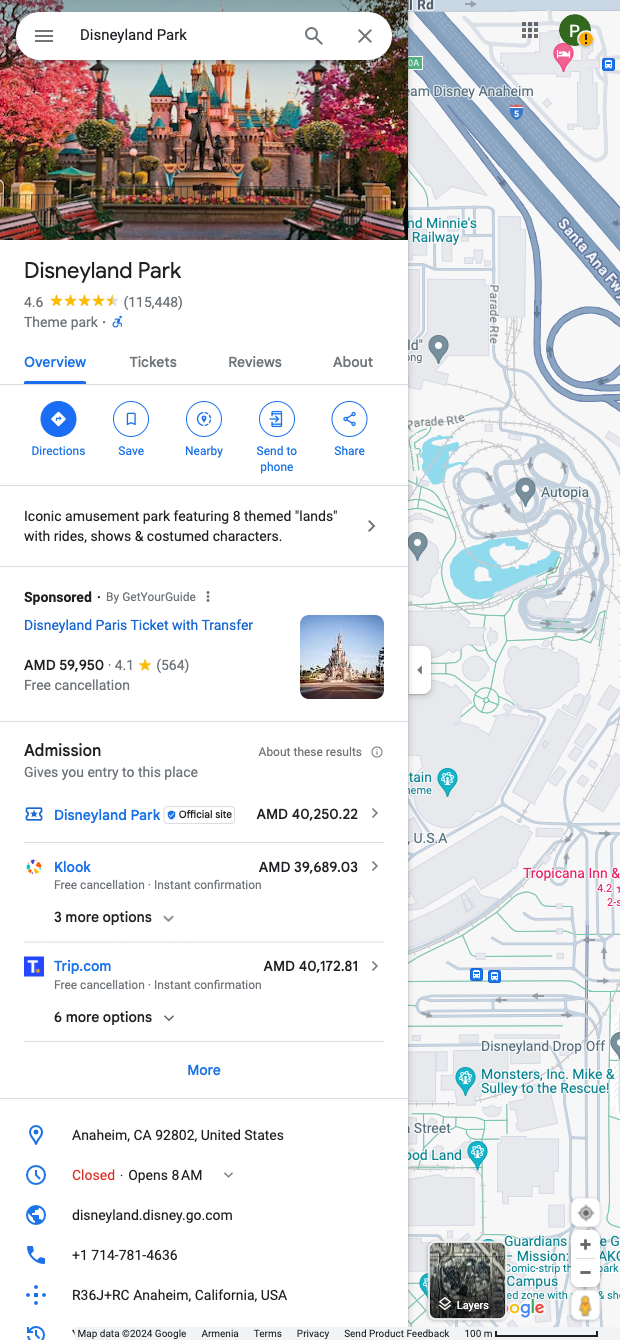

Built for local SEO specialists, sales and growth teams, franchise/operations managers, and market researchers worldwide, this template turns a Google Maps location card into a clean, structured dataset. Capture core business attributes like name, category, full address, phone, website, rating and review count, opening hours, and geo-coordinates directly from the place page.
Use it to build qualified local lead lists, audit NAP consistency, monitor competitors, source vendors, or map service territories. With Bardeen, you can enrich records (e.g., find emails and social profiles), classify businesses by ICP with AI, summarize review sentiment, compute distances from your HQ, standardize hours, de-duplicate against your CRM, and export to Google Sheets, Airtable, Notion, HubSpot, or Salesforce.
This scraper is actively maintained and updated by Bardeen to adapt to Google Maps UI changes, delivering reliable, high-quality data for your workflows.
With Bardeen, you can do much more than just web scraping. After extracting data from any website, use Bardeen’s powerful automation tools to validate and enrich your data, run additional scrapers on linked pages, or leverage AI to qualify leads and generate content automatically. Once your data is ready, you can easily export it to CSV, Google Sheets, Airtable, or Notion for further analysis and reporting.






SOC 2 Type II, GDPR and CASA Tier 2 and 3 certified — so you can automate with confidence at any scale.








