


Extract clean, structured data from any Remote OK job post to power recruiting ops, hiring market research, and curated job boards. Perfect for talent acquisition teams, HR ops, founders, and job market analysts who need key details like title, company, role type, location, tags, compensation (when available), full description, posted date, and apply link in a tabular format for easy export to Sheets, Airtable, or Notion. Maintained and updated by Bardeen for reliable, high-quality capture as Remote OK evolves.
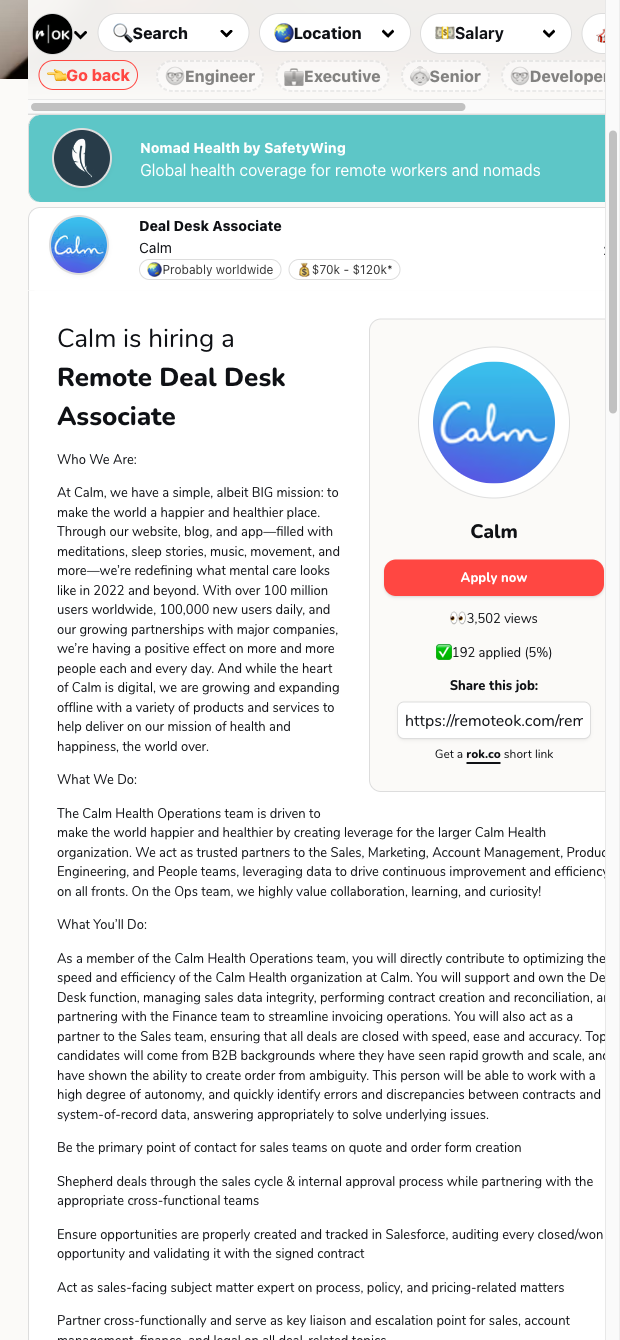

This template is designed for recruiting professionals, HR operations, and job-board curators who monitor remote hiring globally. Use it to quickly extract key job details from individual Remote OK listings and build a centralized, analysis-ready dataset to track hiring trends, benchmark compensation, and prioritize outreach. It’s also valuable for founders and talent market analysts who want a structured view of competitors’ remote roles across regions.
Once scraped, you can enrich companies with firmographic data, summarize long descriptions with AI, classify roles by seniority or department, calculate salary ranges, and route results to Google Sheets, Airtable, Notion, Slack, or your ATS/CRM. Build automations to flag new Remote OK postings, deduplicate against your database, and create curated remote job feeds for newsletters or talent communities—all from a clean, tabular dataset.
This scraper is maintained and updated by Bardeen to keep pace with Remote OK’s layout changes, ensuring dependable extraction and the best quality data for your workflows.
With Bardeen, you can do much more than just web scraping. After extracting data from any website, use Bardeen’s powerful automation tools to validate and enrich your data, run additional scrapers on linked pages, or leverage AI to qualify leads and generate content automatically. Once your data is ready, you can easily export it to CSV, Google Sheets, Airtable, or Notion for further analysis and reporting.






SOC 2 Type II, GDPR and CASA Tier 2 and 3 certified — so you can automate with confidence at any scale.









