


Extract Realtor.com agent search results into a clean table with name, profile URL, company, phone, headshots, ratings, reviews, sales activity (sold/for sale), experience, recommendations, and activity range—perfect for building targeted U.S. real estate agent lists for recruiting, partnerships, and market coverage planning.
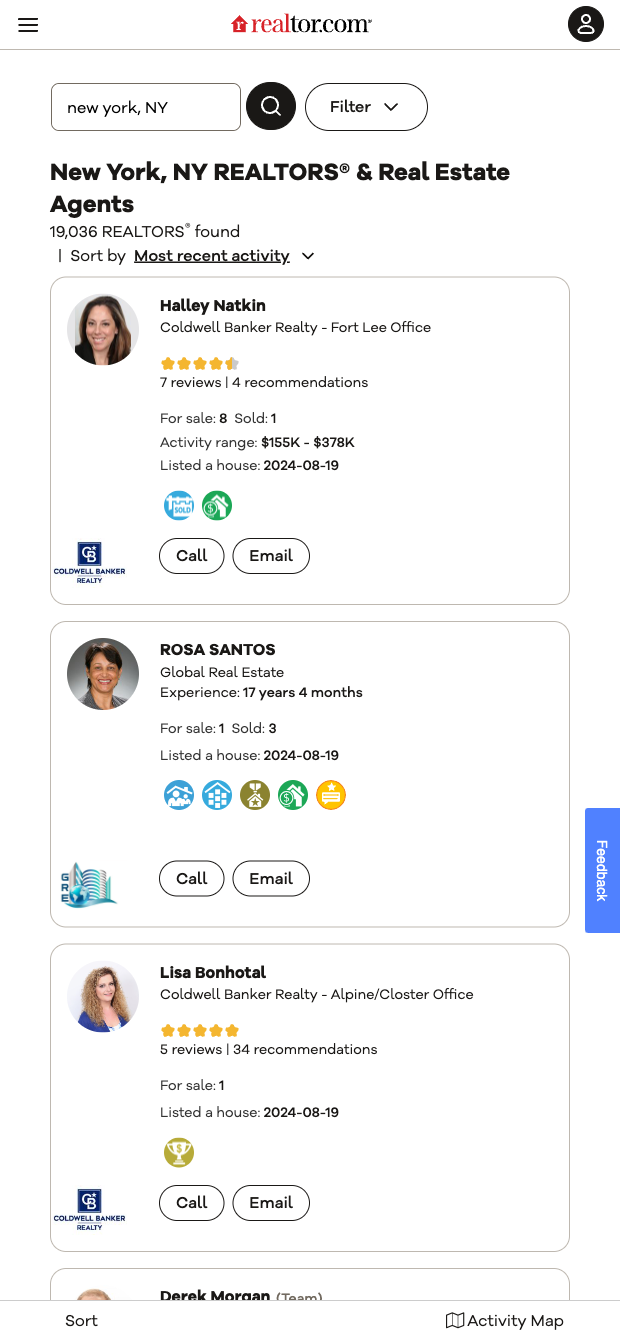

Who it's for: Brokerage recruiters, team leaders, and mortgage/proptech business development teams in the U.S. who need a reliable Realtor.com agent scraper to quickly build and analyze local agent lists by city or ZIP. This template pulls rich agent data (name, company, phone, profile link, images, ratings, reviews, sales counts, experience, recommendations, and activity range) directly from Realtor.com search results and structures it for immediate use.
How you’ll use it: Send the scraped agents to Google Sheets, Airtable, Notion, or your CRM; enrich and score profiles by rating, reviews, and sales; segment by activity range; and prioritize outreach for recruiting or partnerships. With Bardeen, you can deduplicate, compute leaderboards, summarize profiles with AI, and auto-route top agents to sequences or pipelines—turning a static directory into actionable, ranked lead lists.
This template is maintained and updated by Bardeen to keep pace with Realtor.com changes, ensuring high-quality, dependable data for your workflows.
With Bardeen, you can do much more than just web scraping. After extracting data from any website, use Bardeen’s powerful automation tools to validate and enrich your data, run additional scrapers on linked pages, or leverage AI to qualify leads and generate content automatically. Once your data is ready, you can easily export it to CSV, Google Sheets, Airtable, or Notion for further analysis and reporting.






SOC 2 Type II, GDPR and CASA Tier 2 and 3 certified — so you can automate with confidence at any scale.









