


Scrape the Most Loved products from any Product Hunt topic page into a clean table—capturing title, image, Product Hunt link, description, and shoutouts—for fast market research, competitor analysis, and partnership sourcing. Perfect for product managers, growth marketers, founders, and VC analysts tracking global startup trends. Enrich and rank with Bardeen (e.g., add company domains and socials, summarize value props with AI), then export to Google Sheets, Airtable, or Notion. Maintained by Bardeen for reliable, up-to-date data.
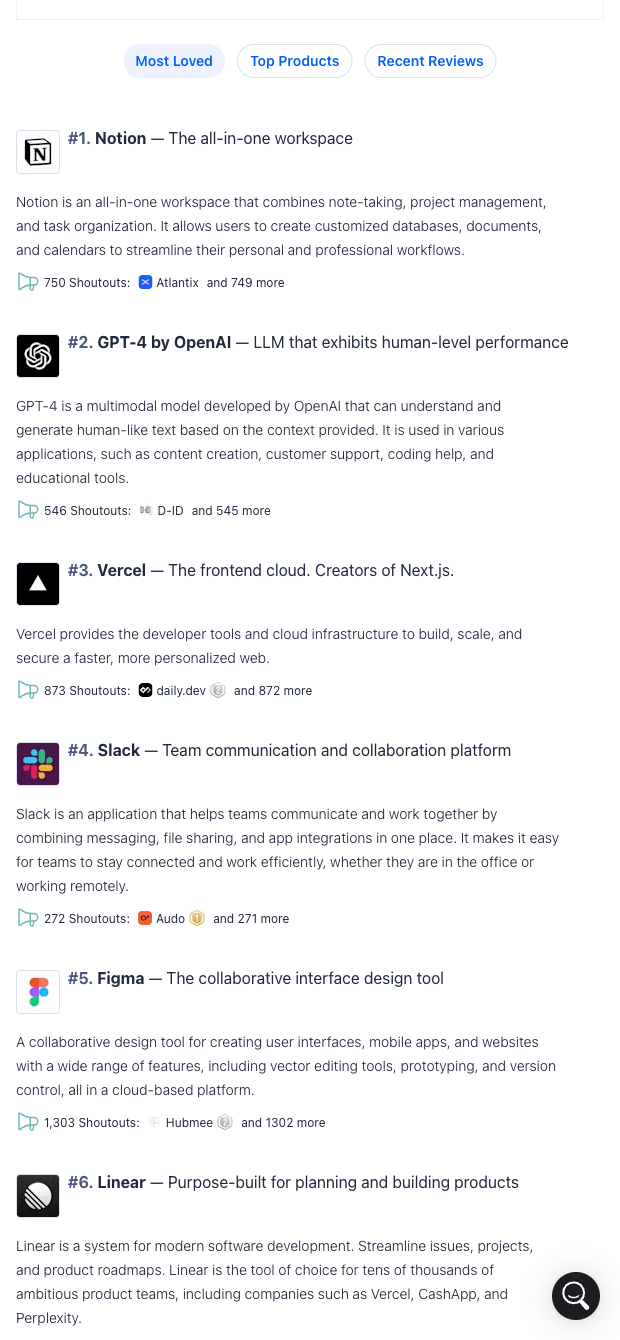

Extract the "Most Loved" list from any Product Hunt topic (e.g., Productivity, AI, Design) and turn it into structured data: Product title, image, PH link, description, and shoutouts. This template is designed for product managers, growth marketers, startup founders, researchers, and VC analysts who monitor global category leaders, track competitors, and scout emerging tools.
Use it to build market maps, prioritize outreach by shoutouts, curate newsletter roundups, or compile deal flow. With the Bardeen extension you can enrich each row with company domains and social profiles, add traffic or funding signals, ask AI to summarize value propositions, tag and score products, schedule refreshes, and export to Google Sheets, Airtable, Notion, or Slack for ongoing analysis and collaboration.
This template is maintained and updated by Bardeen to adapt to Product Hunt changes, ensuring reliable, high-quality data every time.
With Bardeen, you can do much more than just web scraping. After extracting data from any website, use Bardeen’s powerful automation tools to validate and enrich your data, run additional scrapers on linked pages, or leverage AI to qualify leads and generate content automatically. Once your data is ready, you can easily export it to CSV, Google Sheets, Airtable, or Notion for further analysis and reporting.






SOC 2 Type II, GDPR and CASA Tier 2 and 3 certified — so you can automate with confidence at any scale.










