


Scrape Google Jobs search results into a clean, structured table. Capture job title, company, location, employment type, posting age, salary, job description, source platform, company logo, apply links, and the job URL from any Google job search worldwide—ideal for recruiters, talent sourcers, HR ops, and founders to track openings, benchmark compensation, and build outreach-ready lists you can enrich and export to Sheets, Airtable, Notion, or your ATS.
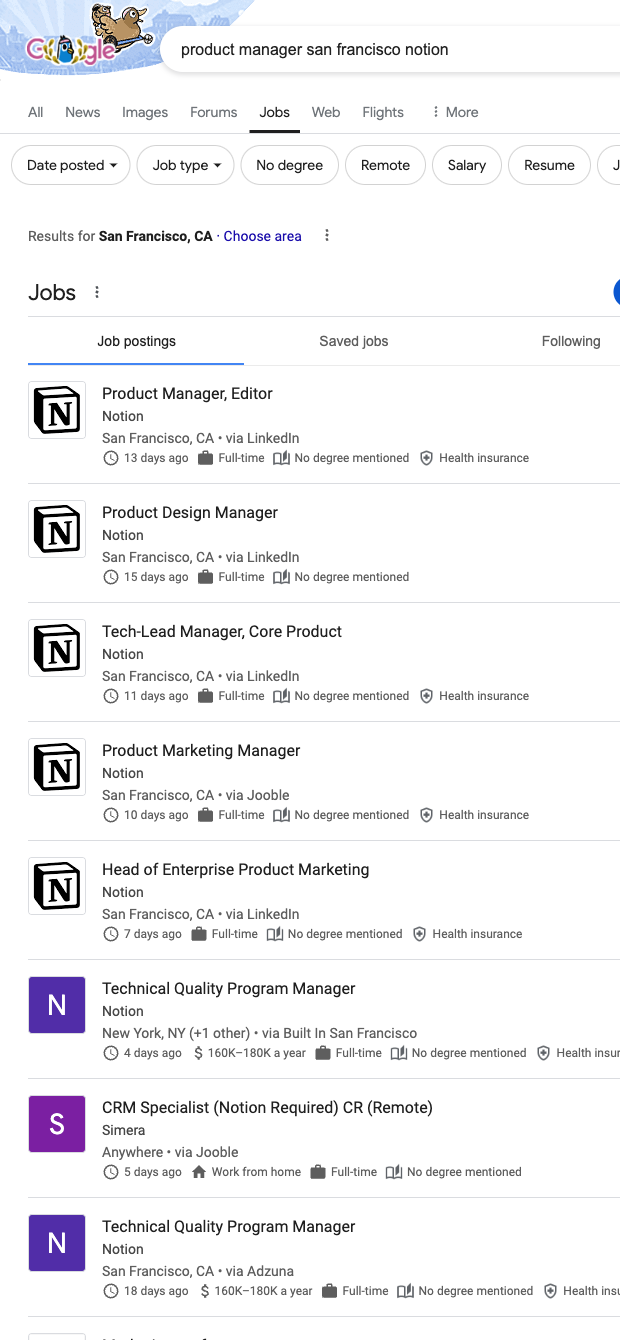

This template is built for recruiting teams, agency sourcers, HR operations, and hiring managers who rely on Google Jobs to discover openings globally. Turn any search (by role, location, or company) into structured hiring intelligence with fields like position, company, location, type, posting age, salary, description, source platform, company image, apply links, and the canonical job URL. Use it to monitor market demand for specific roles, identify companies actively hiring, and assemble prioritized pipelines for outreach or internal referrals.
With Bardeen, you can instantly enrich and work with this data: summarize long descriptions with AI, extract required skills and seniority, normalize job titles, tag remote/hybrid roles, calculate salary ranges, and auto-filter by “days posted.” Deduplicate by URL across runs, then send the results to Google Sheets, Airtable, Notion, or your ATS/CRM to trigger sequences, alerts, or approvals. This makes it easy to build live hiring dashboards, perform compensation benchmarking, and streamline apply-link tracking across regions.
Maintained by Bardeen: this scraper template is actively monitored and updated to adapt to Google Jobs UI changes, ensuring reliable, high-quality data for your recruiting workflows.
With Bardeen, you can do much more than just web scraping. After extracting data from any website, use Bardeen’s powerful automation tools to validate and enrich your data, run additional scrapers on linked pages, or leverage AI to qualify leads and generate content automatically. Once your data is ready, you can easily export it to CSV, Google Sheets, Airtable, or Notion for further analysis and reporting.






SOC 2 Type II, GDPR and CASA Tier 2 and 3 certified — so you can automate with confidence at any scale.









