


Extract structured job listings from Google Jobs search and detail pages to build hiring pipelines, track competitors’ openings, and analyze market demand. Capture key fields like job title, company, location, posting date, employment type, description snippet, and apply links, then enrich and export to Sheets, Airtable, or Notion for fast recruiting workflows.
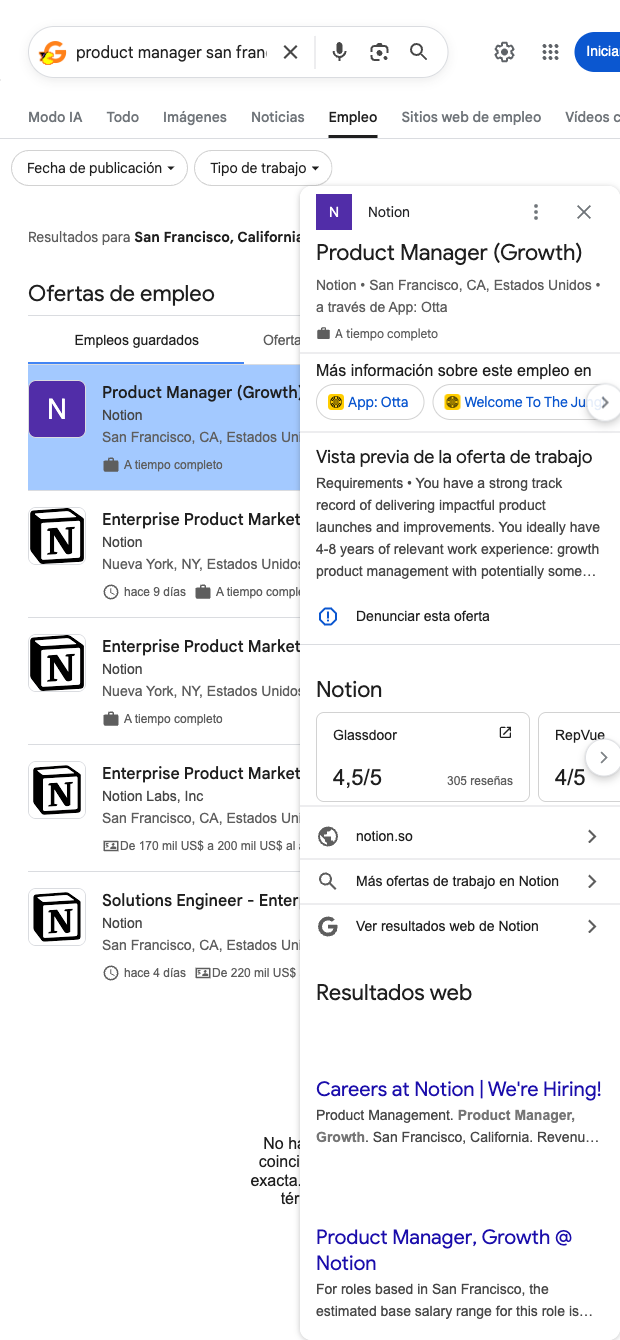

This scraper is designed for talent acquisition teams, recruiting agencies, HR operations, and labor market researchers who need reliable, structured data from Google Jobs. From any Google job search or job detail view, it pulls key fields like job title, company, location, employment type, posting date, description snippet, and apply URLs (and salary info when present), giving you a clean dataset to work with. Because Google Jobs aggregates listings globally, it’s a powerful way to monitor roles across regions, companies, and keywords in one place.
Use it to build targeted watchlists (e.g., “Product Manager in San Francisco at Notion”), export records to Google Sheets or Airtable, and keep them fresh with scheduled runs. With Bardeen, you can enrich rows with company data, normalize locations, auto-deduplicate, extract required skills via AI, summarize job descriptions, and pipe qualified postings directly into your ATS or a Notion tracker. Recruiters can quickly prioritize high-intent roles, trigger Slack alerts on new matches, and generate outreach prep notes—all from the scraped data.
The result is a repeatable, scalable workflow for sourcing and market intelligence that turns Google Jobs into a structured, actionable dataset you can analyze and automate end-to-end.
With Bardeen, you can do much more than just web scraping. After extracting data from any website, use Bardeen’s powerful automation tools to validate and enrich your data, run additional scrapers on linked pages, or leverage AI to qualify leads and generate content automatically. Once your data is ready, you can easily export it to CSV, Google Sheets, Airtable, or Notion for further analysis and reporting.






SOC 2 Type II, GDPR and CASA Tier 2 and 3 certified — so you can automate with confidence at any scale.







