


Extract structured hotel data from any Booking.com property page to power competitive analysis, travel procurement, and market research. This template captures core details like property name, location, ratings, reviews, amenities, room types, policies, and price snapshots for selected dates, ready to enrich and send to Google Sheets, Airtable, Notion, and more. Maintained by Bardeen for reliable, high‑quality scraping at global scale.
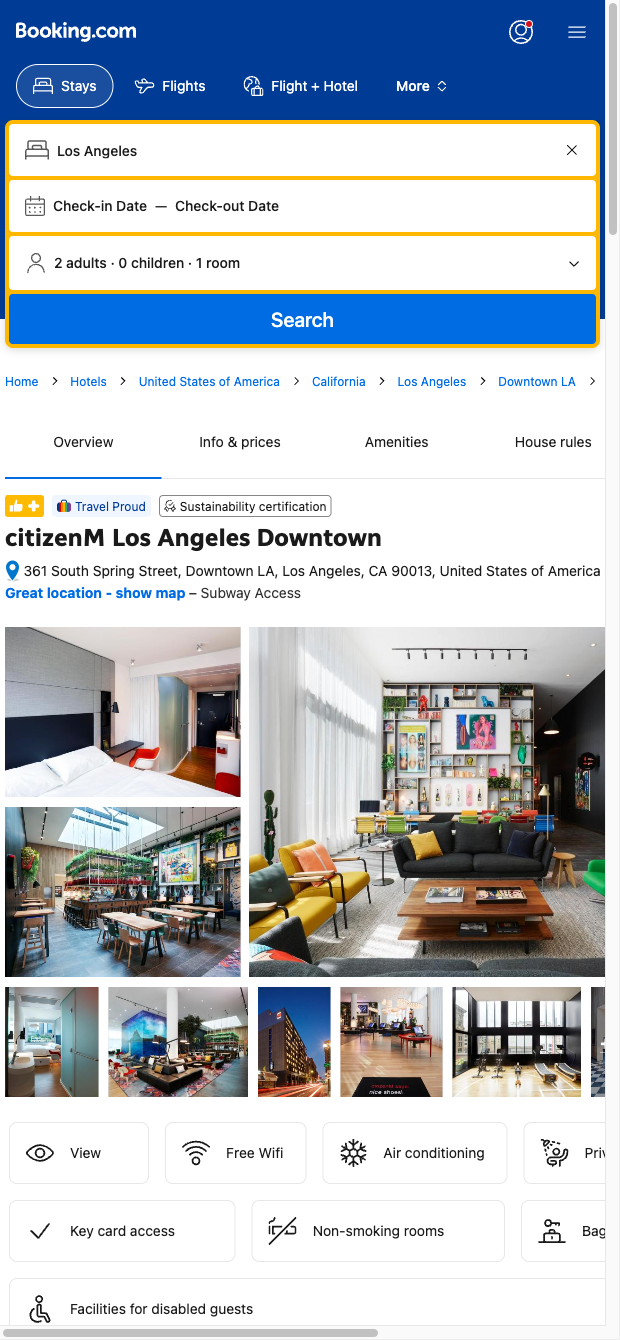

This template is built for hospitality professionals and travel buyers who need clean, comparable hotel data at scale. Revenue and distribution managers can benchmark competitors across markets, while corporate travel and events teams can compile shortlists by location, budget, and amenities. From a Booking.com property page, the scraper structures key details—such as name, address, star rating, review score and count, price for selected dates, room types, amenities, policy highlights, and links—into a clean table for fast analysis.
Work faster with automation and enrichment. Use Bardeen to normalize and compare rates across properties, filter by must-have amenities (e.g., parking, Wi‑Fi, breakfast, business facilities), compute price-per-rating, geocode addresses to map venues near your event site, and summarize review sentiment with AI to surface pros/cons. Pipe results into Google Sheets, Airtable, or Notion, deduplicate against existing vendor lists, and set automations to refresh data or flag changes in price or review score.
This is a Bardeen-maintained scraper template. We actively monitor Booking.com layout changes and update the scraper to ensure dependable, high-quality data extraction for global markets.
With Bardeen, you can do much more than just web scraping. After extracting data from any website, use Bardeen’s powerful automation tools to validate and enrich your data, run additional scrapers on linked pages, or leverage AI to qualify leads and generate content automatically. Once your data is ready, you can easily export it to CSV, Google Sheets, Airtable, or Notion for further analysis and reporting.






SOC 2 Type II, GDPR and CASA Tier 2 and 3 certified — so you can automate with confidence at any scale.









