


Capture real-time “Trending now” searches from Google Trends and export structured data—topic name, searches, date, description, sources, preview image, and links—so content marketers, SEO analysts, and social media managers can spot breaking topics by country, prioritize opportunities, and route them to Sheets, Airtable, or Notion for rapid planning and reporting.
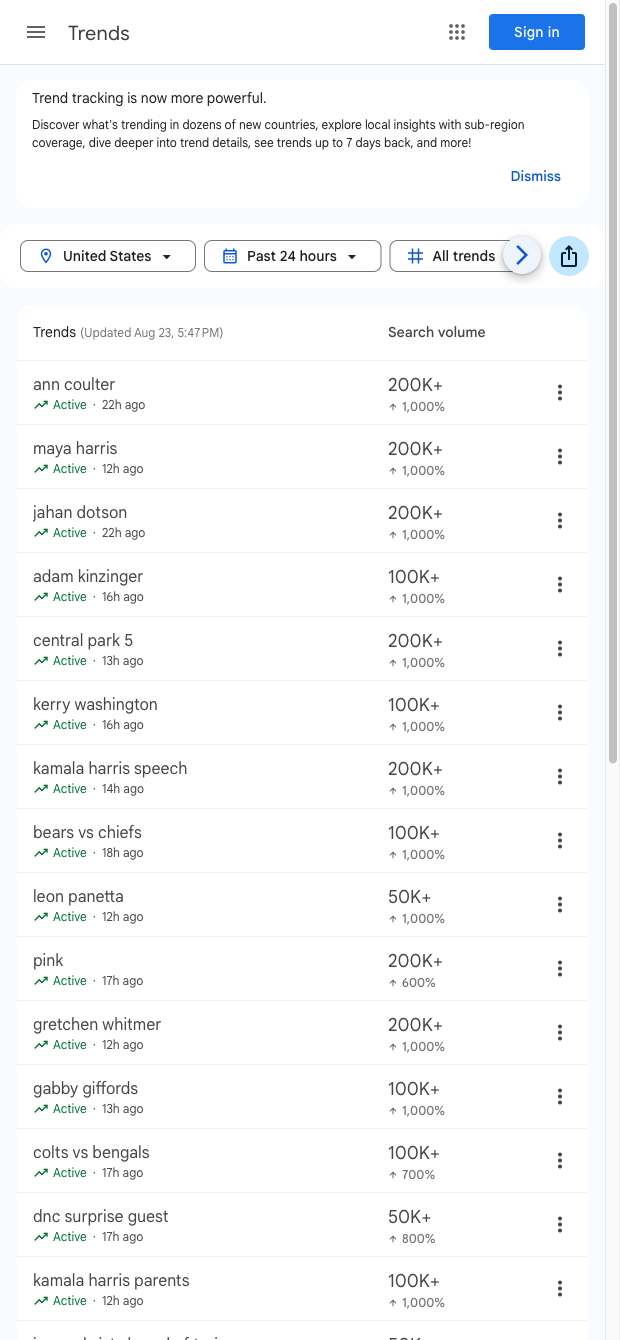

This Google Trends “Trending now” scraper is built for content marketers, SEO specialists, editors, and social media managers who track real-time search interest. It opens each trend to collect rich details and structures them into rows, including Name, Searches, Date, Trend URL, Description, Source, Source URL, and Preview. Use it to uncover newsjacking angles, validate keyword ideas, and localize editorial plans across any Google Trends locale—global or country-specific.
With the Bardeen extension, you can enrich and act on the data: categorize topics by vertical, summarize descriptions with AI, extract entities, score and prioritize opportunities, and set alerts. Send results to Google Sheets, Airtable, or Notion, auto-generate briefs and headlines, or trigger Slack notifications when searches spike. This turns a Google Trends “Trending now” scrape into a repeatable pipeline for content calendars, SEO research, social programming, and trend reporting.
Maintained by Bardeen. This template is actively updated to reflect Google Trends changes, ensuring reliable, high-quality scraping and structured data you can trust.
With Bardeen, you can do much more than just web scraping. After extracting data from any website, use Bardeen’s powerful automation tools to validate and enrich your data, run additional scrapers on linked pages, or leverage AI to qualify leads and generate content automatically. Once your data is ready, you can easily export it to CSV, Google Sheets, Airtable, or Notion for further analysis and reporting.






SOC 2 Type II, GDPR and CASA Tier 2 and 3 certified — so you can automate with confidence at any scale.








