


Quickly capture Eventbrite search results for software-related online events into a clean table—Title, Link, Date, Price, and Preview image—perfect for community managers, DevRel, event marketers, and B2B sales teams who need a live pipeline of webinars and workshops for outreach, calendars, and training.
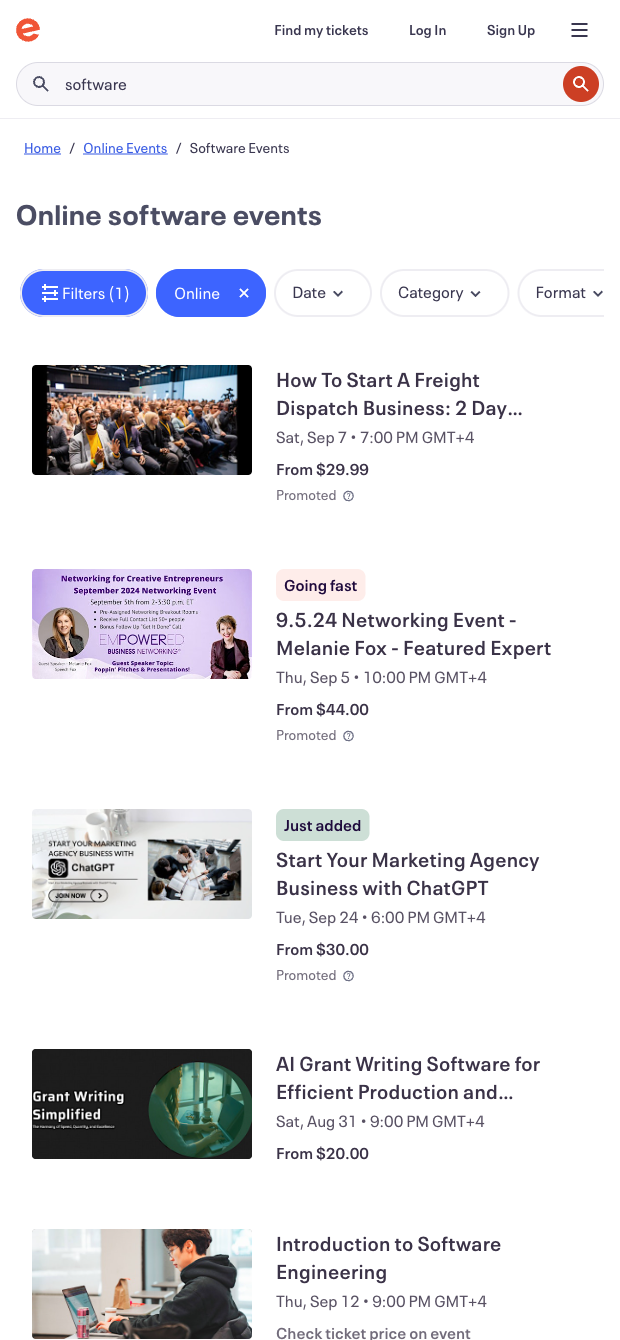

This Eventbrite search results scraper is built for professionals who track software events at scale—think community managers, developer relations, event marketers, and B2B sales or partnerships teams. Use it to extract online software webinars, workshops, and conferences from any Eventbrite search or filter page, assembling a structured list with titles, dates, prices, links, and images. It’s ideal for building event calendars, planning speaking or sponsorship outreach, sourcing lead-generation opportunities, or curating learning programs across global regions.
With the captured data in a table, you can push it to Google Sheets, Airtable, or Notion, and then enrich and automate your workflow in a few clicks. Tag events by topic with AI, normalize dates and time zones, flag free vs. paid, summarize listings, deduplicate across pages, and trigger alerts in Slack or add selected items to your CRM or calendar. This template helps you turn Eventbrite results into actionable event pipelines and editorial schedules in minutes.
This scraper template is maintained and updated by Bardeen to adapt to Eventbrite changes, ensuring reliable extraction and high-quality data over time.
With Bardeen, you can do much more than just web scraping. After extracting data from any website, use Bardeen’s powerful automation tools to validate and enrich your data, run additional scrapers on linked pages, or leverage AI to qualify leads and generate content automatically. Once your data is ready, you can easily export it to CSV, Google Sheets, Airtable, or Notion for further analysis and reporting.






SOC 2 Type II, GDPR and CASA Tier 2 and 3 certified — so you can automate with confidence at any scale.








