


Turn eBay search results into clean, structured tables for price tracking, competitor analysis, and product sourcing. This eBay product list scraper captures product title, URL, image, price, purchase option (Auction or Buy It Now), shipping cost, item location, condition, seller and store links, watchers/sold signals, ratings, and review counts—perfect for e‑commerce sellers, resellers, and procurement teams operating across global eBay marketplaces.
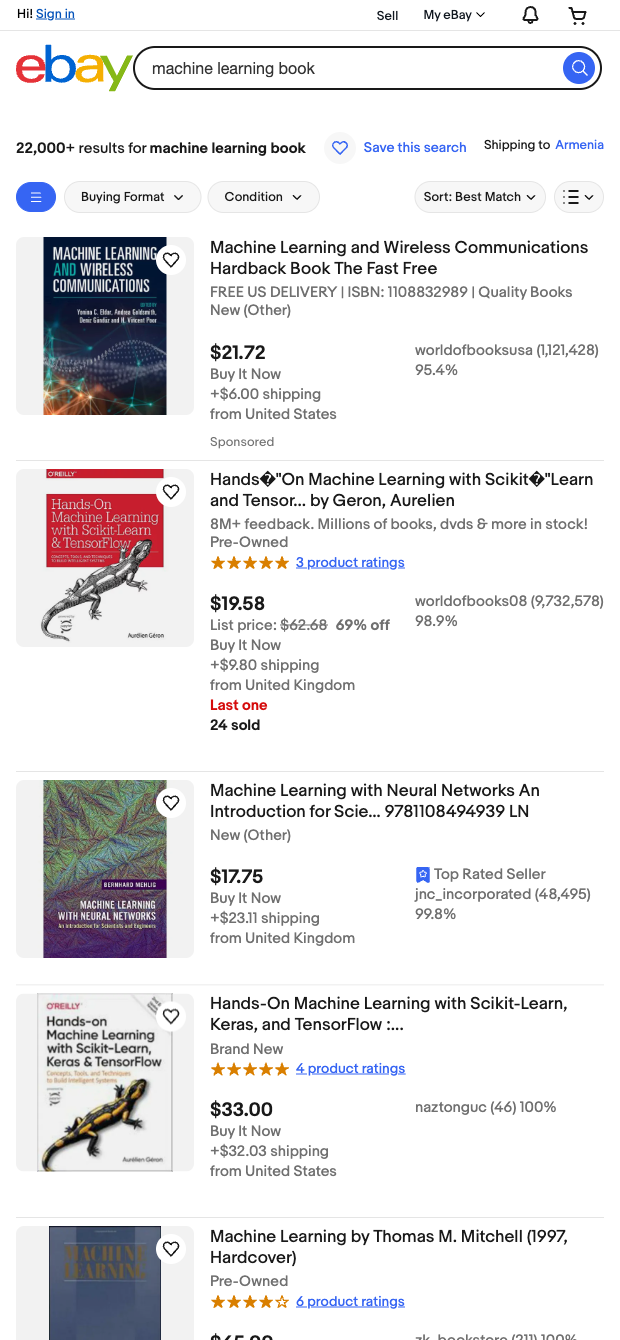

Built for e‑commerce sellers, resellers/dropshippers, procurement teams, and market researchers, this template transforms any eBay search page into ready‑to‑analyze data. Pull key buying signals like watchers/sold, seller rating, and review volume, plus logistics factors such as shipping price, item location, and condition. Use it to benchmark competitors, validate demand, qualify suppliers, and build sourcing shortlists across eBay’s global sites (.com, .co.uk, .de, and more).
With Bardeen, you can instantly export to Google Sheets, Airtable, or Notion, compute landed cost (price + shipping), estimate margins, filter by condition or minimum seller rating, group by location, and ask AI to summarize reviews or flag potential best‑sellers. Chain this scraper with automations to refresh queries, de‑duplicate products, monitor price changes, and maintain a live catalog for your target categories and regions.
This scraper is maintained and updated by Bardeen to adapt to eBay layout changes, ensuring high‑quality, reliable data for your workflows.
With Bardeen, you can do much more than just web scraping. After extracting data from any website, use Bardeen’s powerful automation tools to validate and enrich your data, run additional scrapers on linked pages, or leverage AI to qualify leads and generate content automatically. Once your data is ready, you can easily export it to CSV, Google Sheets, Airtable, or Notion for further analysis and reporting.






SOC 2 Type II, GDPR and CASA Tier 2 and 3 certified — so you can automate with confidence at any scale.









