


Extract Craigslist search results into a clean table—titles, dates, locations, links, and images—from any city or category. Ideal for US-based lead generation, recruiting, local services, and real estate scouting to monitor fresh posts and export to Google Sheets, Airtable, or your CRM.
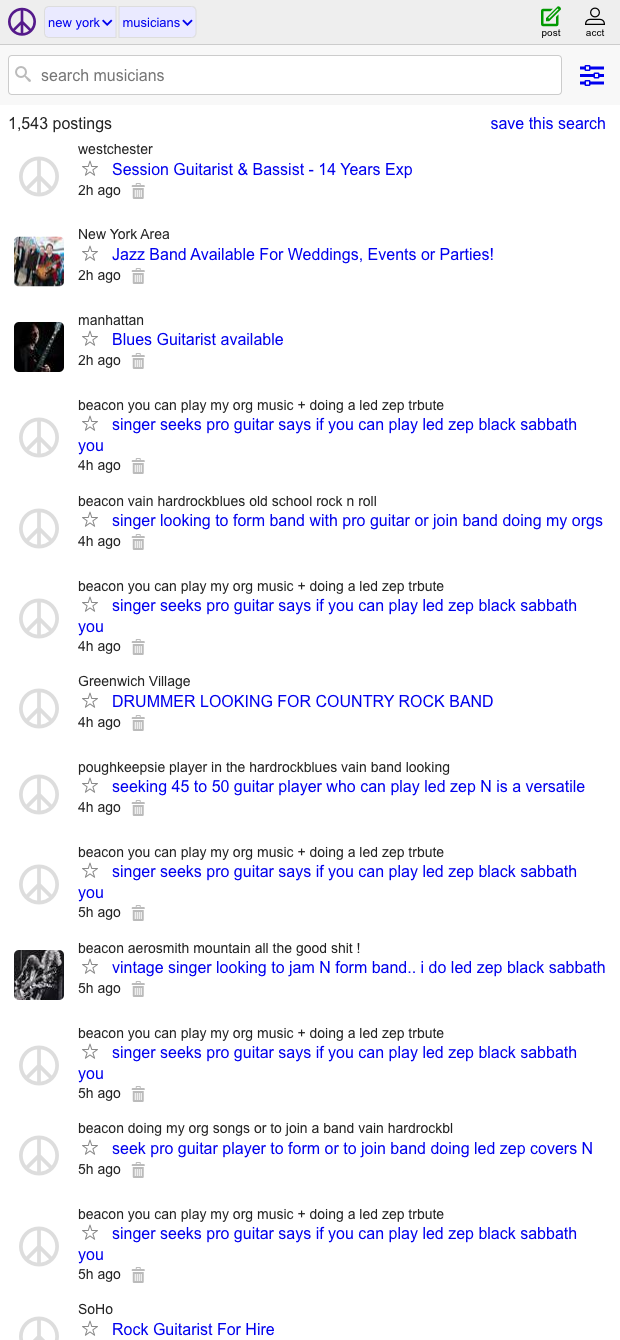

This Craigslist search results scraper is built for professionals who rely on timely, local listings—think growth and operations teams, recruiters, local service providers, and real estate scouts across the United States. It captures title, date, location, link, and image from any Craigslist search page, turning results (e.g., gigs, jobs, services, for-sale, housing) into a structured table you can work with instantly.
Use it to monitor new posts in target cities and categories, filter and score leads, summarize listings with AI, and enrich entries with contact or company data before routing them to Google Sheets, Airtable, Notion, or your CRM. Create repeatable workflows like daily lead capture, deduping, keyword-based prioritization, and sending alerts to your team—so you act on the best opportunities first.
Maintained by Bardeen: this template is actively monitored and updated to reflect Craigslist changes, ensuring reliable, high-quality data extraction and a smooth automation experience.
With Bardeen, you can do much more than just web scraping. After extracting data from any website, use Bardeen’s powerful automation tools to validate and enrich your data, run additional scrapers on linked pages, or leverage AI to qualify leads and generate content automatically. Once your data is ready, you can easily export it to CSV, Google Sheets, Airtable, or Notion for further analysis and reporting.






SOC 2 Type II, GDPR and CASA Tier 2 and 3 certified — so you can automate with confidence at any scale.










