


Extract complete Amazon book series data into a structured table in seconds. This template scrapes item number, title, link, author, star rating, review count, summary, and the source page URL—ideal for publishers, indie authors, book marketers, and librarians to research competing series, track reception, and curate reading lists across Amazon’s global marketplaces, with easy export to Sheets, Airtable, or Notion.
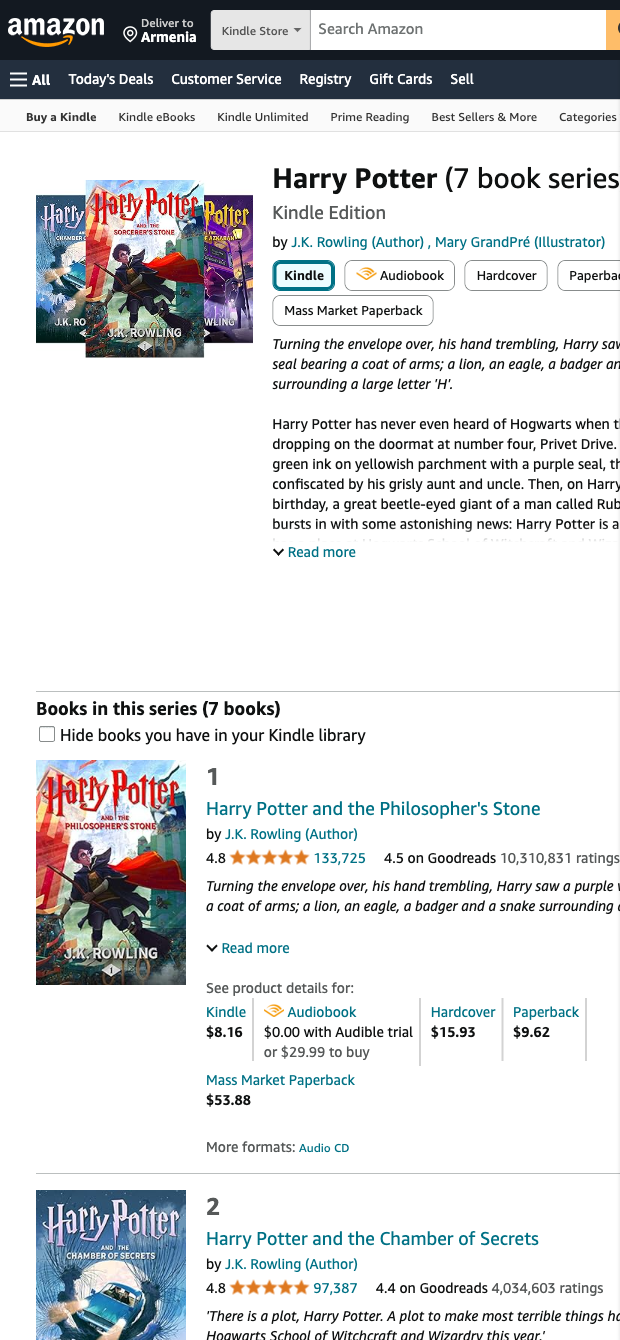

Who it’s for: Publishing professionals, indie authors, book marketers, literary scouts, and librarians who need reliable Amazon series intelligence at scale. Works across Amazon marketplaces worldwide, making it perfect for global market research and list curation.
What you get and how to use it: From any Amazon book or Kindle series page, capture Item num (series order), Title, Link, Author, Stars (average rating), Rating (review count), Summary (blurb snippet), and Page url. Use Bardeen to enrich and analyze: compute average ratings per series, filter by review thresholds, summarize blurbs with AI to extract themes and keywords, cluster comparable titles, and auto-build curated lists. Chain actions to follow each book’s link for deeper metadata, then export to Google Sheets, Airtable, or Notion for team sharing and reporting.
Quality you can trust: This scraper is built, maintained, and regularly updated by Bardeen to adapt to Amazon UI changes—delivering accurate, high-quality data you can rely on.
With Bardeen, you can do much more than just web scraping. After extracting data from any website, use Bardeen’s powerful automation tools to validate and enrich your data, run additional scrapers on linked pages, or leverage AI to qualify leads and generate content automatically. Once your data is ready, you can easily export it to CSV, Google Sheets, Airtable, or Notion for further analysis and reporting.






SOC 2 Type II, GDPR and CASA Tier 2 and 3 certified — so you can automate with confidence at any scale.








